Fine-tuning lets you take an existing model and train it with your own data to create a new model that is better suited to a specific task. Whenever you create a new fine-tune, you must specify a `destination` model. This is a model that you create, and it will be updated with the results of your fine-tuning process. The destination model can be a new model, or an existing model that you’ve already fine-tuned.
This guide covers how to create and specify destination models for fine-tuning.
[](#option-1-create-a-model-from-the-train-tab)Option 1: Create a model from the Train tab
------------------------------------------------------------------------------------------
Every trainable model has a “Train” tab with a form that lets you create a new fine-tune of that model. For example, check out the training pages for models like [Flux](https://replicate.com/replicate/fast-flux-trainer) or [LLaVA](https://replicate.com/yorickvp/llava-13b/train):
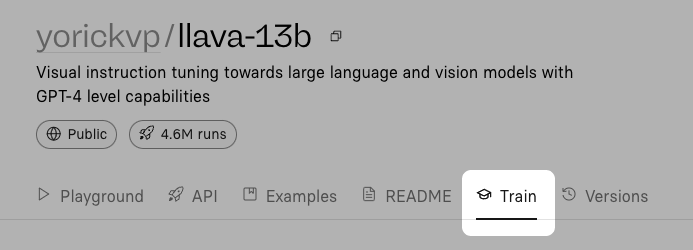
The training form asks you to choose a destination model. You can select an existing model as a destination, or create a new model.
[](#option-2-create-a-model-on-the-web)Option 2: Create a model on the web
--------------------------------------------------------------------------
If you want to create a destination model without training it right away, you can create a model manually from the web at [replicate.com/create](https://replicate.com/create).
[](#option-3-create-a-model-with-the-api)Option 3: Create a model with the API
------------------------------------------------------------------------------
You can use the [HTTP API](https://replicate.com/docs/reference/http#models.create) to create a new model programmatically whenever you need a new destination for a training.
Here’s an example using cURL:
```shell
curl -s -X POST \
-H "Authorization: Token $REPLICATE_API_TOKEN" \
-d '{"owner": "alice" "name": "my-model", "description": "An example model", "visibility": "public", "hardware": "cpu"}' \
https://api.replicate.com/v1/models
```
You can also use Replicate’s [JavaScript](https://github.com/replicate/replicate-javascript#replicatemodelscreate) and [Python](https://github.com/replicate/replicate-python?tab=readme-ov-file#create-a-model) clients to create models with the API.
[](#option-4-using-an-existing-model)Option 4: Using an existing model
----------------------------------------------------------------------
You don’t have to create a new model every time you fine-tune. You can instead use the same destination model multiple times, and the resulting fine-tunes will be added to the destination model as different “versions”. You can think of the destination model as a collection of fine-tunes, in the form of model versions.
You only need to create the destination model once. When a new training is created, the resulting fine-tune is automatically pushed as a new version to the destination model.