
Readme
nanotopo - Flux LoRA Model
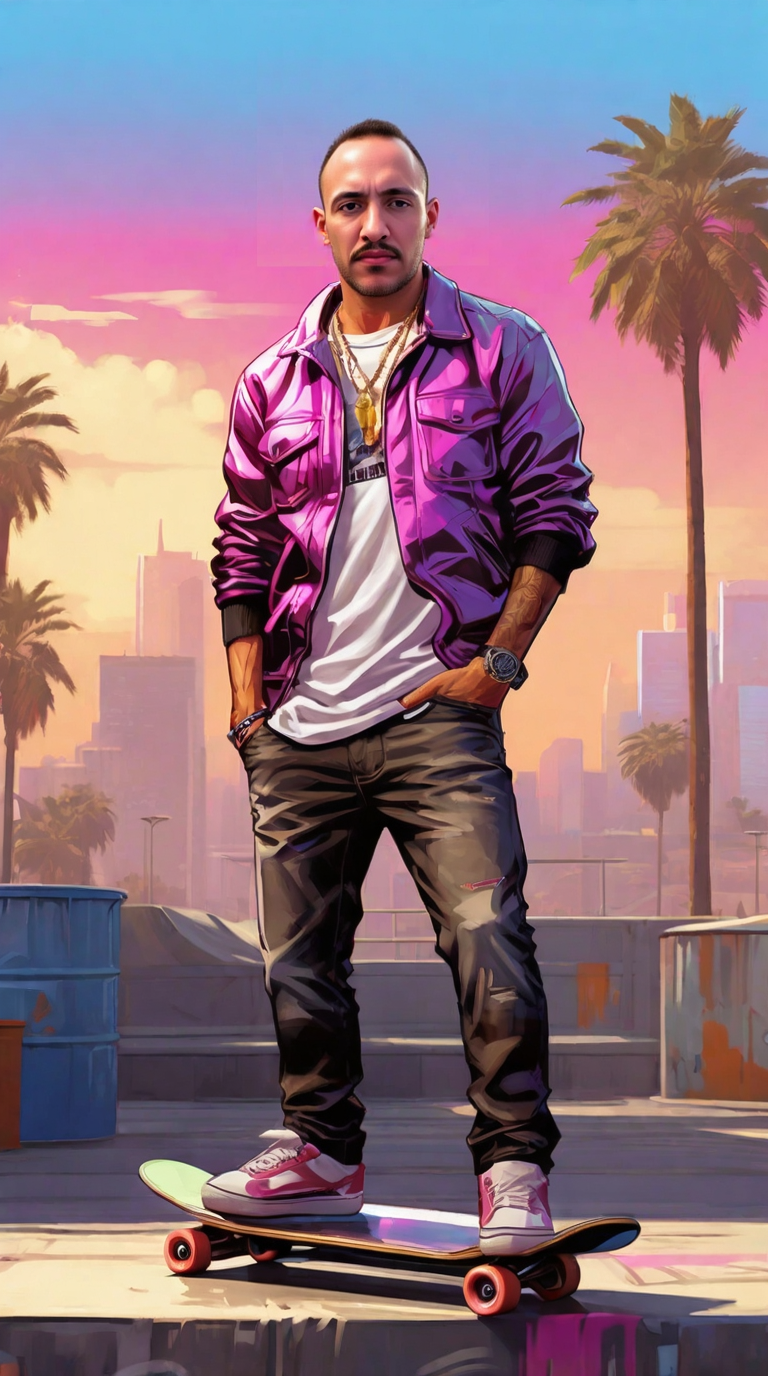
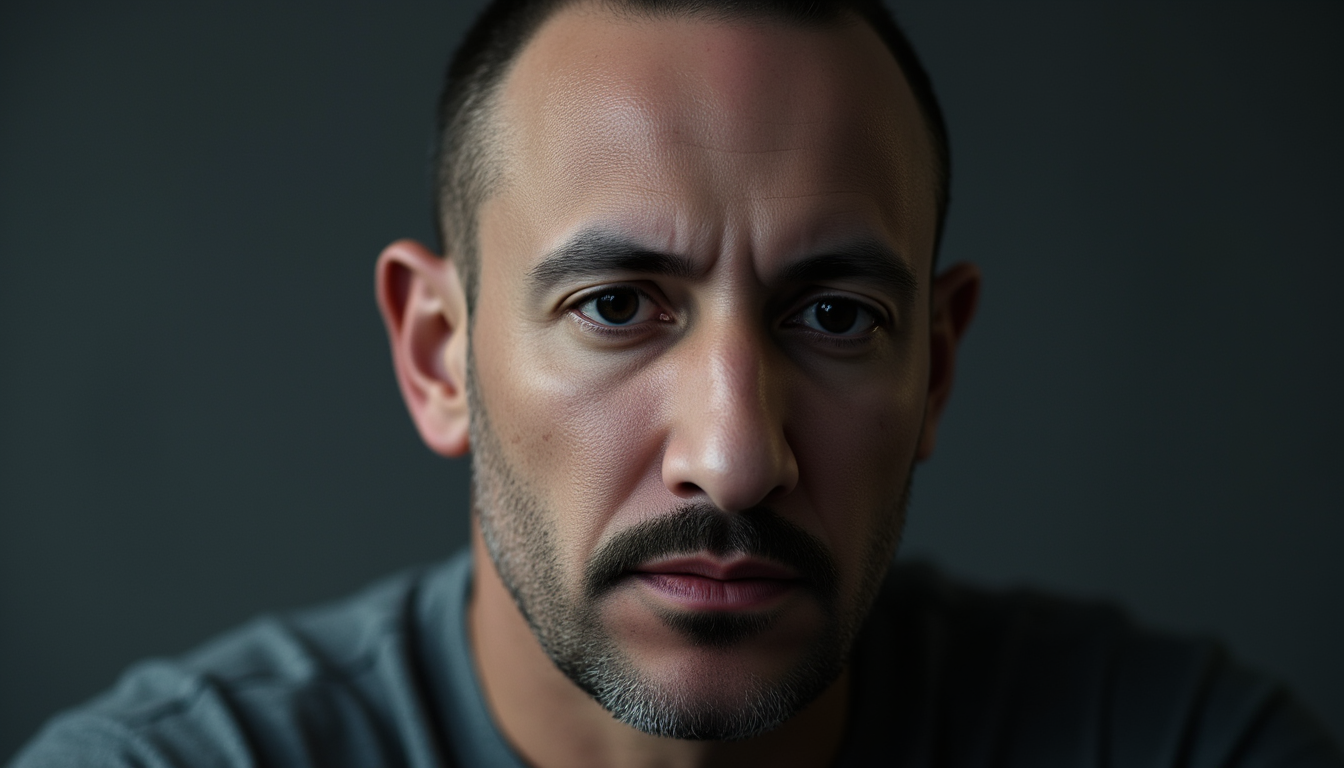
A personalized Flux-based LoRA fine-tuned model trained on synthetically generated data from a single selfie, demonstrating how creative data augmentation can unlock diverse image generation capabilities.
Overview
This model began from a single selfie and evolved into a versatile Flux-LoRA model capable of generating a wide range of images featuring the trained subject in various styles, poses, and scenarios. The training leveraged the Hailuo Image-1 model’s subject-reference feature to generate 15 diverse training images from one source photo, showcasing an innovative approach to data augmentation for personalized AI models.
Trigger word: nanotopo
Base model: Flux.1 (dev/schnell)
Model type: LoRA fine-tune
Hardware: Nvidia H100 GPU
How It Works
Training Process
- Source Material: Started with a single phone selfie
- Data Augmentation: Used Hailuo Image-1’s subject-reference feature to generate 15 diverse training images
- Image Specifications:
- Resolution: 1024x1024 pixels
- Variety: Different styles, poses, and situations
- Consistency: Minimal, sober backgrounds with controlled lighting effects
- Training Setup:
- Prepared individual captions for each image
- Compressed all images and captions into a ZIP file
- Fine-tuned using replicate/fast-flux-trainer:56cb4a64
- Training parameters optimized for portrait consistency
Key Features
- Single-source training: Demonstrates effective data augmentation from minimal input
- Versatile output: Generates consistent subject representation across diverse scenarios
- Style flexibility: Works with various artistic styles and compositions
- Fast inference: Supports both dev (28 steps) and schnell (4 steps) modes
- Optimization options: FP8 quantization available for faster generation
Usage
Basic Usage
To use this model, include the trigger word nanotopo in your prompt:
prompt = "nanotopo posing with an honest facial expression of satisfaction"
Recommended Settings
For best quality (dev model):
- Model: dev
- Inference steps: 28
- Guidance scale: 3.0
- LoRA scale: 1.0
- Aspect ratio: 1:1 or 16:9
For fast generation (schnell model):
- Model: schnell
- Inference steps: 4
- LoRA scale: 1.5 (automatically adjusted with go_fast mode)
- Enable go_fast for FP8 quantization
Advanced Features
Image-to-Image:
- Provide an input image to guide generation
- Adjust prompt_strength (0-1) to control transformation intensity
- Higher values = more deviation from source image
Inpainting:
- Supply both an image and mask to regenerate specific regions
- Useful for targeted edits while preserving the rest of the image
LoRA Stacking:
- Use extra_lora parameter to load additional LoRA models
- Combine multiple styles or concepts
- Adjust extra_lora_scale independently
Parameter Guide
| Parameter | Range | Default | Purpose |
|---|---|---|---|
num_inference_steps |
1-50 | 28 | More steps = better quality, slower generation |
guidance_scale |
0-10 | 3.0 | Lower values (2-3.5) produce more realistic results |
lora_scale |
-1 to 3 | 1.0 | Strength of main LoRA application |
prompt_strength |
0-1 | 0.8 | Image-to-image transformation intensity |
output_quality |
0-100 | 80 | JPEG/WebP quality (N/A for PNG) |
Common Use Cases
- Portrait generation: Create diverse portraits in different settings
- Style exploration: Apply various artistic styles while maintaining subject consistency
- Character consistency: Generate the same person across multiple scenarios
- Creative compositions: Place subject in imaginative or realistic scenarios
- Reference imagery: Create visual references for creative projects
Tips for Best Results
- Always include the trigger word (
nanotopo) for best subject activation - Start with guidance scale 2.5-3.5 for realistic images
- Use dev model with 28 steps for highest quality
- Use schnell with 4 steps + go_fast for rapid iteration
- Experiment with LoRA scale between 0.8-1.2 for different intensities
- Keep prompts descriptive but not overly complex
- Specify lighting and composition for more controlled results
Limitations
- Subject specificity: Trained on a single individual; not suitable for other subjects
- Dataset scope: Limited training images may restrict pose/angle variety
- Style transfer: Some artistic styles may work better than others depending on training data
- Resolution: Optimal at 1024x1024; custom dimensions may affect quality
- Coherence: Complex scenes with multiple subjects may reduce consistency
Troubleshooting
Subject not appearing correctly:
- Ensure trigger word nanotopo is in the prompt
- Increase lora_scale to 1.2-1.5
- Try higher guidance_scale (3.5-4.0)
Images look overcooked or artificial:
- Reduce guidance_scale to 2.0-2.5
- Lower lora_scale to 0.7-0.9
- Increase inference steps if using schnell
Generation too slow:
- Enable go_fast mode
- Switch to schnell model with 4 steps
- Reduce num_outputs to 1
Technical Details
Training approach: Dreambooth-style LoRA fine-tuning
Rank: 16 (estimated)
Training images: 15 synthetically generated variations
Source diversity: Multiple styles, poses, and lighting conditions
Trainer: replicate/fast-flux-trainer:56cb4a64
Ethical Considerations
This model was trained on self-generated images with explicit consent from the subject. Users should: - Respect privacy and consent when using personalized models - Avoid generating content that misrepresents or harms individuals - Follow platform guidelines and local regulations regarding AI-generated imagery - Consider watermarking or disclosing AI-generated content where appropriate
Links & Resources
- Model weights: HuggingFace
- Training method: Hailuo Image-1 subject-reference feature
- Base trainer: replicate/fast-flux-trainer
- Related models: topolora1
Citation
If you use this model or methodology in your work, please reference:
nanotopo - Flux LoRA Model
Creator: topogoogles
Platform: Replicate
URL: https://replicate.com/topogoogles/nanotopo
Training approach: Single-source synthetic data augmentation via Hailuo Image-1
Version History
- Current version: Initial release (3 months, 2 weeks ago)
- Status: Warm model (reduced cold boot times)
- Run count: 13+ successful generations
Questions or issues? Feel free to reach out through the Replicate platform.