The Ultimate Guide to Kling 4.0
Run Kling 4.0
Kling from Kuaishou has been one of the front-runners in AI video for a while. Kling 4.0 is the new version, and it changes how you direct a shot.
The headline numbers:
- Up to 30 seconds per generation, anywhere from 3 to 30.
- 720p or 1080p output.
- Four aspect ratios: 16:9, 9:16, 1:1, and a new ultra-wide 21:9.
- Prompts up to 26,000 characters, so you can write a whole shot list.
- Up to 10 keyframes: a first frame, a last frame, and images in between that the video passes through in order.
This post walks through what Kling 4.0 does best, with real outputs for each.
Text to video
Start with a plain description of the scene and the camera. Kling 4.0 holds onto small physical details, like ripples spreading where raindrops land and neon reflections that move with the water.
A paper boat drifts down a narrow, rain-soaked Tokyo alley at night. Neon signs in pink and teal reflect in the puddles and ripple as raindrops fall. The camera tracks low alongside the boat, close to the water. Cinematic, photorealistic, shallow depth of field.
Ultra-wide 21:9
21:9 is new in Kling 4.0. It’s the cinema widescreen format, and it suits landscapes and establishing shots. Set aspect_ratio to "21:9".
A sweeping aerial shot glides over a red sandstone canyon at sunrise. Long shadows stretch across the canyon floor as a river catches the first golden light. The camera slowly pushes forward and rises to reveal the desert horizon. Epic cinematic landscape, anamorphic look.
Image to video
Give Kling 4.0 a start image (start_image on Replicate, first_frame on AI Gateway) and it animates from there. In the prompt, refer to the image as @image_1. Here a pencil sketch turns into a finished product shot.
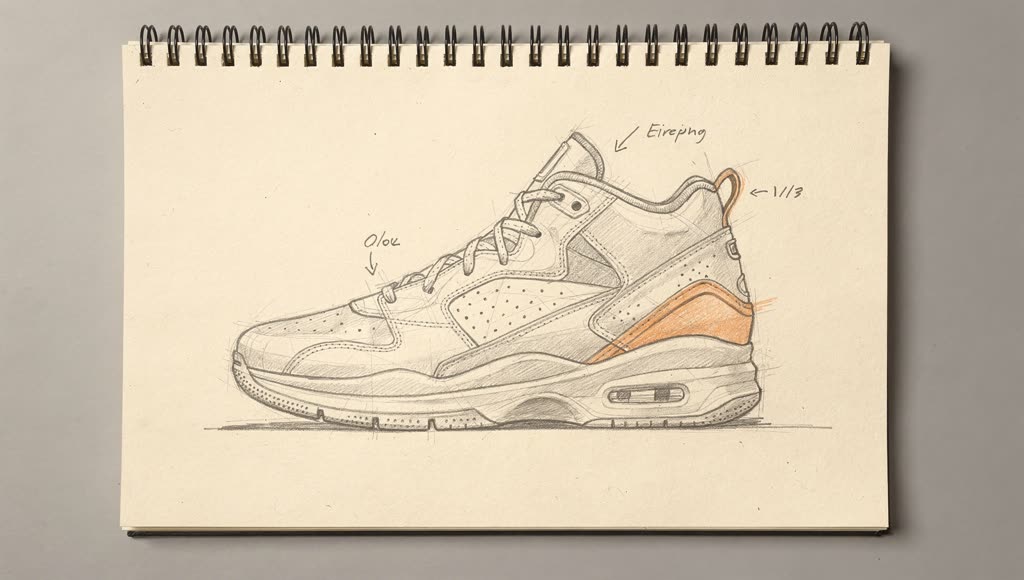
The pencil sneaker sketch in @image_1 comes to life. The graphite lines fill in with real materials: white leather, a perforated toe box, an orange suede heel panel, a translucent cushioned sole. The sneaker lifts off the sketchbook page and settles onto a slowly rotating white studio turntable as the paper fades into a soft grey seamless backdrop. Studio softbox lighting, crisp reflections, macro detail on the stitching. Smooth, continuous camera orbit.
Keyframes: one continuous shot
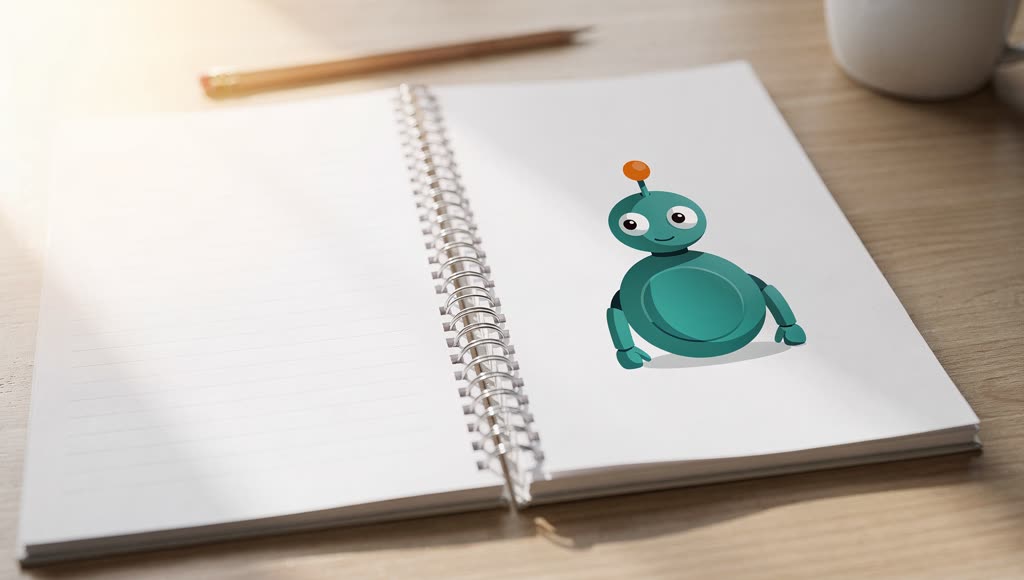
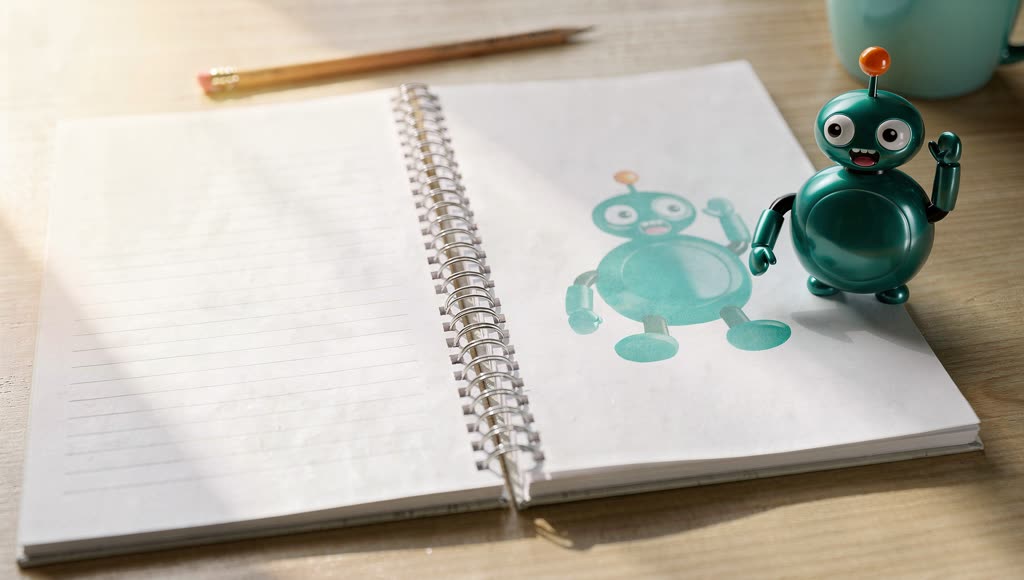
This is the part that’s new. Instead of a start and an end, you can give Kling 4.0 a start image, a list of middle images, and an end image, up to 10 images in total. On Replicate these are start_image, middle_images, and end_image; on AI Gateway they are first_frame, middle_frames, and last_frame. The video passes through each one, in order, in a single continuous shot.
The images are numbered in that order: @image_1 is the first frame, then the middle frames, and the last frame comes last. Use those names in the prompt to say what happens at each point.
@image_1 (first)
@image_2 (middle)
@image_3 (last)
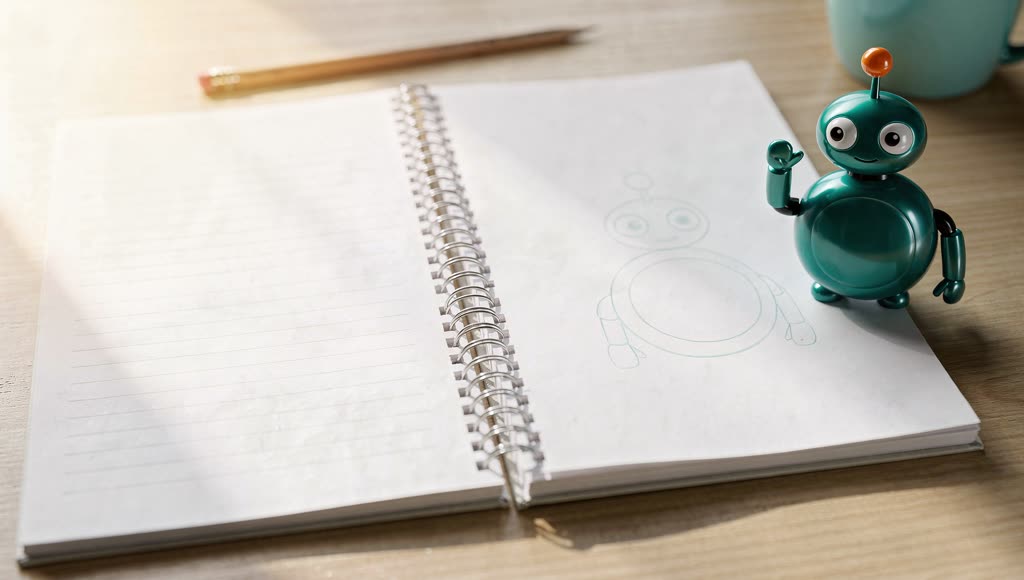
A flat illustrated robot mascot printed on a notebook page wakes up. In @image_1 it is flat ink on the paper; it blinks, its antenna wiggles, and it peels itself up off the page into a glossy 3D toy. In @image_2 it stands on the page beside its own faded print, knees bent, mid-hop. By @image_3 it has hopped onto the wooden desk next to the coffee mug and waves at the camera. Warm morning sunlight, shallow depth of field, playful stop-motion feel, one continuous shot with a fixed camera.
With keyframes, the output takes the shape of your images, so aspect_ratio is ignored.
Running Kling 4.0
Here’s how to generate a video with Kling 4.0:
import Replicate from "replicate";

const replicate = new Replicate();

const output = await replicate.run(
  "kwaivgi/kling-v4.0",
  {
    input: {
      prompt: "A paper boat drifts down a narrow, rain-soaked Tokyo alley at night. Neon signs in pink and teal reflect in the puddles and ripple as raindrops fall. The camera tracks low alongside the boat, close to the water.",
      duration: 5,
      resolution: "1080p",
      aspect_ratio: "16:9",
      // start_image: "https://...",              // start from an image (@image_1)
      // middle_images: ["https://...", "..."],    // keyframes the shot passes through
      // end_image: "https://...",                // image the shot ends on
    }
  }
);

console.log(output);
On Cloudflare AI Gateway
Kling 4.0 is also on Cloudflare AI Gateway as klingai/kling-v4. From a Worker:
const response = await env.AI.run(
  'klingai/kling-v4',
  {
    prompt: 'A sweeping aerial shot glides over a red sandstone canyon at sunrise. The camera slowly pushes forward and rises to reveal the desert horizon.',
    duration: 8,
    resolution: '720p',
    aspect_ratio: '21:9',
  },
)
console.log(response.result.video)
Or over HTTP:
curl https://api.cloudflare.com/client/v4/accounts/$CLOUDFLARE_ACCOUNT_ID/ai/run \
  --header "Authorization: Bearer $CLOUDFLARE_API_TOKEN" \
  --header "Content-Type: application/json" \
  --data '{
    "model": "klingai/kling-v4",
    "input": {
      "prompt": "A paper boat drifts down a narrow, rain-soaked Tokyo alley at night.",
      "duration": 5,
      "resolution": "1080p"
    }
  }'
Requests through AI Gateway can use logging, caching, rate limiting, and the rest of the gateway features. Cloudflare handles the Kling credentials and bills usage per output second through Unified Billing, so you don’t need a Kling API key. A 10-second 1080p clip takes a few minutes to generate.
Prompting tips
-
Lead with the camera. “The camera tracks low alongside the boat” or “a smooth, continuous camera orbit” gives Kling 4.0 something concrete to follow.
-
Name your keyframes. Say what happens “in @image_1”, “in @image_2”, and “by @image_3”. The model uses those beats to plan the motion between them.
-
Ask for one continuous shot when you use keyframes. Adding “one continuous shot with a fixed camera” keeps the move between keyframes smooth instead of cutting.
-
Pick the aspect ratio for the shot. 21:9 for landscapes and establishing shots, 9:16 for vertical social video, 1:1 for feeds.
-
Use the long prompt. 26,000 characters is enough to describe lighting, materials, and every beat of the action. Specific materials and lighting, like “orange suede heel panel” or “studio softbox lighting”, show up in the output.
Try Kling 4.0