How to prompt Seedream 5.0
Run Seedream 5.0
ByteDance’s Seedream line has been on a tear. We spent a bunch of time throwing prompts at it. Here’s what we found.
Aesthetics
Before we get into the meat, let’s talk about how the images actually look. Seedream 5.0 produces genuinely beautiful output — the kind of images where you zoom in and the details hold up.
A color film-inspired portrait of a young man looking to the side with a shallow depth of field that blurs the surrounding elements, drawing attention to his eye. The fine grain and cast suggest a high ISO film stock, while the wide aperture lens creates a motion blur effect, enhancing the candid and natural documentary style.
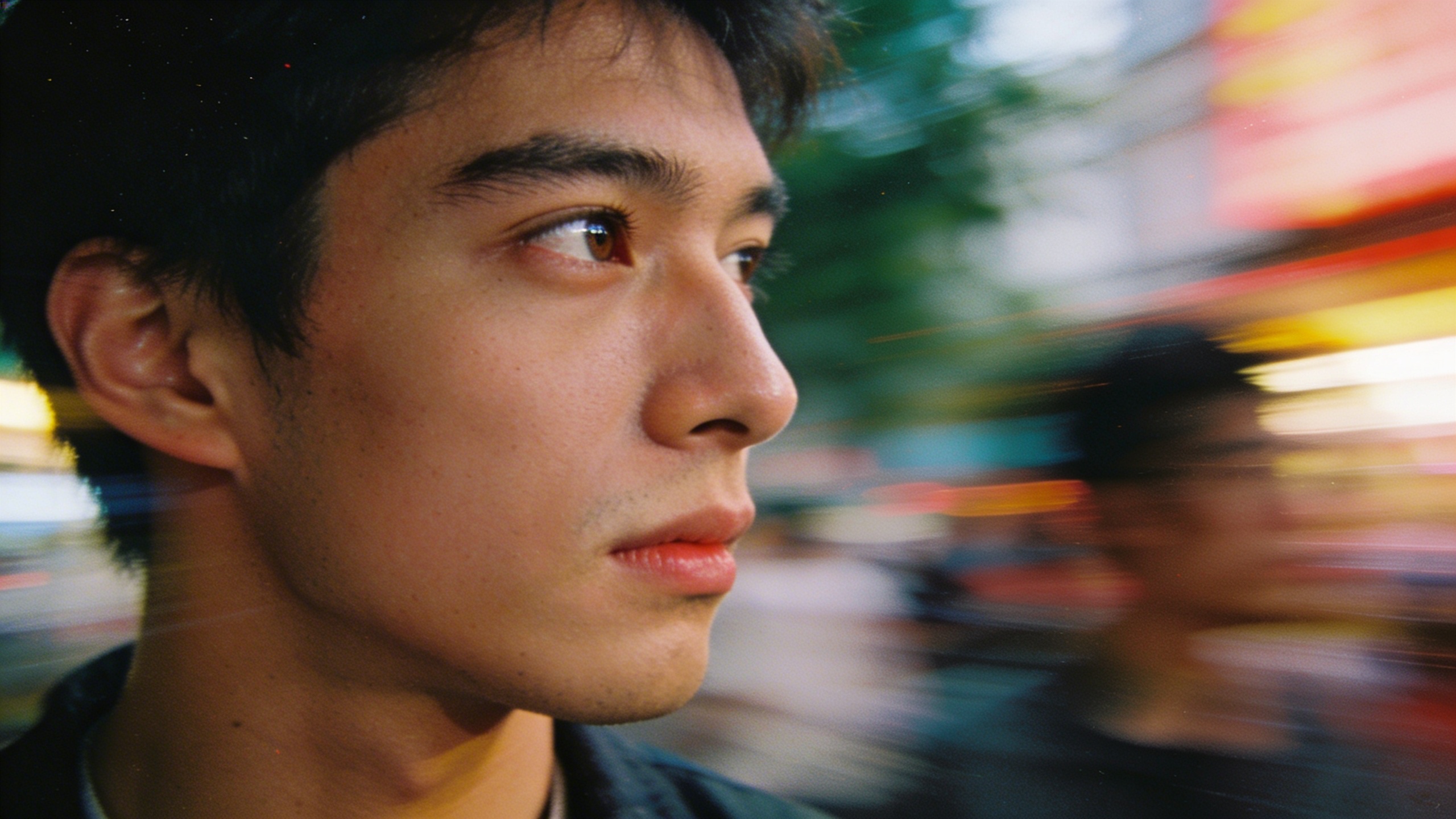
The model understands photographic language at a deep level. You can reference specific film stocks, lens characteristics, and lighting setups, and it responds with images that feel like they came from that exact equipment.
A woman standing in a Tokyo alleyway at dusk, neon signs reflecting off wet pavement. Shot on expired Kodak Portra 800, pushed two stops. The tungsten light from a ramen shop spills warm orange across her face while the neon casts cool cyan highlights on her hair. Visible grain, halation around the light sources, slightly lifted blacks. She’s mid-step, caught between two worlds of color.
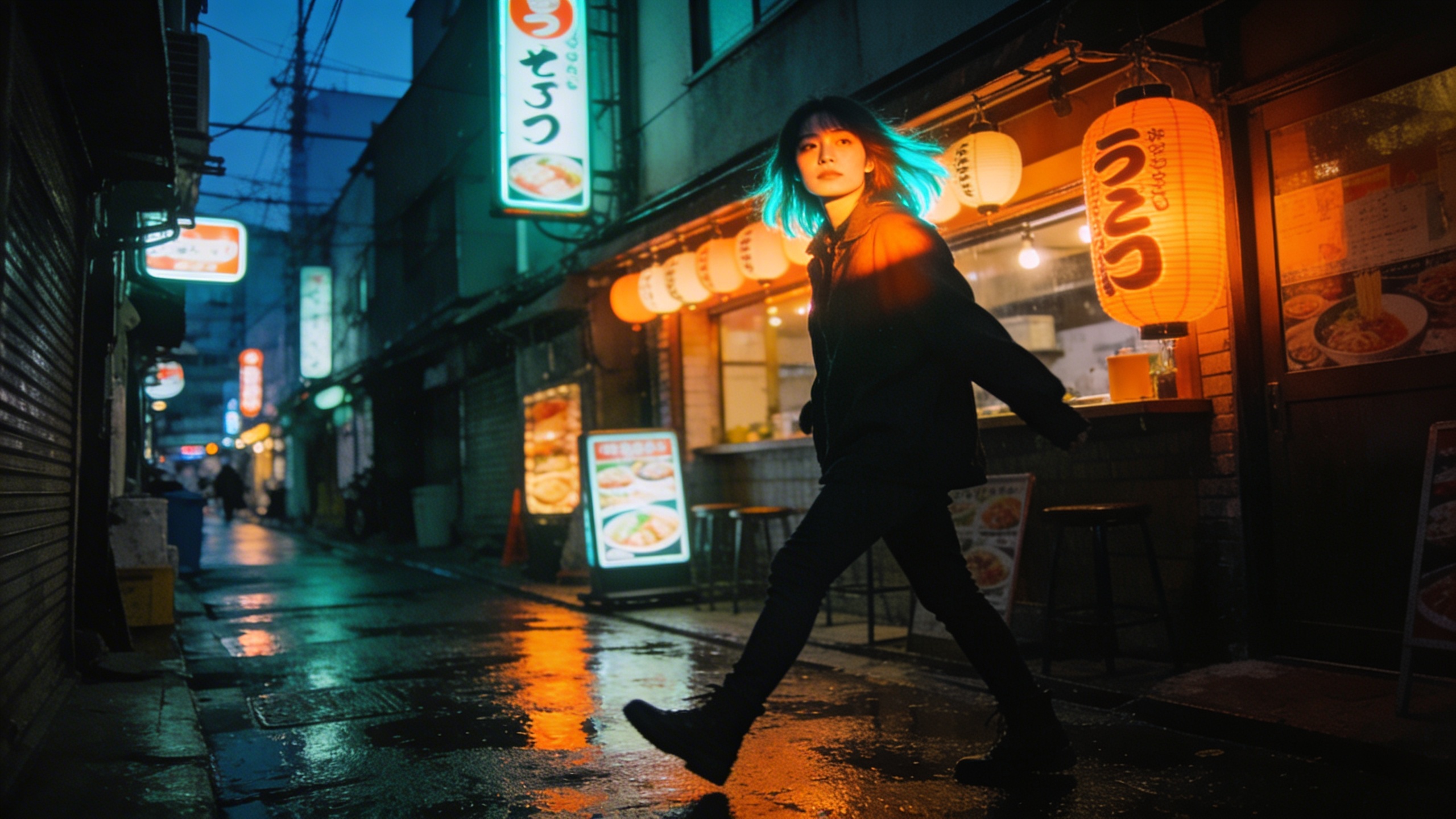
It’s not just portraits. Landscapes, still lifes, architectural photography — the model handles all of them with a level of taste that feels intentional rather than generic.
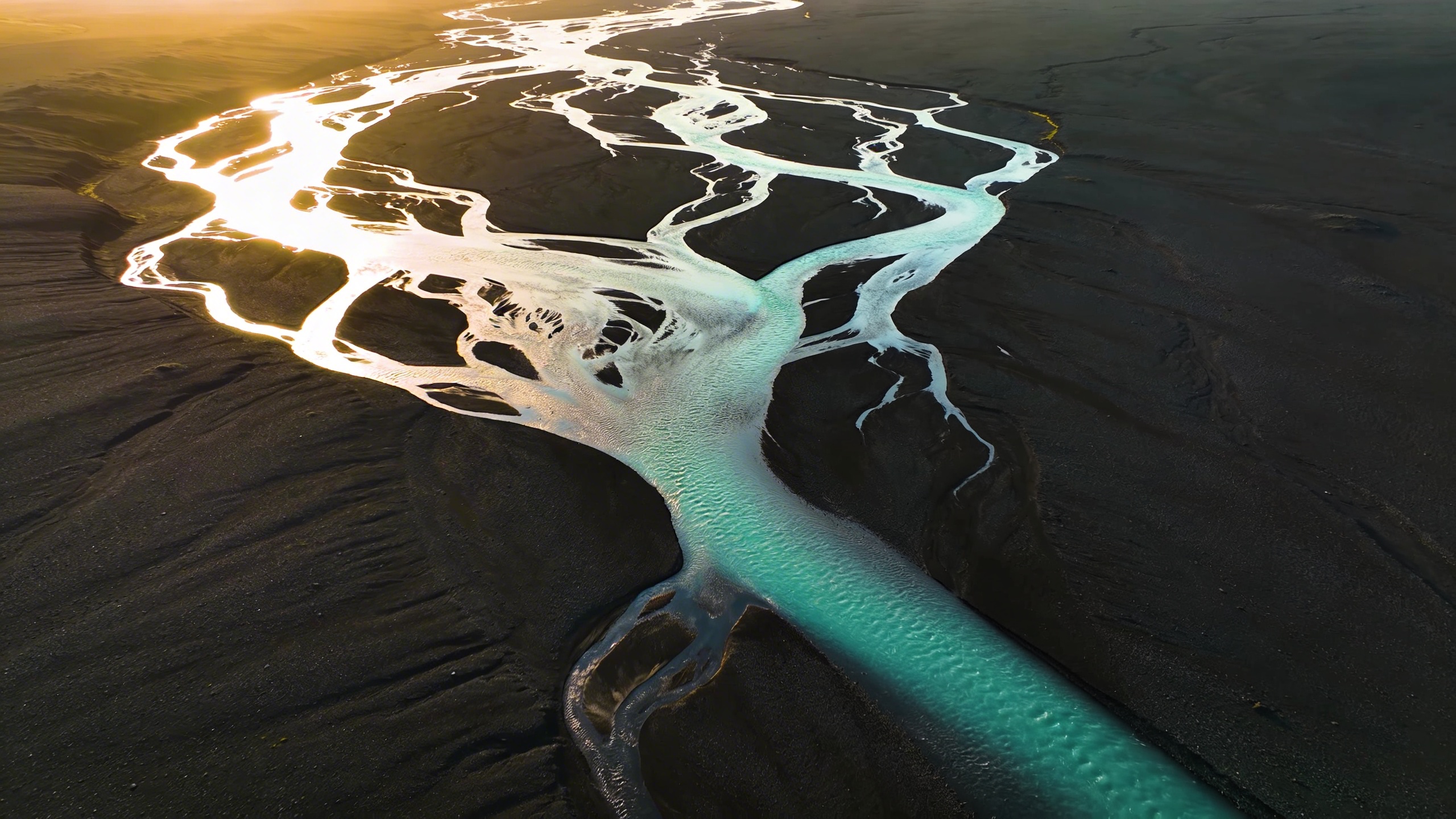
Aerial photograph of Iceland’s glacial rivers meeting volcanic black sand, creating abstract branching patterns that look like veins or lightning. Taken from 3000 feet during golden hour, the water channels glow turquoise against the obsidian sand. The scale is impossible to determine — it could be a microscope image of capillaries or a satellite photo of a delta. Large format camera, extreme sharpness, no horizon line.
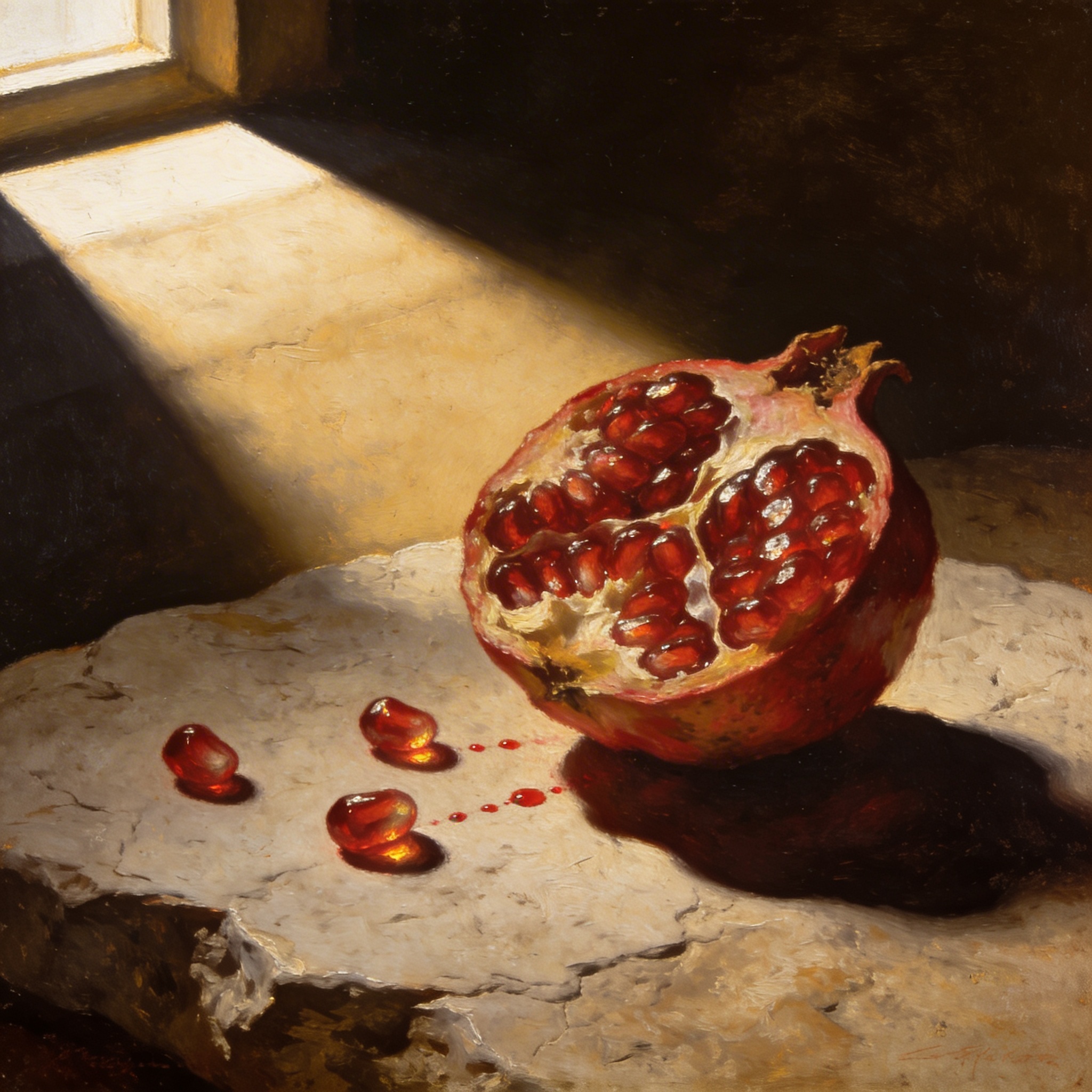
Still life of a half-eaten pomegranate on a rough limestone surface, lit by a single shaft of afternoon light from a high window. Renaissance chiaroscuro lighting — the seeds glisten like rubies against the deep shadow. A few seeds have rolled across the stone, leaving tiny red trails. The mood is somewhere between Caravaggio and a modern food editorial.
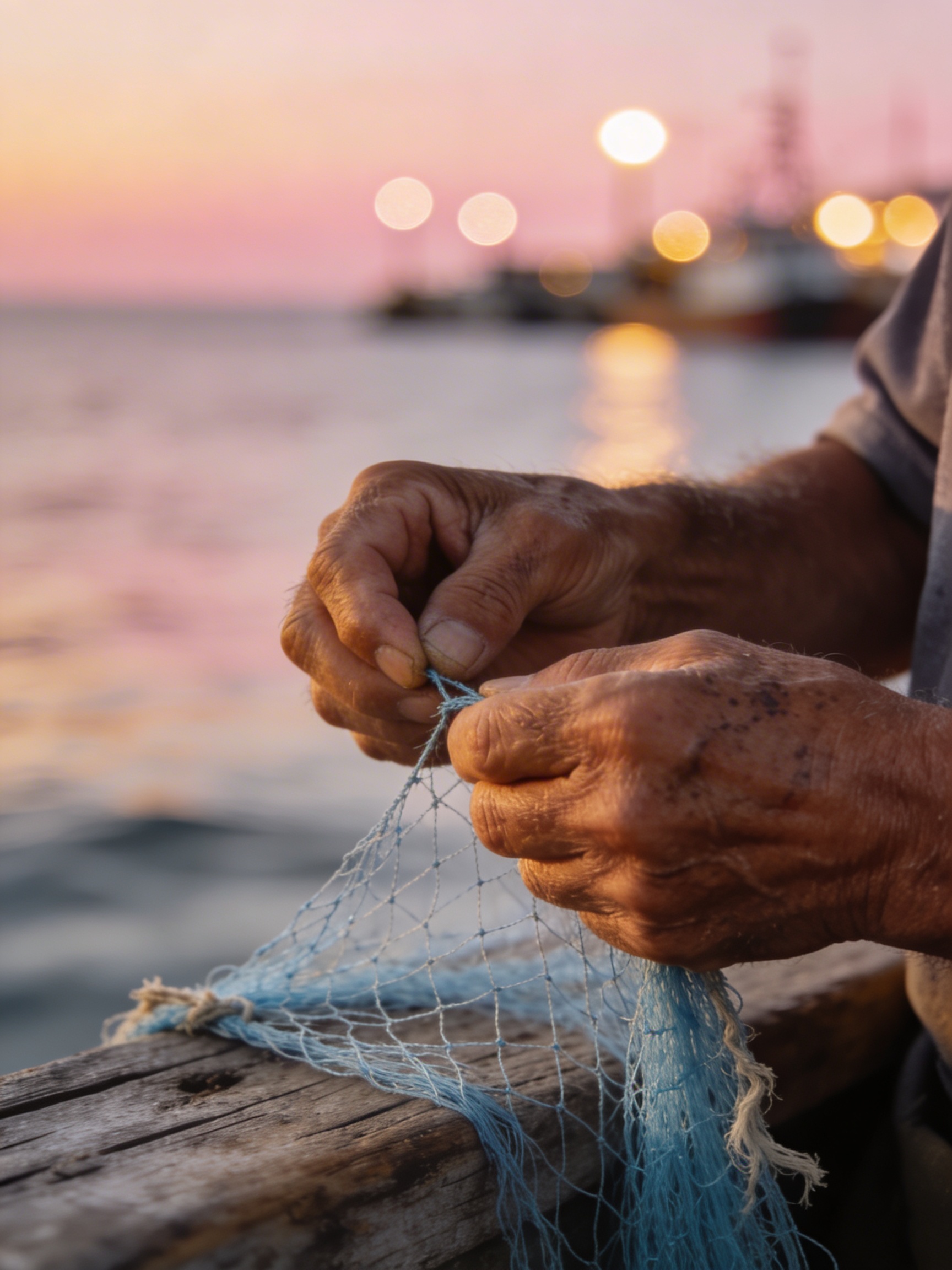
An elderly fisherman mending nets on a weathered wooden dock at dawn. His hands are the focal point — scarred, sun-darkened, moving with practiced precision through the pale blue nylon mesh. Behind him, the sea is a soft gradient from pewter to rose gold. Shot on a Leica M with a 50mm Summilux wide open, the bokeh turns the harbor lights into perfect circles. The image has the quiet dignity of a Sebastião Salgado portrait.
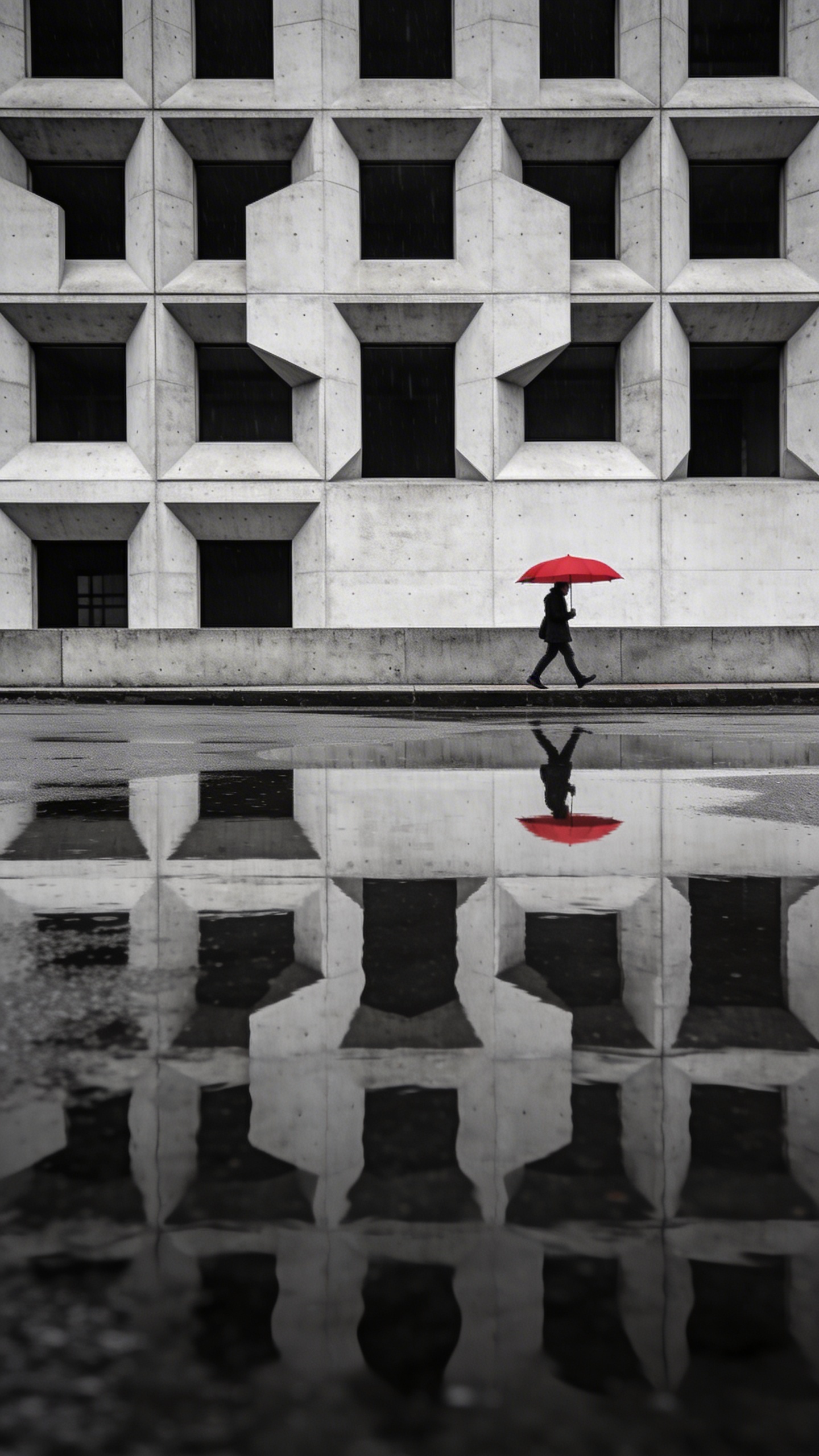
A brutalist concrete building reflected in a perfectly still puddle after rain, creating a Rorschach-like symmetry. The building’s geometric facade — repeating rectangular windows and raw concrete — doubles into an abstract pattern. A single figure with a red umbrella walks along the edge, the only color in an otherwise monochrome scene. Overcast sky, flat diffused light, architectural photography with a tilt-shift lens effect on the edges.
Example-based editing
This is the feature that’s hardest to explain and most fun to use.
Instead of trying to describe a complex edit in words, you show the model what you want. Give it a before/after pair — Image 1 and Image 2 — and then a third image. The model figures out what changed between the first two and applies the same transformation to the third.
Here’s an example. We start with a plain white ceramic mug, then show the model what that mug looks like with Japanese kintsugi gold-crack repair (without any textual description). Then we give it a completely different object — a ceramic vase — and ask it to apply the same transformation:
Reference the change from Image 1 to Image 2, apply the same operation to Image 3
Image 1
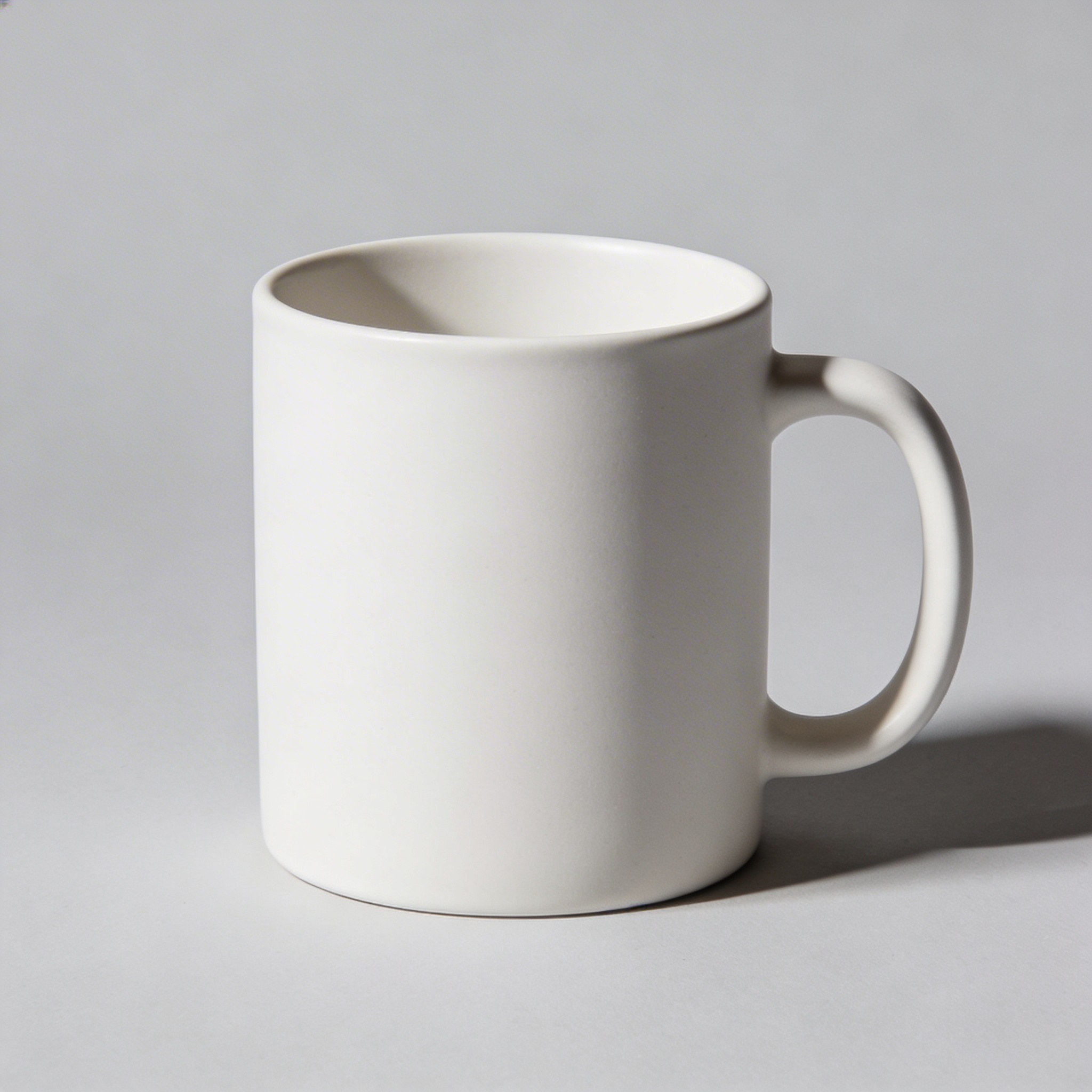
Image 2
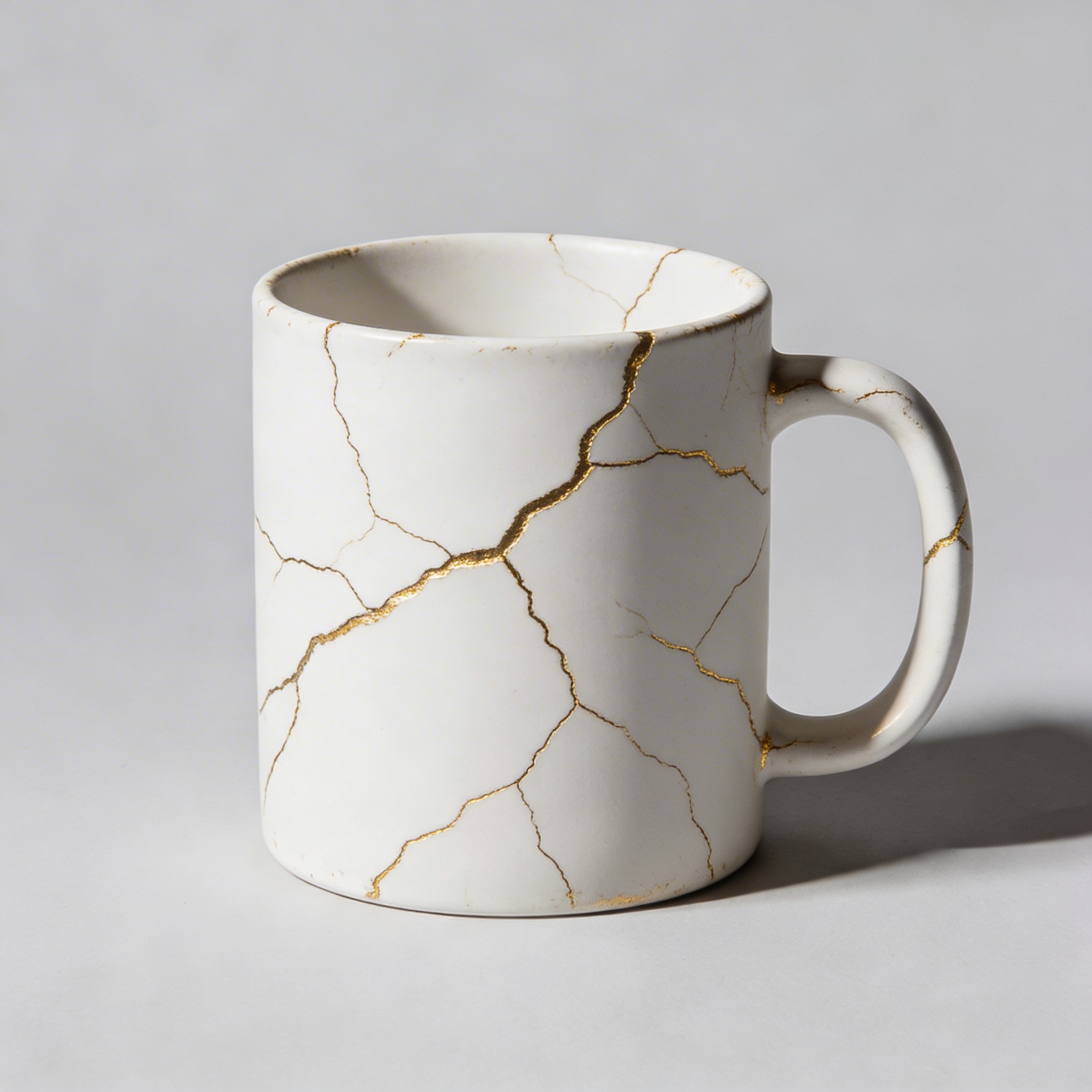
Image 3
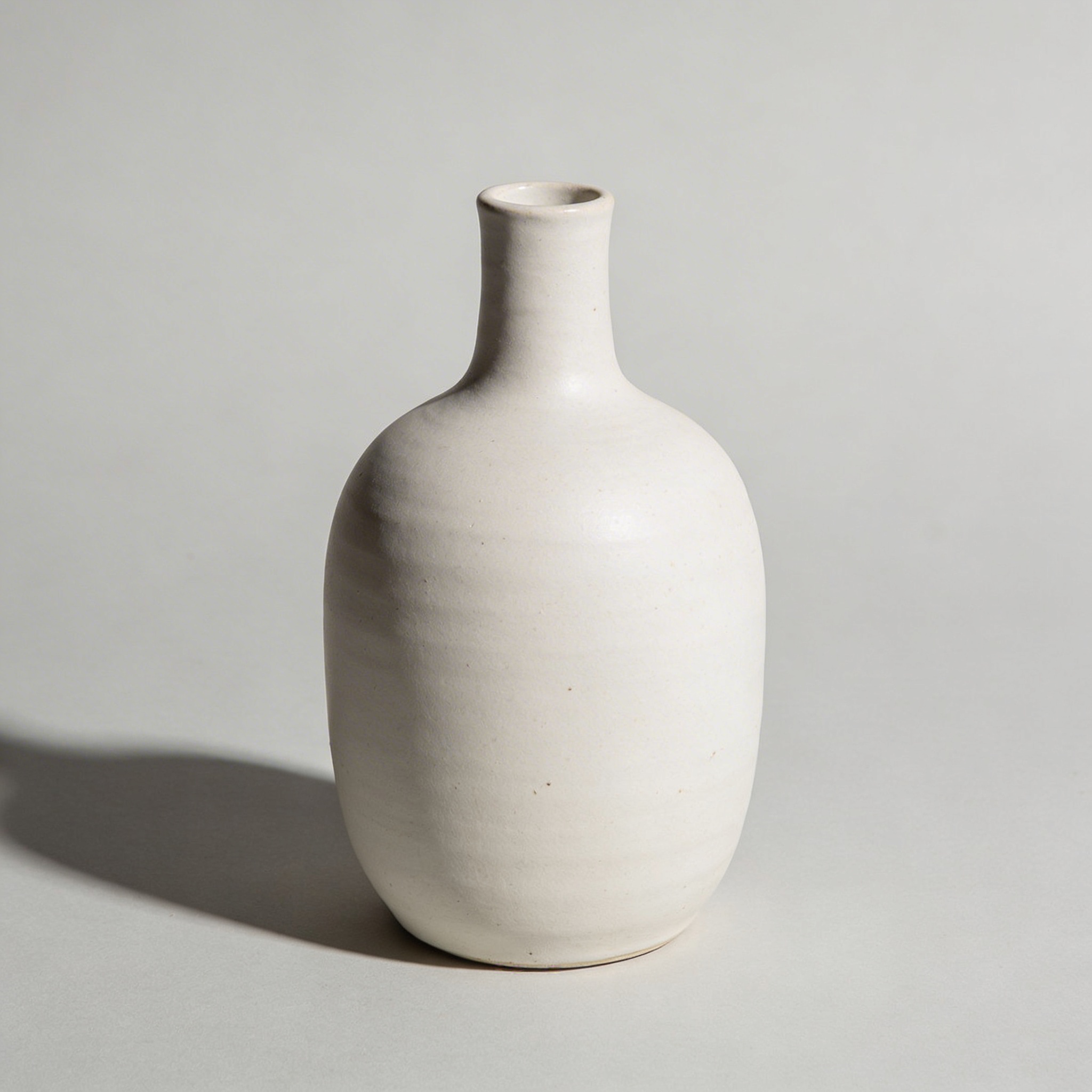
Result
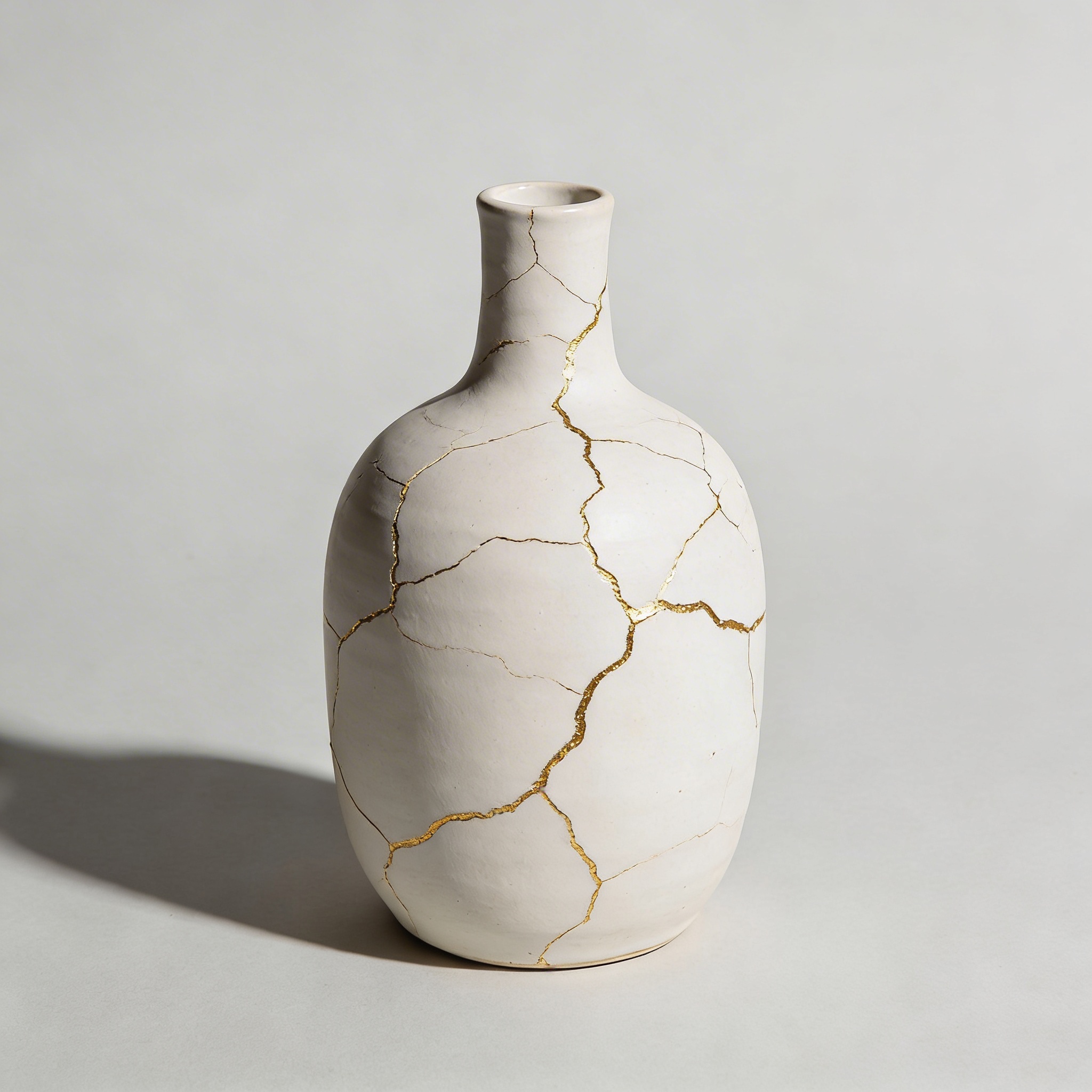
The model learned “add gold-filled cracks in a kintsugi pattern” from the mug pair, then applied the same treatment to the vase — without us ever having to describe what kintsugi looks like in words.
This works for all kinds of transformations:
- Material swaps: Show wood → marble on one object, apply to another
- Scene changes: Show day → night in one photo, apply to a completely different location
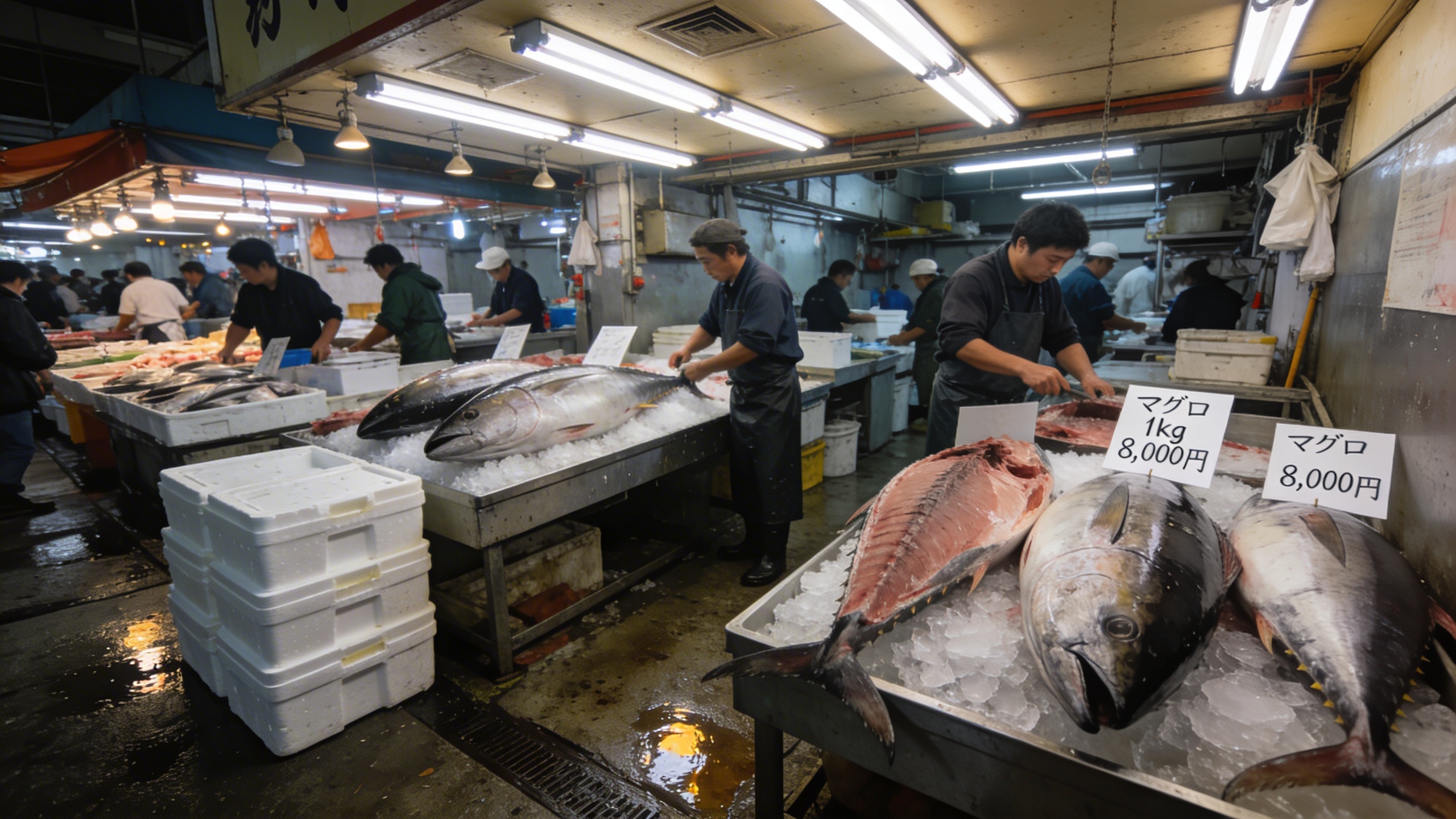
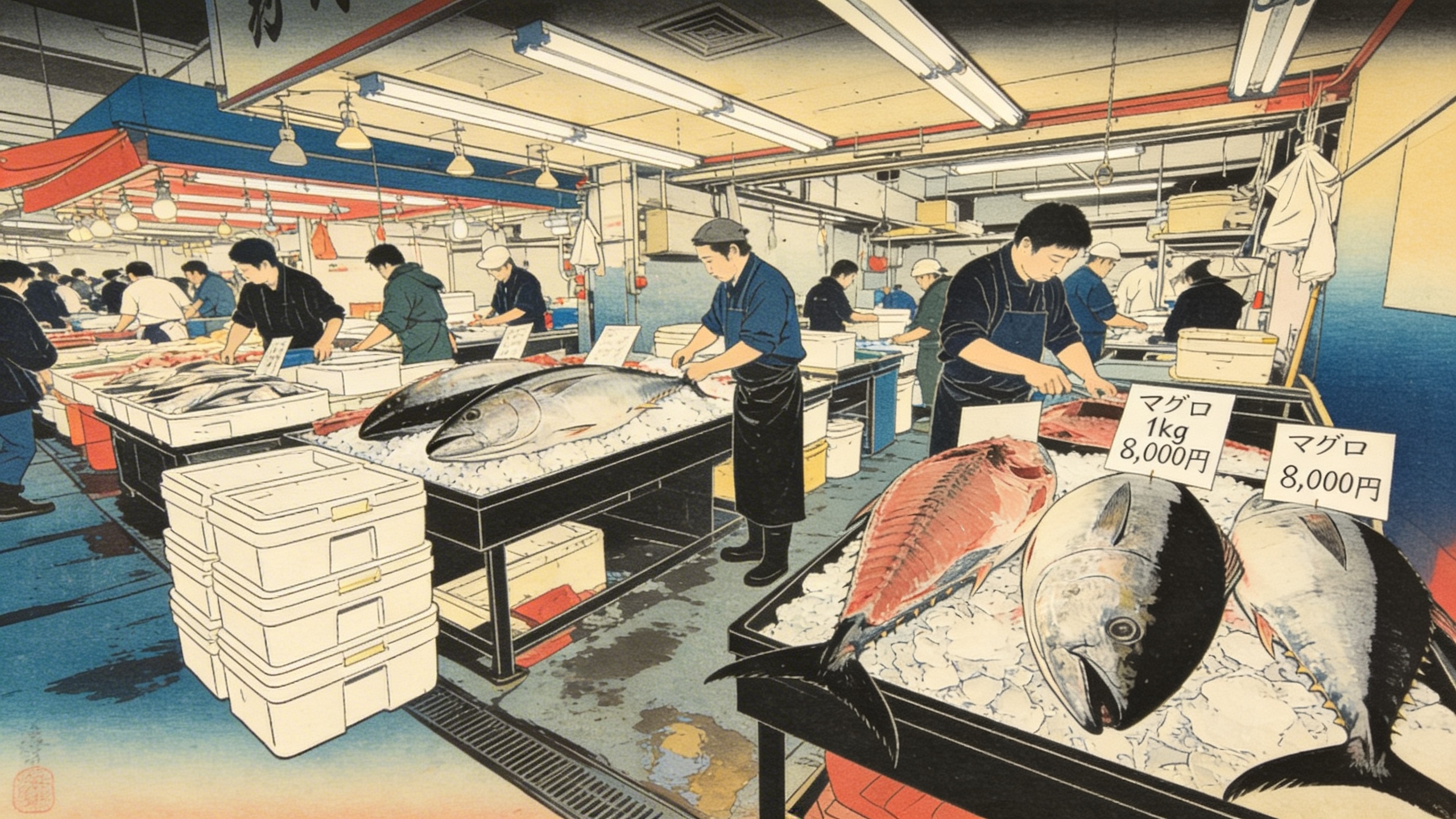
- Style transfers: Show a photograph converted to a woodblock print, apply the same artistic transformation to new scenes
Style transfer
The power here is that you don’t need to figure out the right words to describe “that exact Hiroshige color palette.” You show it.
Reimagine this scene as a traditional Japanese Ukiyo-e woodblock print in the style of Hiroshige — flat perspective, bold outlines, limited color palette of indigo, vermillion, and ochre.
Input
Output
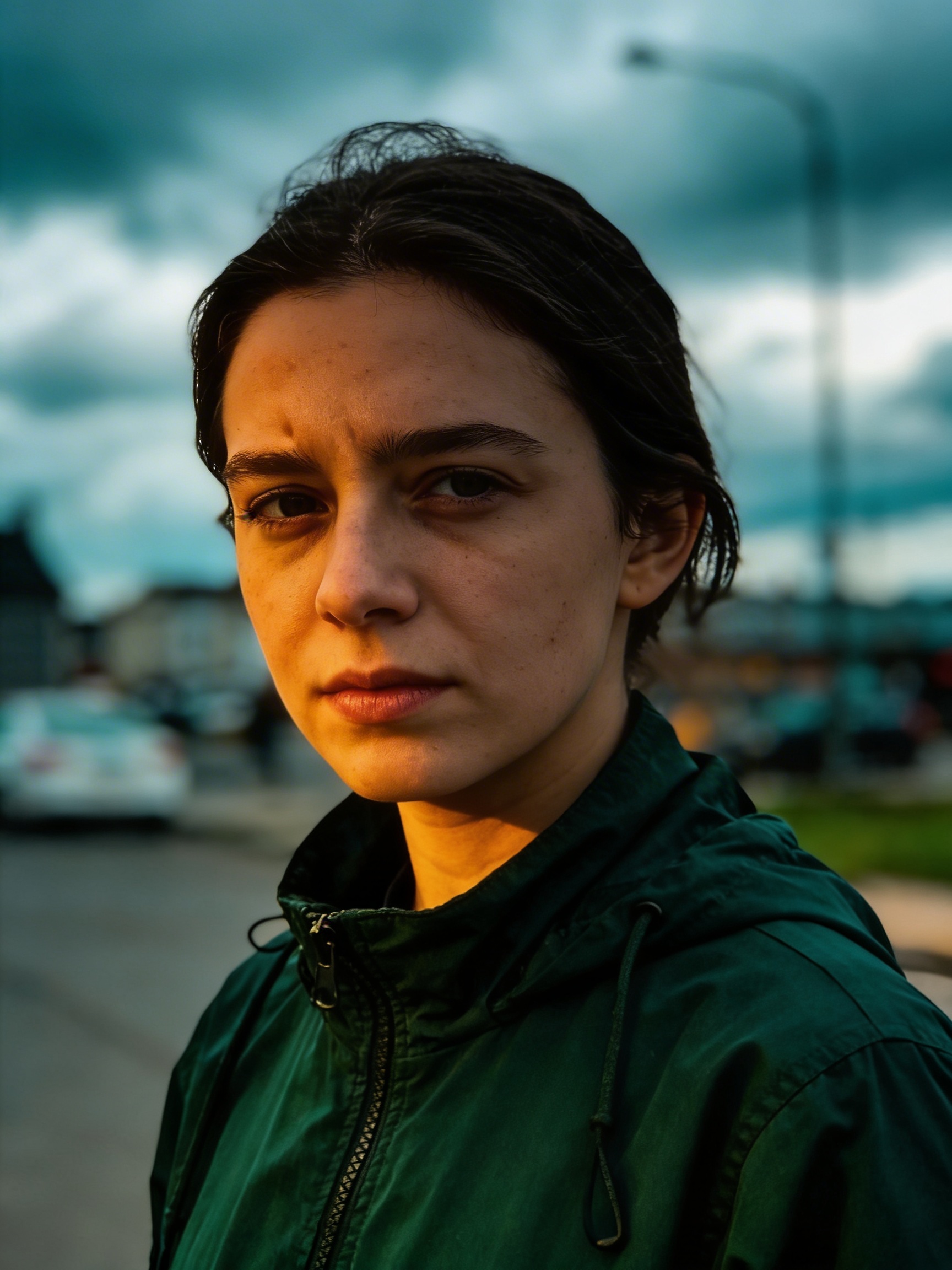
Transform the color grading to match the following — saturated teal shadows, warm amber highlights, soft diffusion.
Input
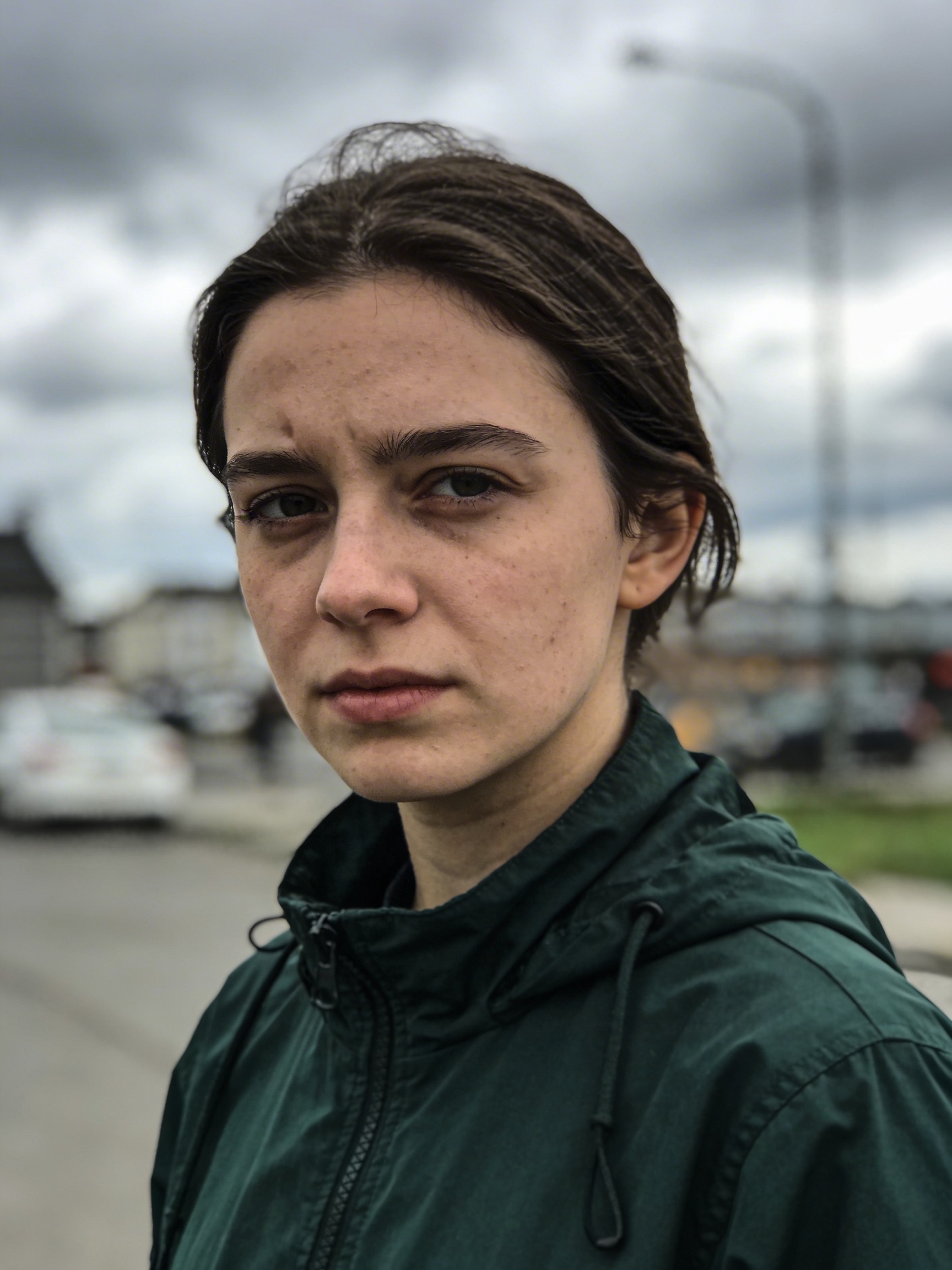
Output
Logical reasoning
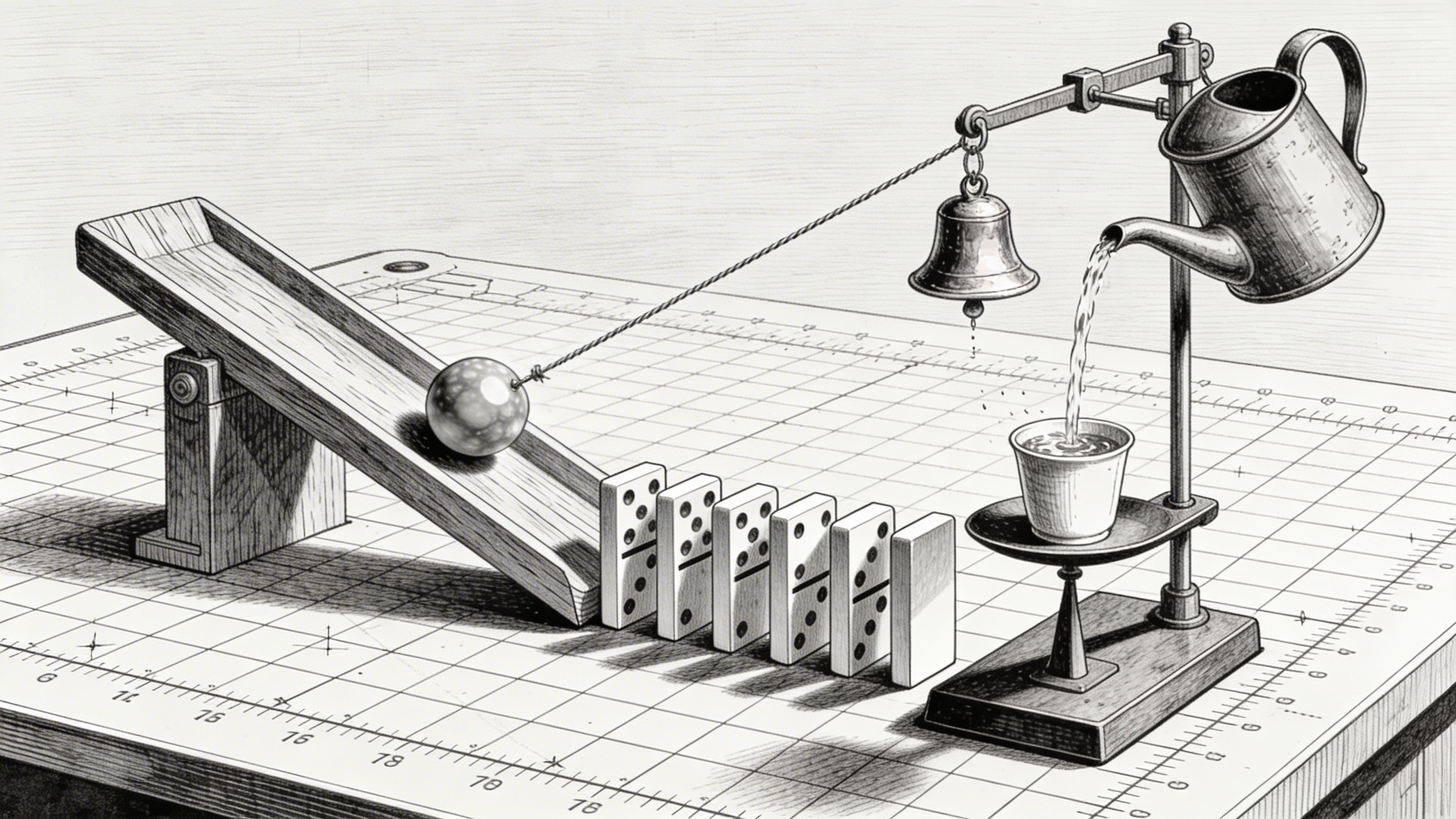
Most image models treat your prompt as a bag of keywords. Seedream 5.0 actually reasons through what you’re asking.
A Rube Goldberg machine: a marble rolls down a wooden ramp, hits a row of dominoes, the last domino pulls a string that tips a watering can, the water fills a small cup on a balance scale, which lowers and pulls a lever that rings a tiny brass bell. Every component casts physically correct shadows. The marble is mid-roll. The machine sits on a drafting table with visible grid paper underneath. Cross-hatching style, like a patent drawing brought to life.
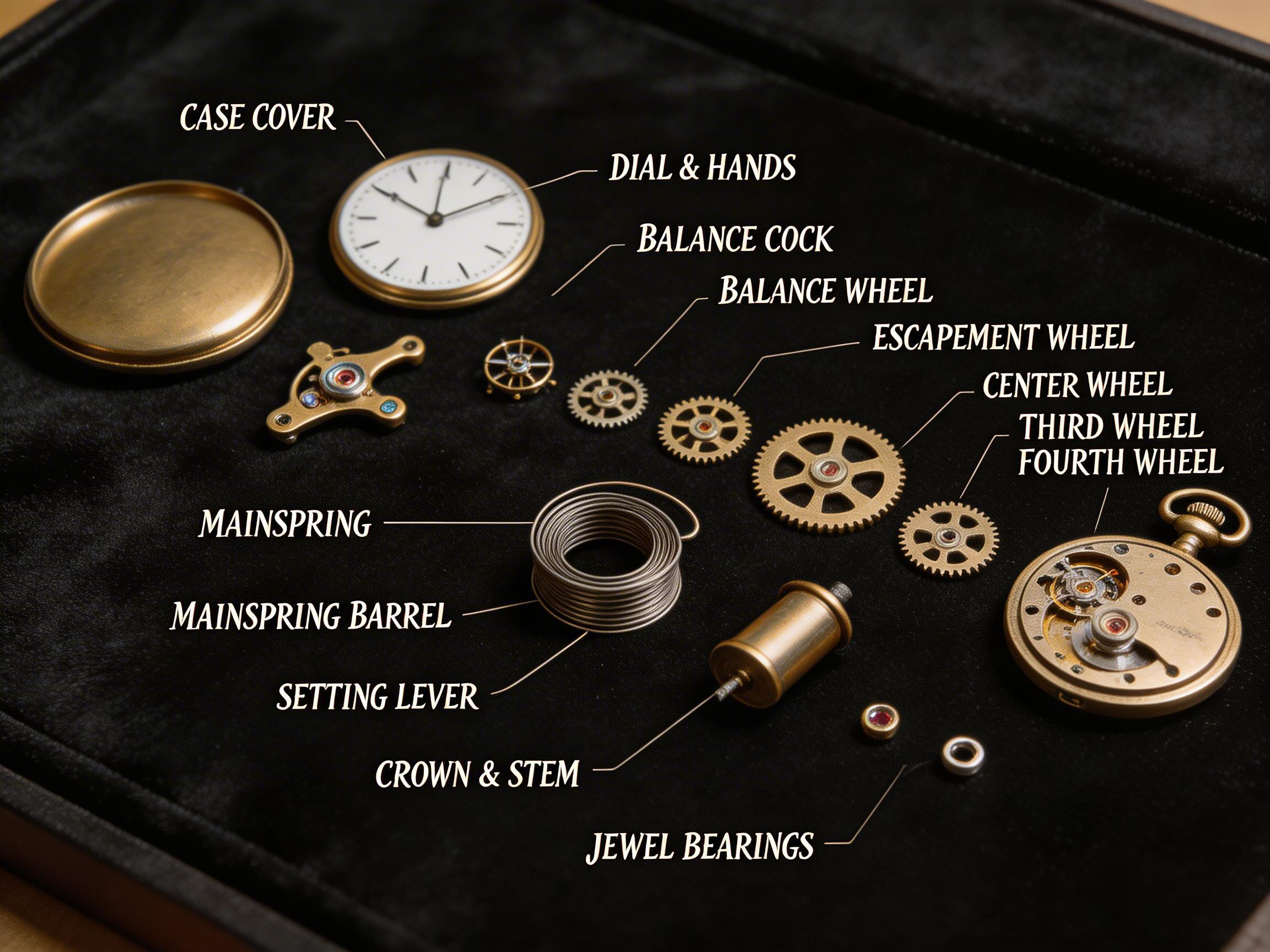
It extends to understanding physical objects at a mechanical level:
An antique pocket watch disassembled and laid out on black velvet in an exploded-view arrangement. Every gear, spring, escapement wheel, balance cock, and jewel bearing is visible and correctly positioned relative to where it would sit in the assembled movement. The mainspring is partially uncoiled. Tiny labels in copperplate script identify each component. Museum conservation photography style.
Multi-step reasoning with image inputs
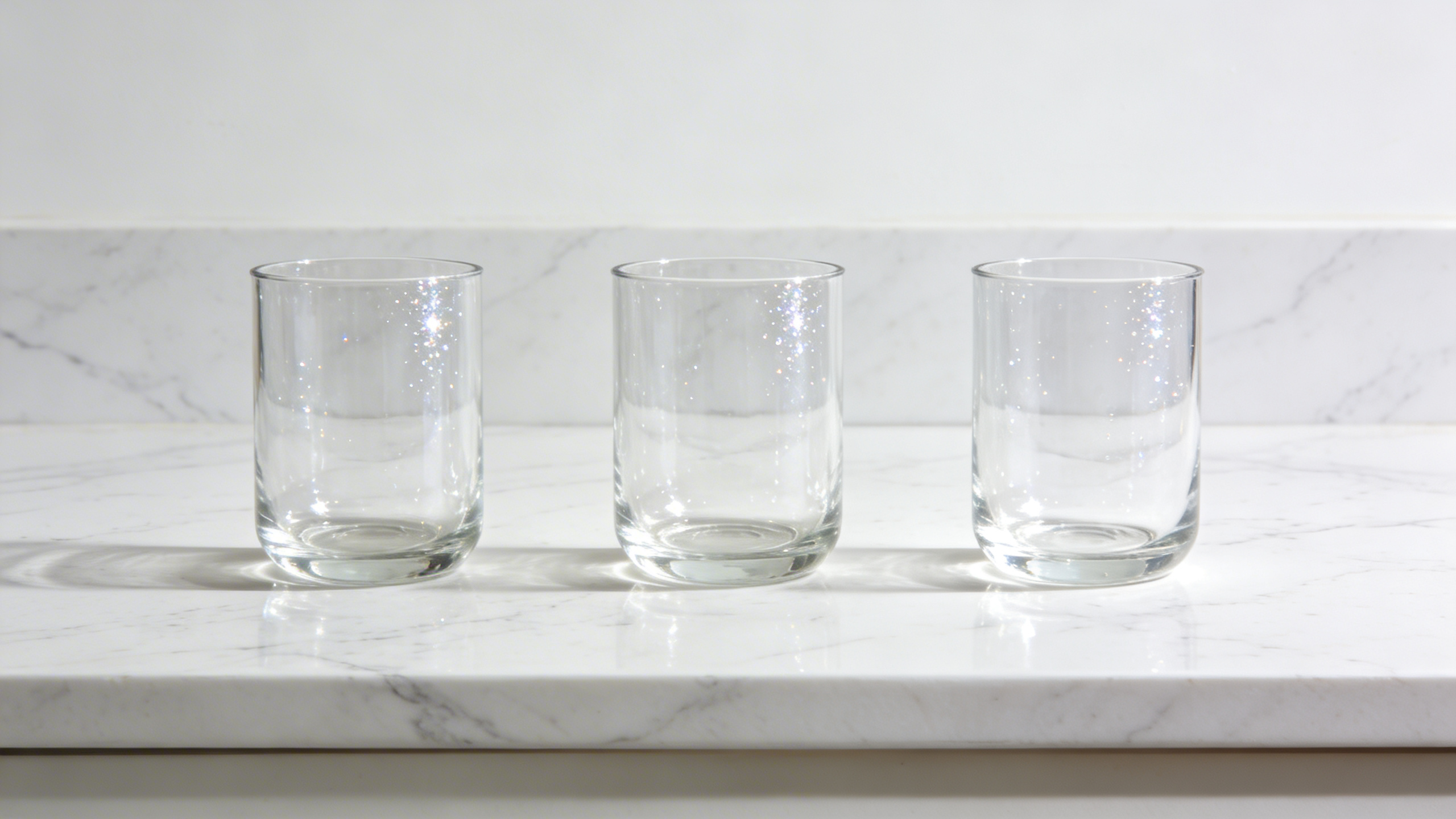
Give the model two images and a complex instruction, and it can reason through multi-step operations. Here we give it a mixed bouquet and three empty vases, and ask it to sort the flowers by type:
Classify the flowers from Image 1 by variety and arrange them separately into the three vases from Image 2. Roses in the first vase, sunflowers in the second, lavender in the third.
Image 1

Image 2
Result
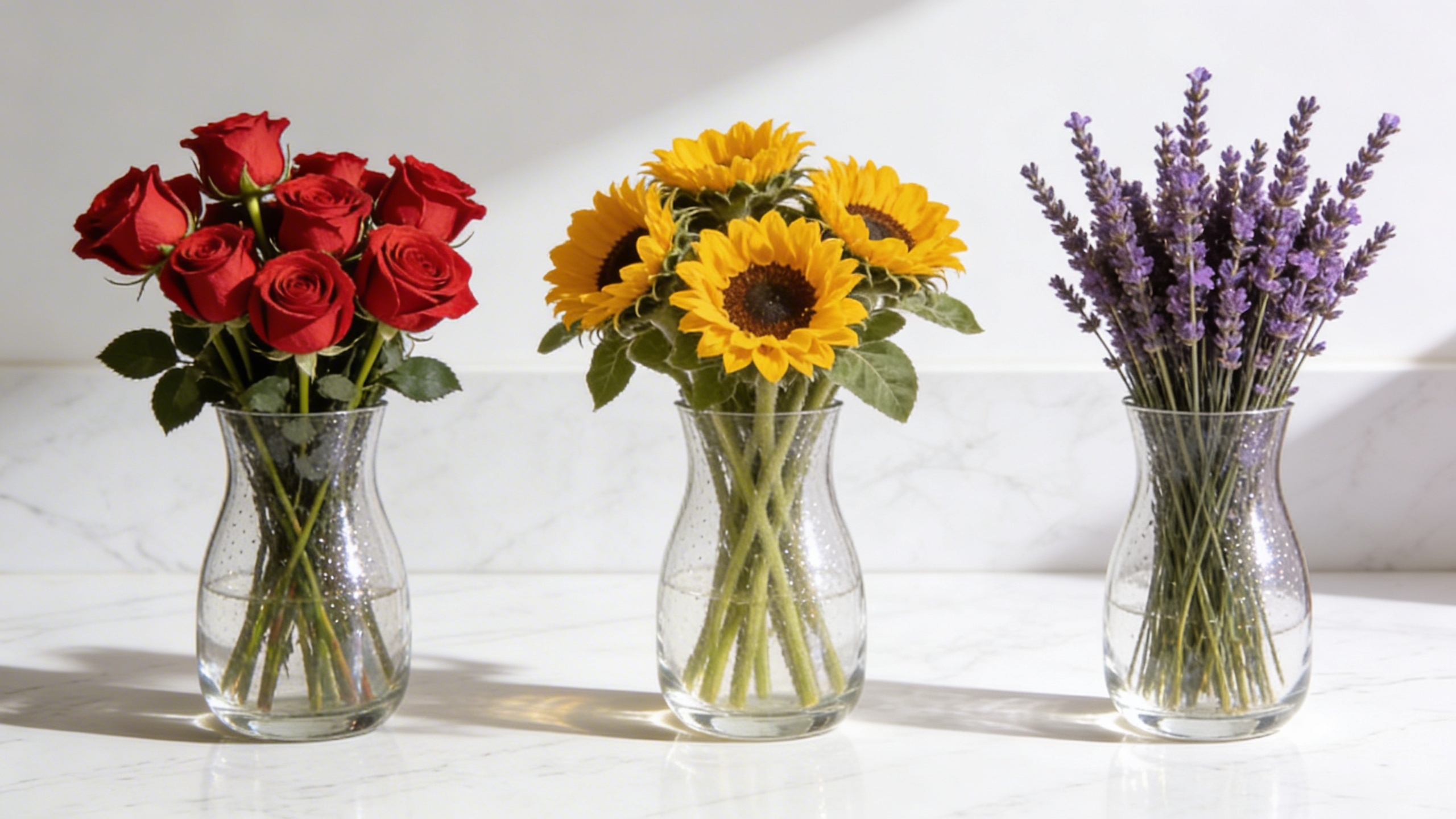
The model has to identify each flower type, group them, then distribute them into the correct containers…all from a single prompt.
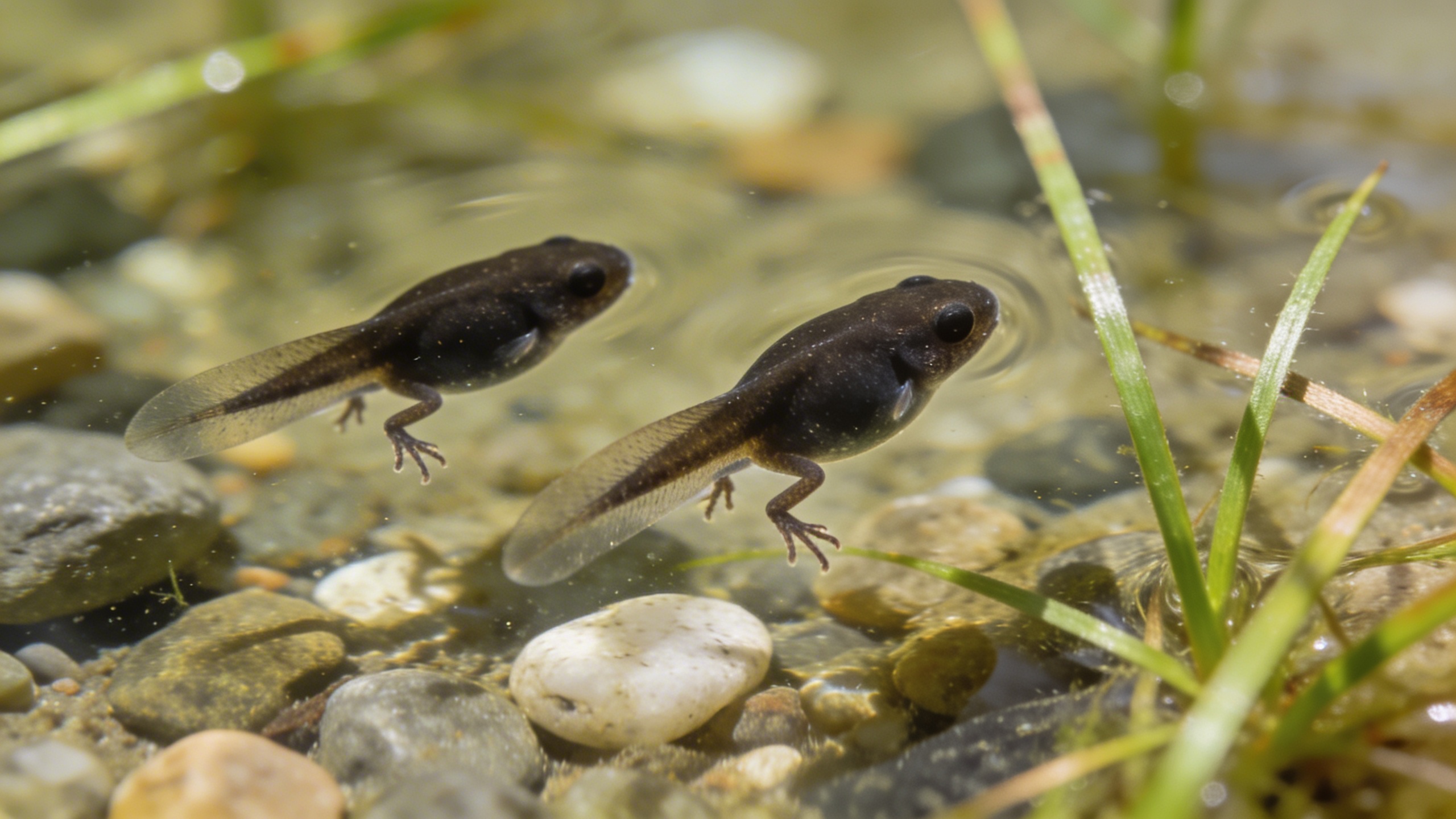
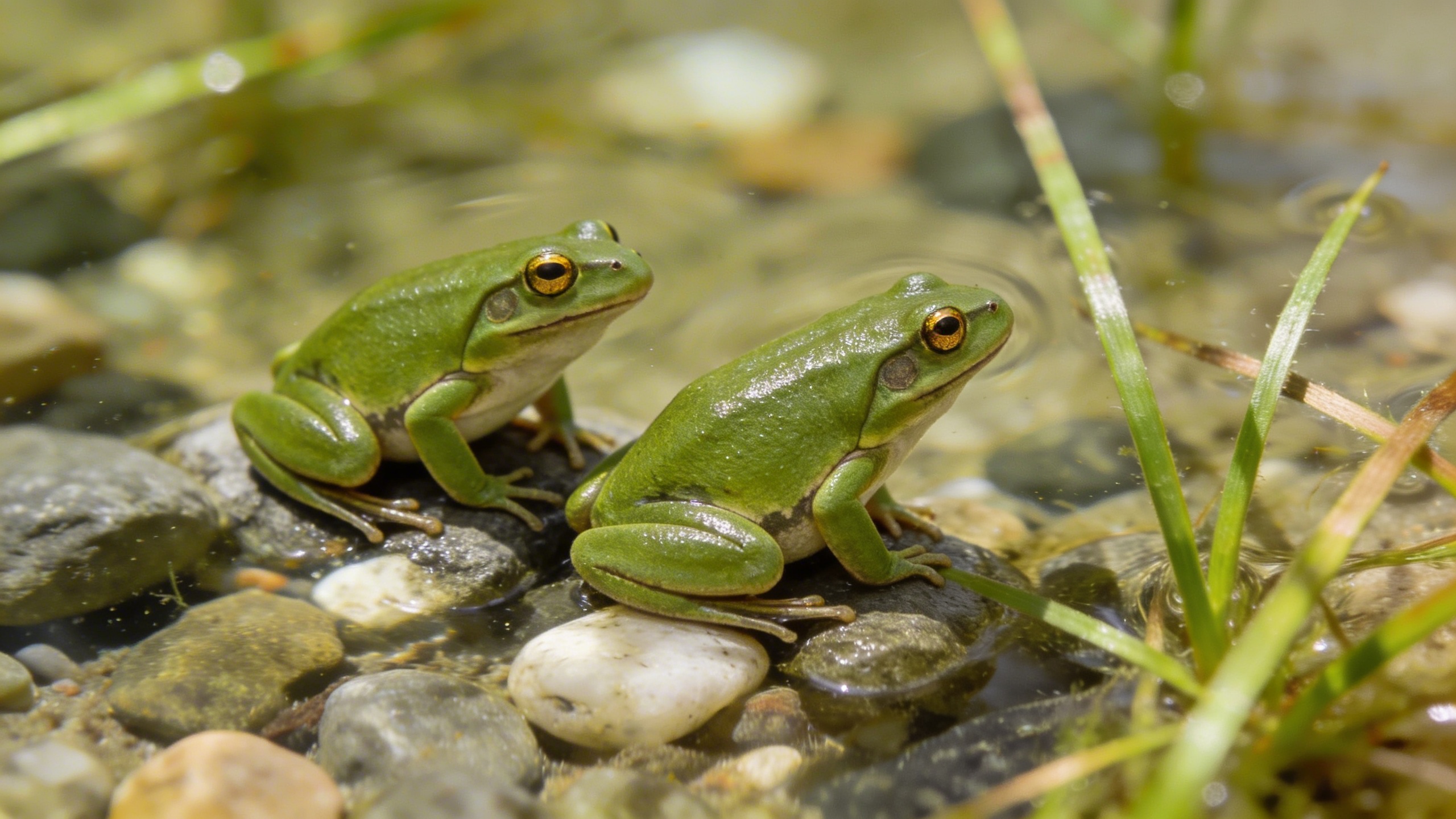
Check out some more cool things you can try:
Generate what they will look like when they grow up.
Input
Output
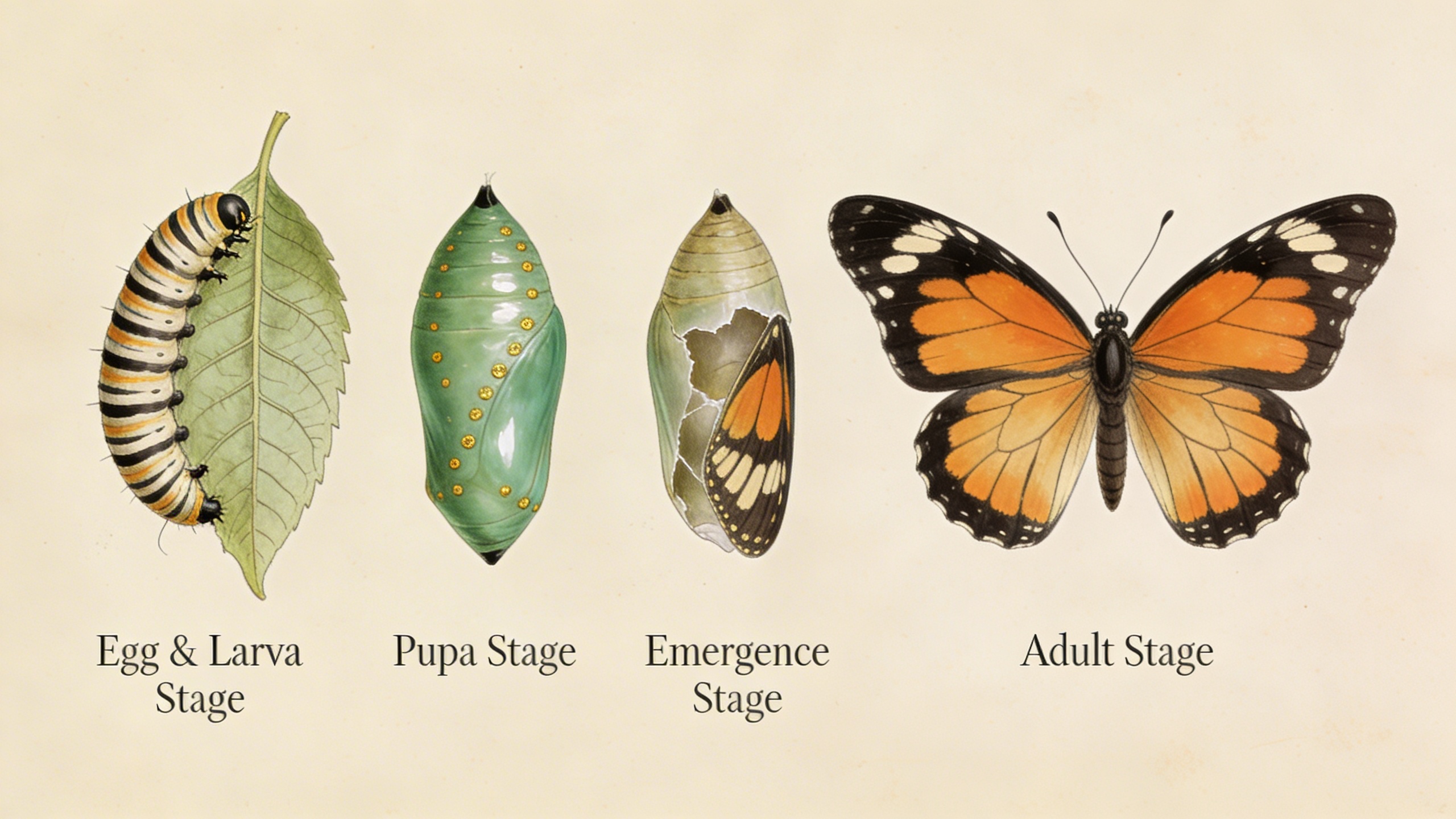
The complete metamorphosis of a monarch butterfly in four stages arranged left to right: a striped caterpillar eating a milkweed leaf, a jade-green chrysalis with gold spots, the chrysalis cracking open with wings partially visible, the fully emerged butterfly with wings spread. Each stage annotated with elegant serif labels. Rendered in the style of Maria Sibylla Merian’s 17th-century naturalist illustrations but with modern scientific accuracy.
Precise instruction following
Seedream 5.0’s instruction following is noticeably tighter than previous versions. When you say “blue jacket,” you get a blue jacket — not purple, not teal. When you specify spatial relationships, quantities, or specific details, the model respects them.
This matters most for complex compositions with lots of specific requirements:
A photorealistic cluttered office desk of a senior software engineer. An open MacBook Pro displays a terminal with green-on-black code scrolling. A ceramic mug reads “console.log(‘coffee’)” in monospace font, steam curling up. An open O’Reilly book shows a Venn diagram of three overlapping circles labeled ‘Frontend’, ‘Backend’, ‘DevOps’. Three Post-it notes form a kanban board: yellow (To Do), orange (In Progress), green (Done), each with tiny handwritten tasks. A mechanical keyboard with custom keycaps, a smartphone showing a Slack notification. A small succulent in a concrete pot shaped like a skull. Golden hour light rakes across from the right, casting long shadows.
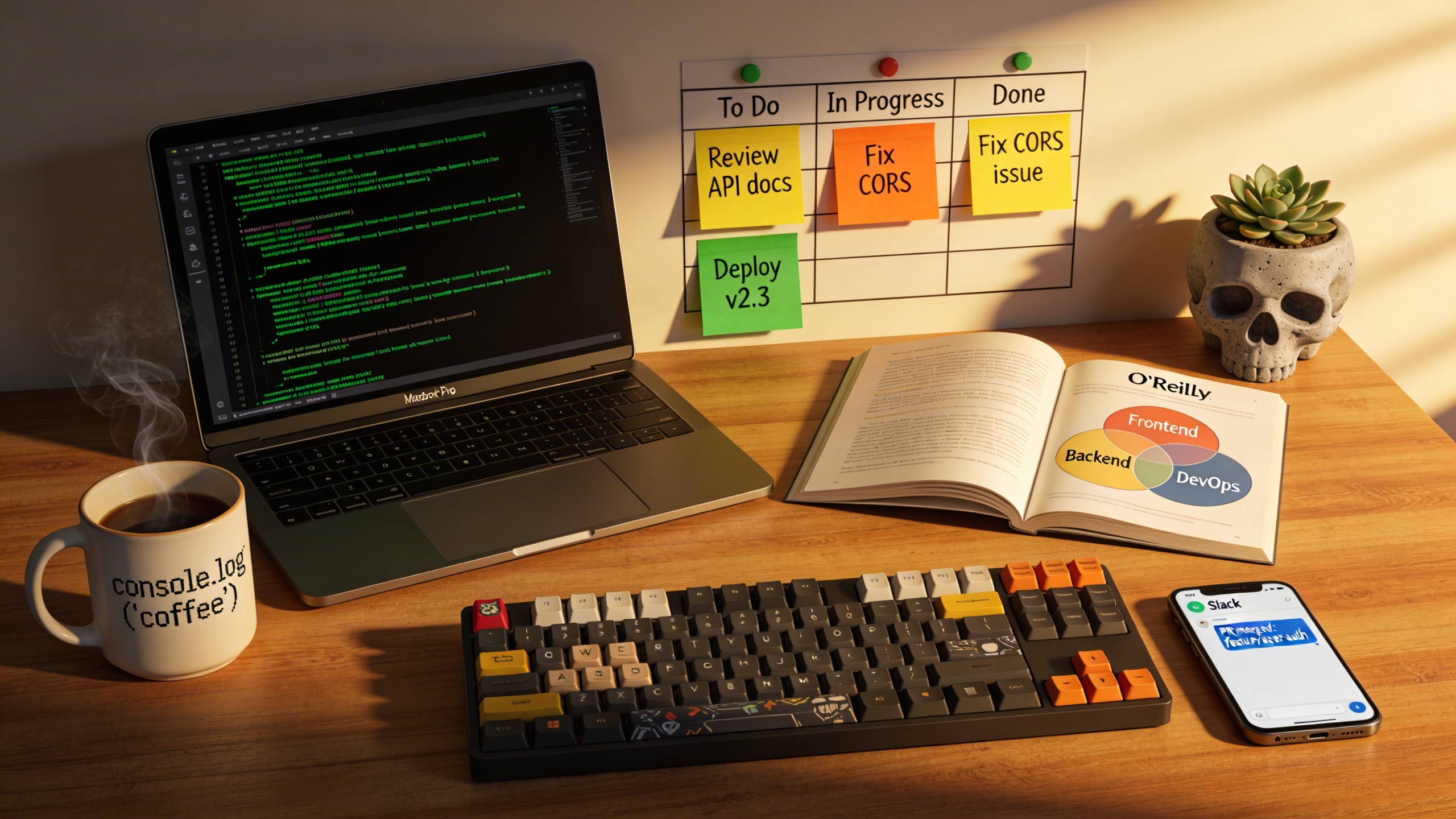
That’s a prompt with over a dozen specific requirements — text on the mug, labeled diagram in the book, color-coded Post-it notes, a skull-shaped pot. The model tracks all of them.
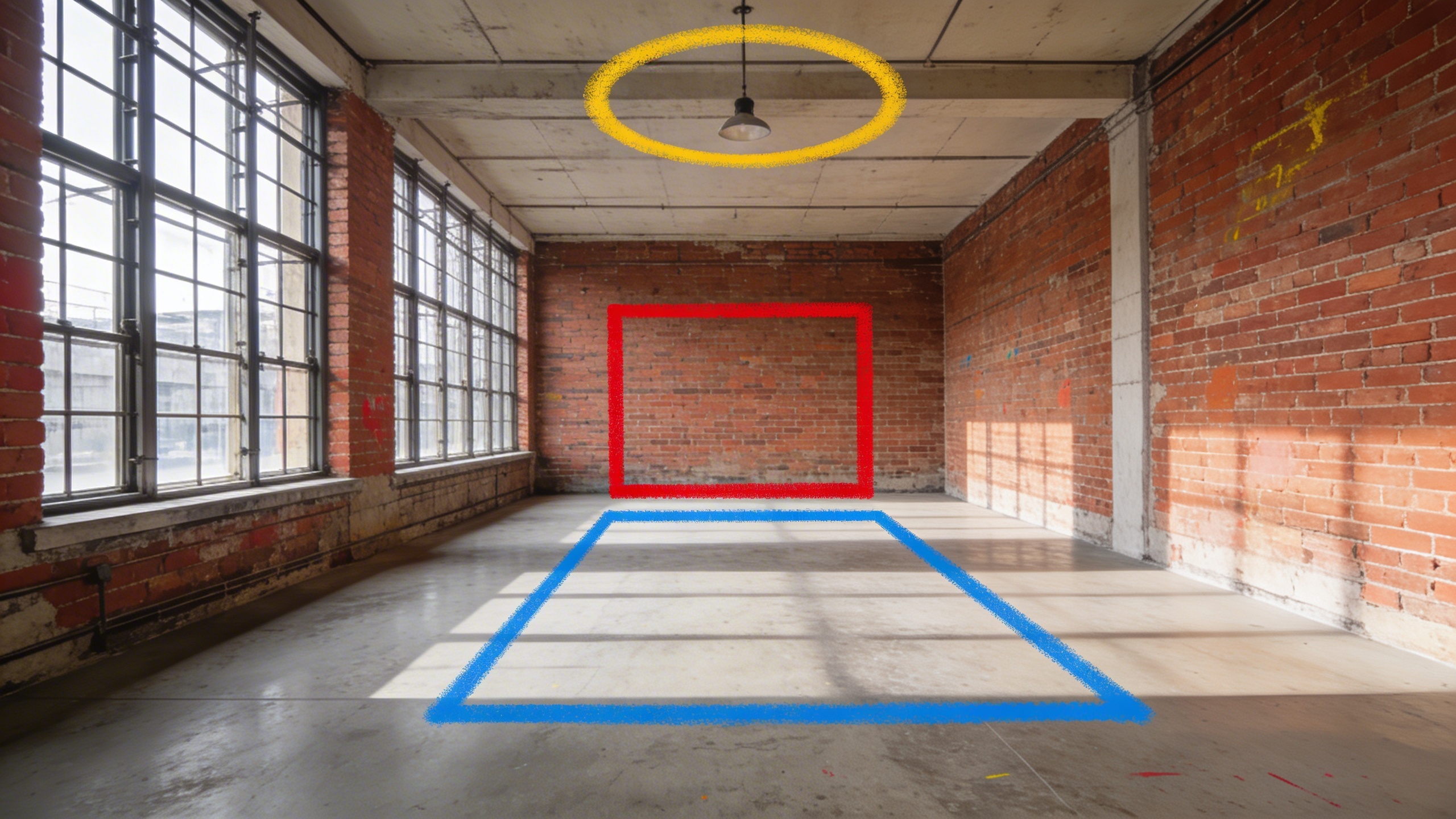
The model can also handle visual cues. If your image has arrows, bounding boxes, or colored regions marking specific areas, you can reference them in your prompt:
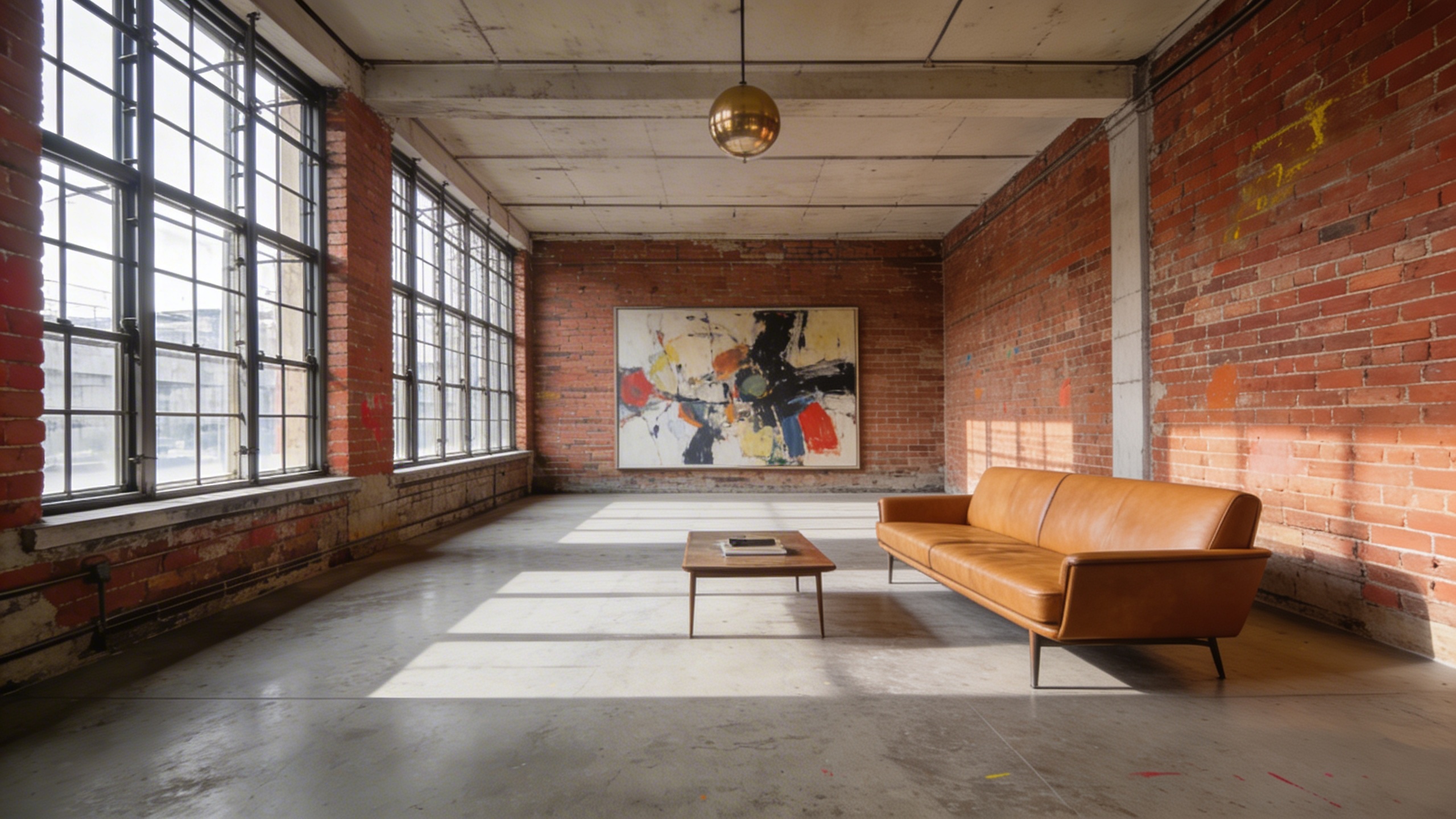
Furnish this loft according to the spray-painted markers. Place a large abstract expressionist painting where the red rectangle is on the wall. Place a mid-century modern leather sofa where the blue rectangle is on the floor. Hang a brass globe pendant light where the yellow circle is on the ceiling. Remove the spray paint markers. Keep the industrial character.
Input — loft with spray-painted markers
Output
Domain knowledge
Seedream 5.0 has deep built-in knowledge across several professional fields. This goes beyond “knowing what a building looks like” — it understands the structure and conventions of technical content.
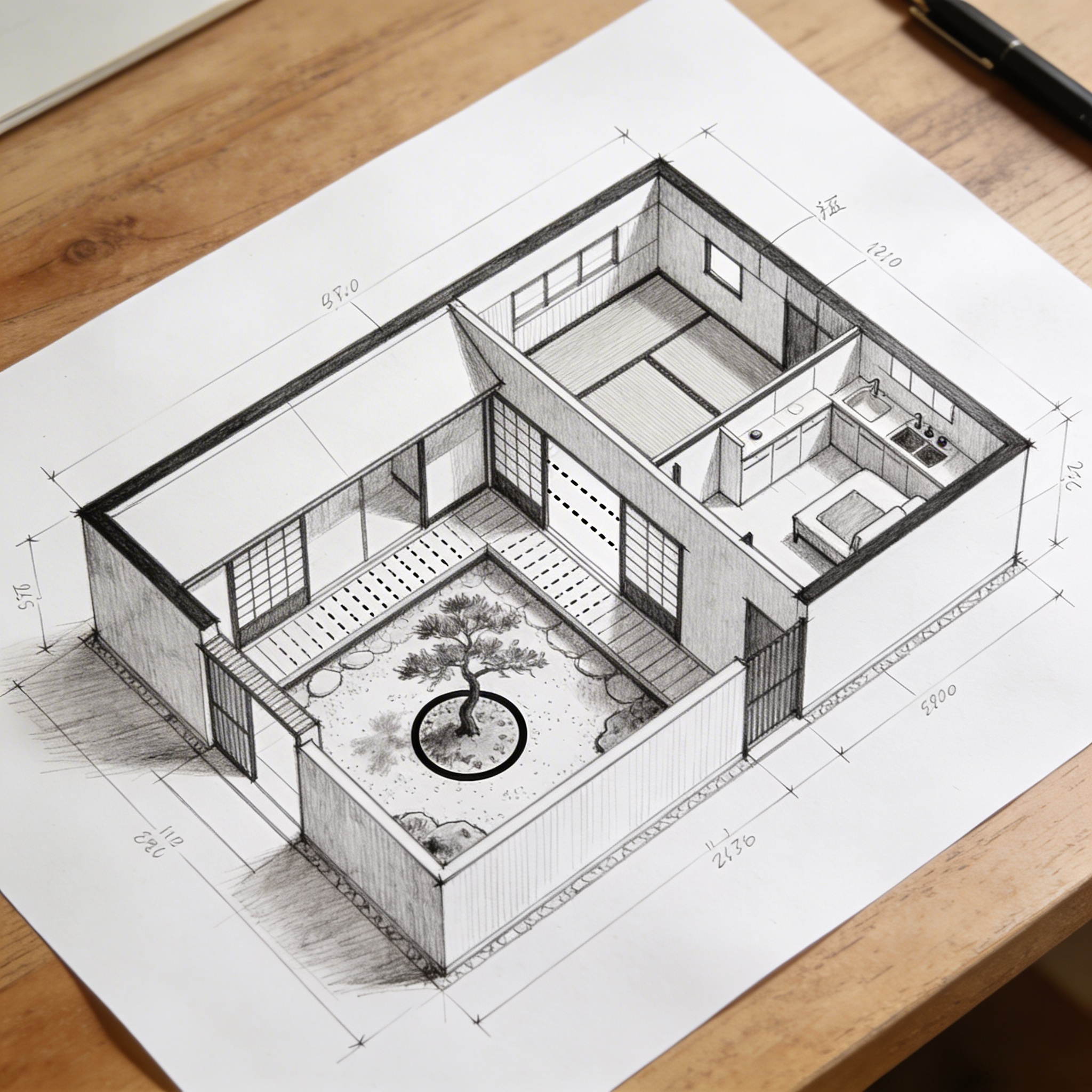
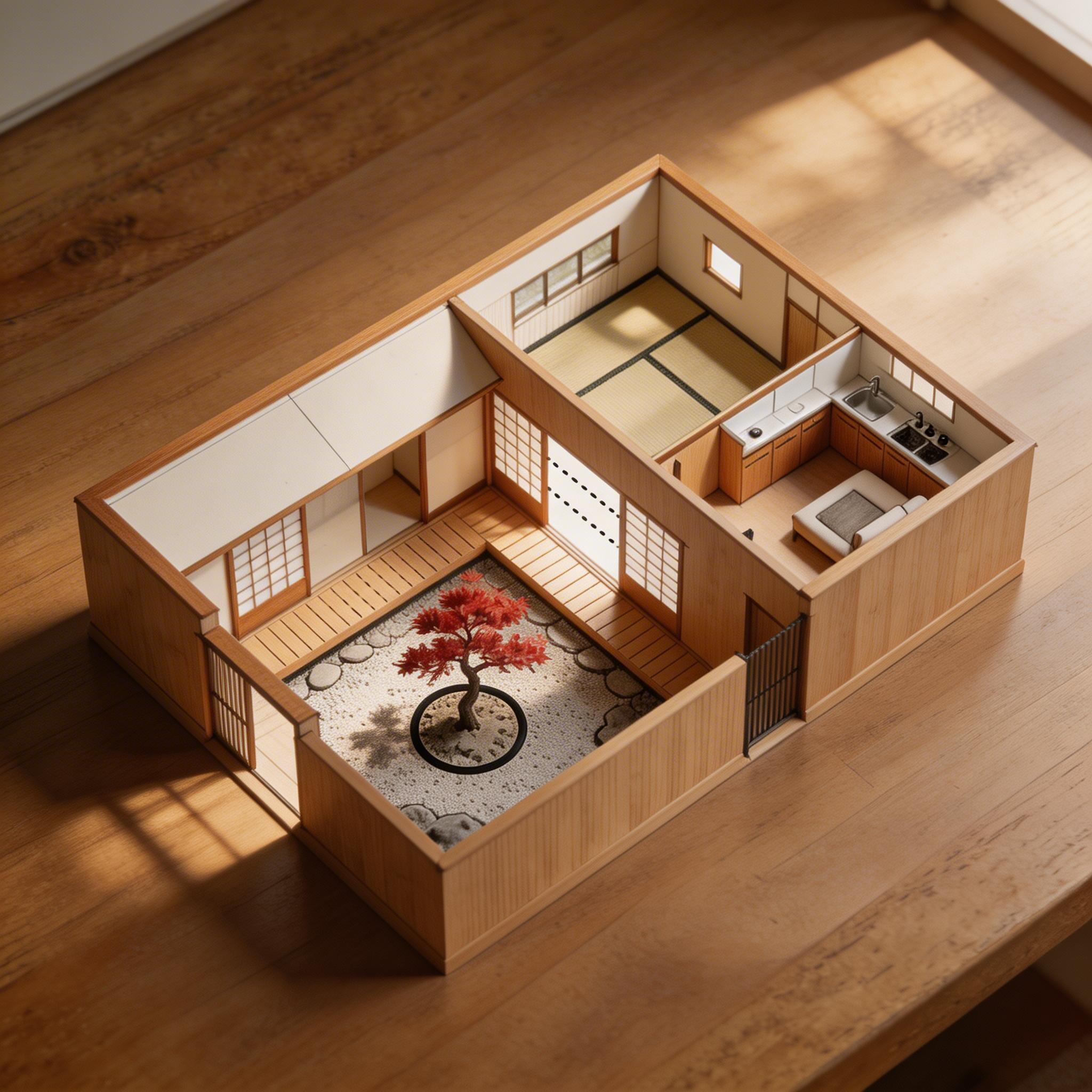
Feed it a floor plan sketch and it generates realistic visualizations that respect the spatial layout:
Based on this floor plan, generate a photorealistic rendering of the interior. A Japanese-inspired minimalist house with warm hinoki wood tones, a central courtyard garden visible through floor-to-ceiling glass with a single red maple tree, tatami flooring, an engawa wooden veranda with dappled afternoon light. Sliding shoji screens partially open. Match the layout exactly.
Input — architect’s sketch
Output
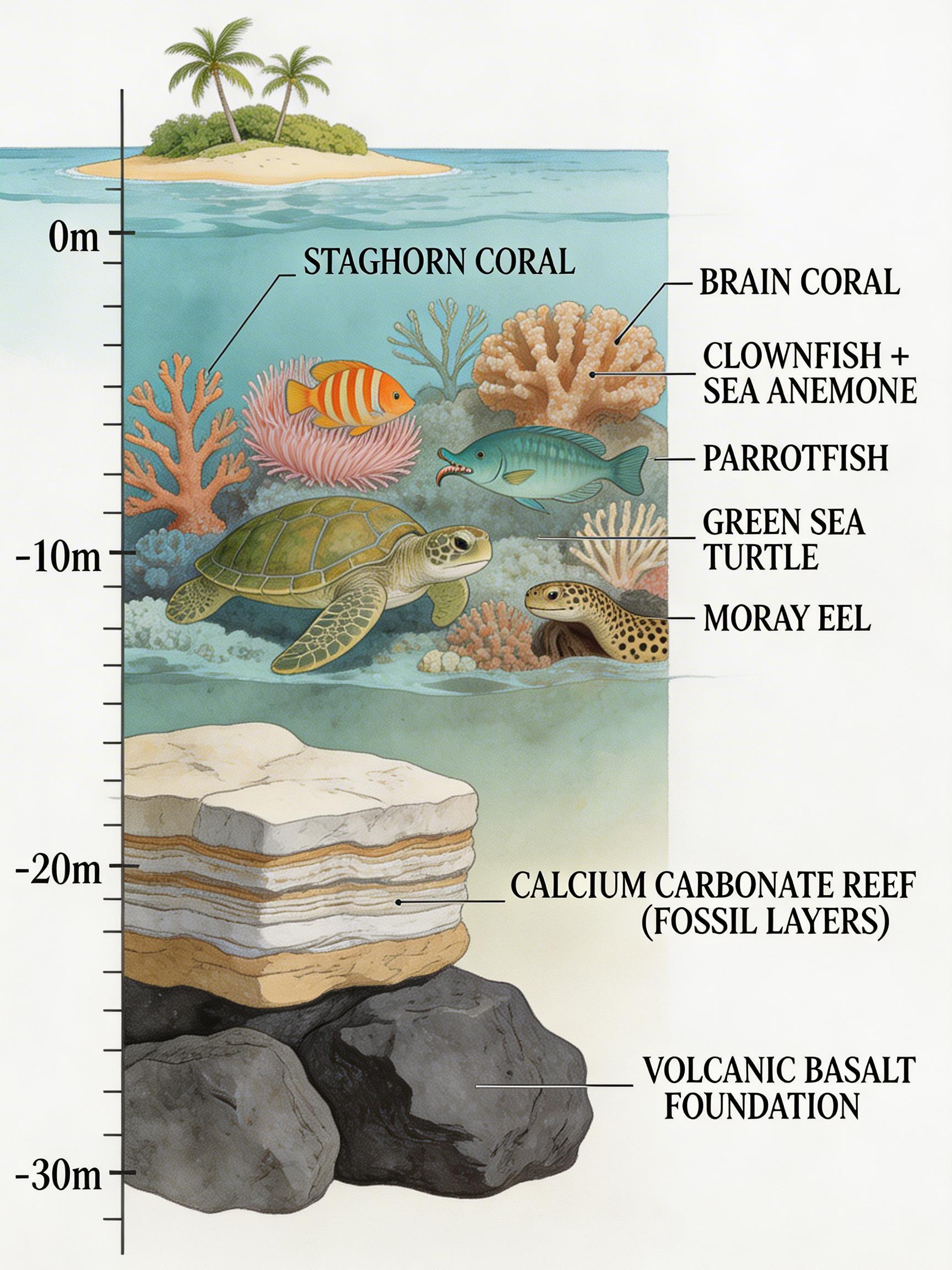
The model can generate accurate scientific illustrations that would normally require specialized knowledge and hours of careful work:
A detailed cross-section diagram of a coral reef ecosystem, scientific illustration style. Below: volcanic basalt foundation. Middle: calcium carbonate reef structure with visible fossil layers. Upper reef: a thriving ecosystem with labeled species — staghorn coral, brain coral, clownfish in an anemone, a moray eel in a crevice, parrotfish grazing, sea turtle swimming above. Above the waterline: a small tropical island with palm trees. Depth markers on the left edge. Precise linework with watercolor fills, labels in elegant serif type. Published in Nature magazine style.
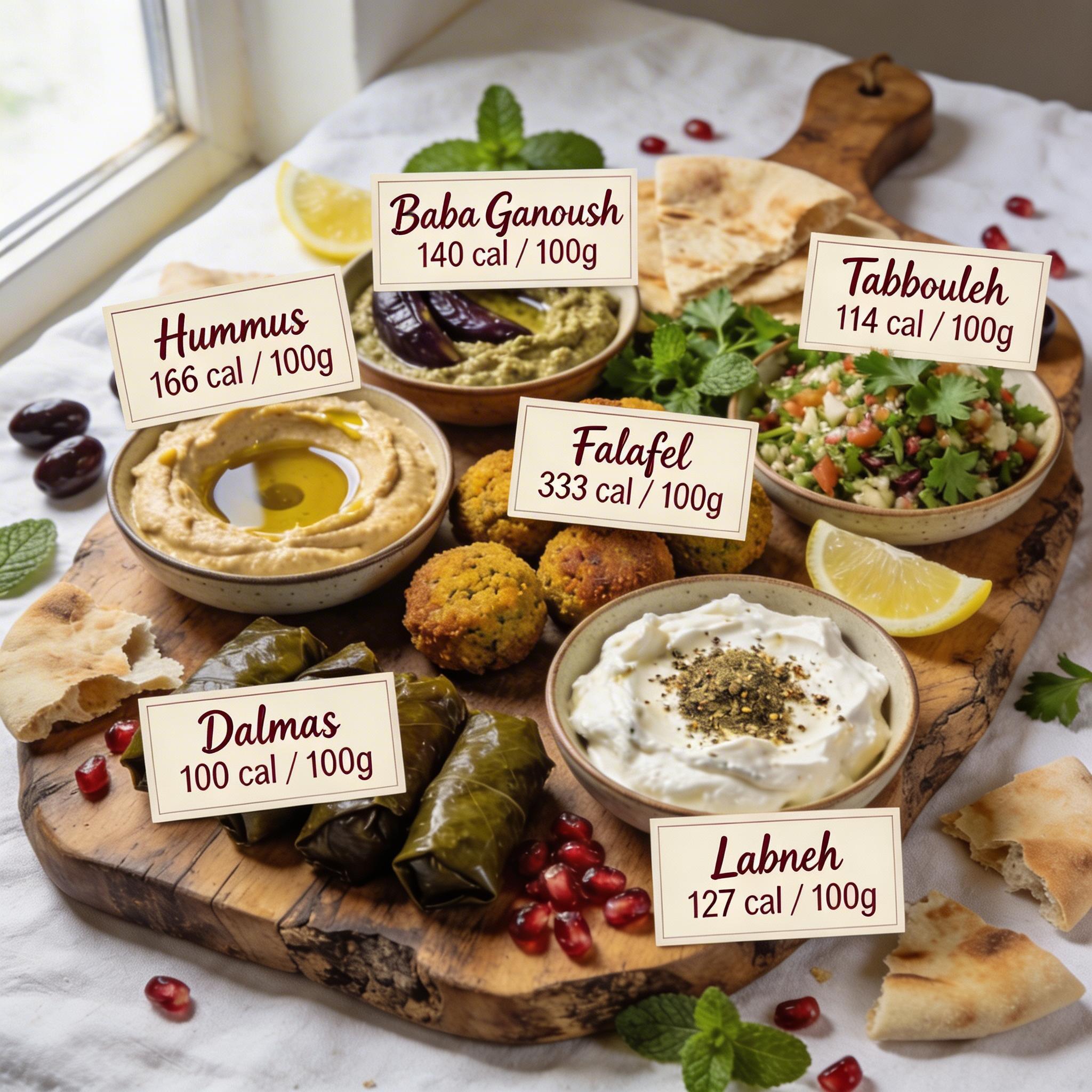
Give the model a photo of food and ask it to annotate with nutritional information:
Identify each dish in this mezze spread and add elegant hand-lettered calligraphy annotation cards next to each one, showing the dish name and calorie count per 100g. Cards on cream-colored stock with burgundy ink.
Input
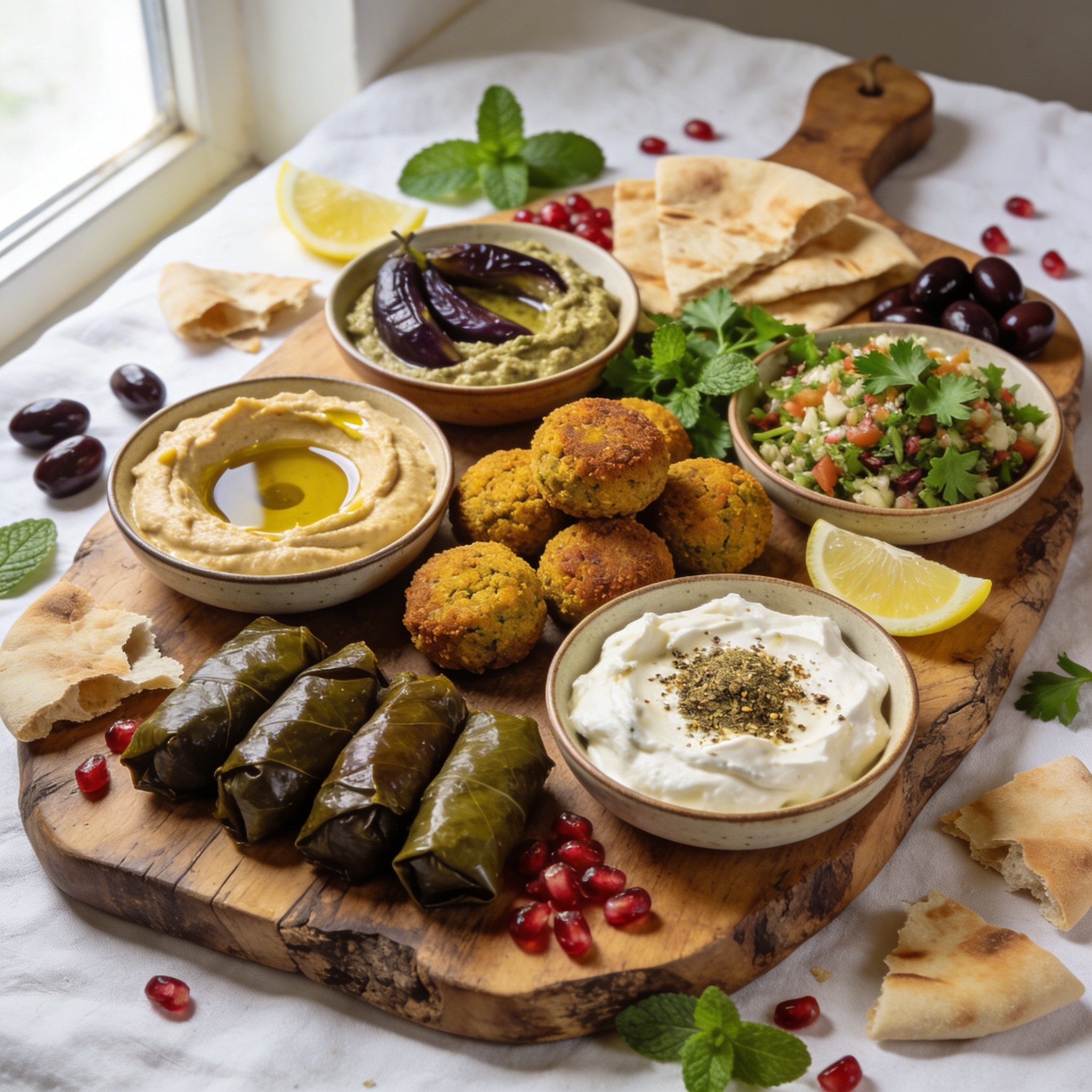
Output
Text rendering
Seedream has been strong at text rendering since version 3.0, and 5.0 continues that tradition. Use double quotation marks around text you want rendered in the image for best results:
A large-format typographic poster for a fictional jazz festival. At the top in bold condensed sans-serif: “BLUE NOTE SESSIONS” in deep navy. Below in elegant script: “Summer 2026 — Central Park, New York.” The poster lists four performers: “Miles Ahead Quintet / Saturday 8PM” “Sarah Chen Trio / Saturday 10PM” “The Monk Revival / Sunday 7PM” “Coltrane Legacy Orchestra / Sunday 9PM”. A stylized golden saxophone silhouette runs vertically along the right edge. Background is a gradient from midnight blue to warm amber. At the bottom in small caps: “Tickets at bluenote.nyc — All ages welcome.”
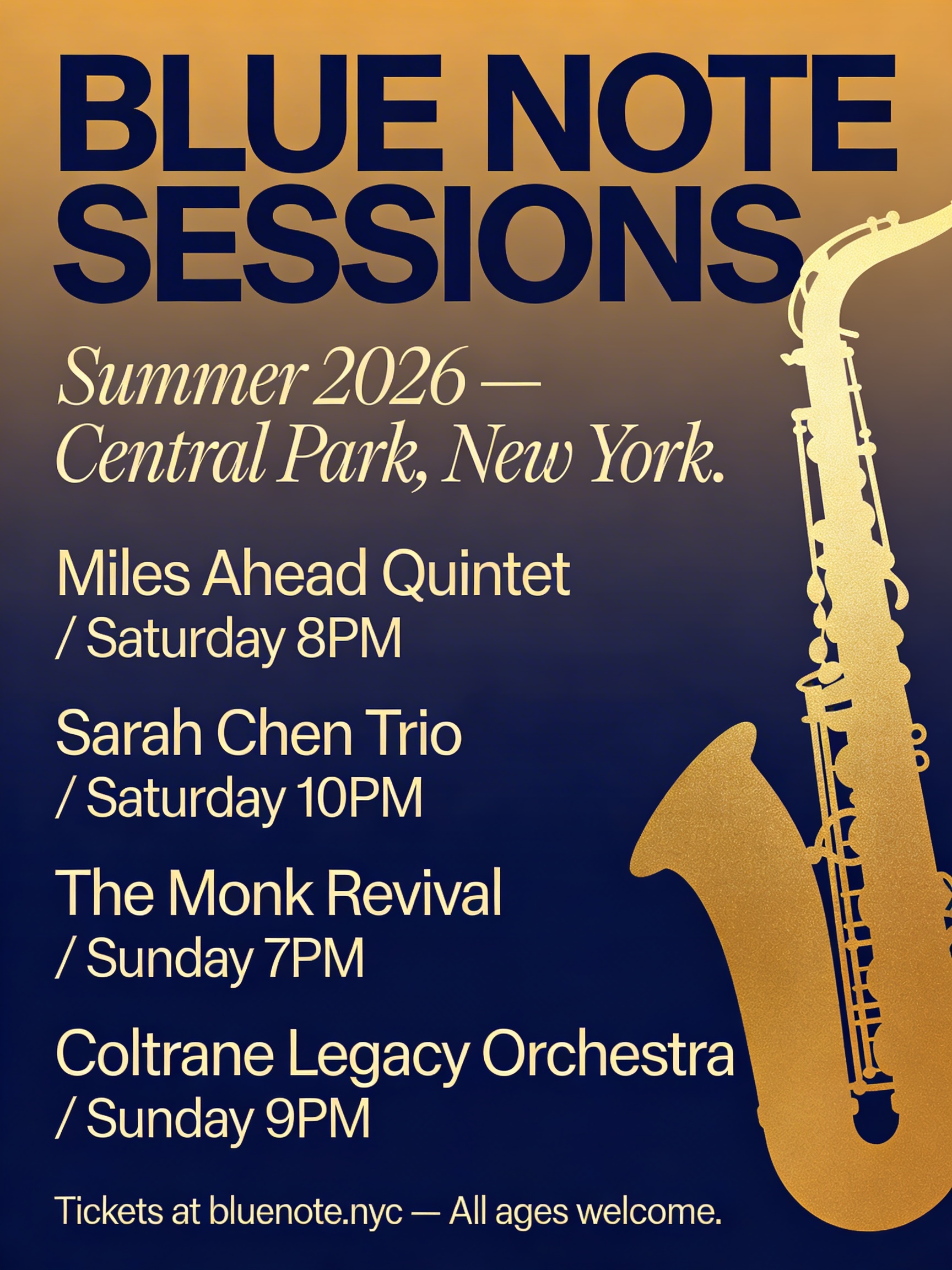
That’s a poster with multiple typefaces, mixed case, punctuation, specific performer names, and a gradient background — all rendered accurately. The model handles multilingual text well too. If you need Chinese, Japanese, Korean, or other scripts rendered accurately, Seedream 5.0 can do it.
Multi-image generation
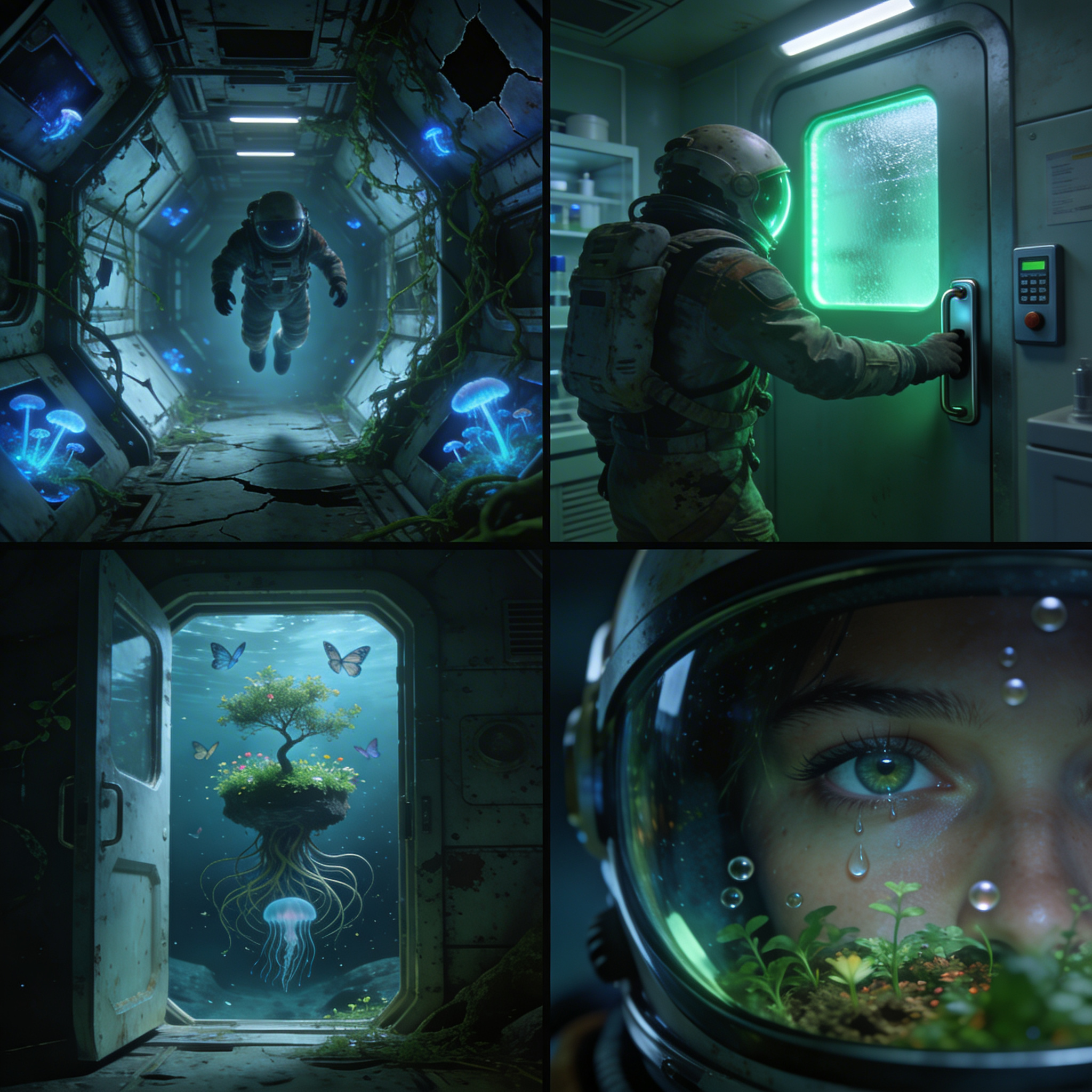
Like Seedream 4.5, the 5.0 model can generate multiple related images in one go. Ask for “a series” or “a set” or specify a number, and it produces images with consistent style and character continuity.
A cinematic 2x2 storyboard grid. Panel 1: Interior of a derelict space station, a lone astronaut floats through a corridor where vines have grown through cracked hull panels, bioluminescent fungi glow blue. Panel 2: She discovers a sealed laboratory door with a pulsing green light behind frosted glass, reaching for the manual release lever. Panel 3: The door opens to reveal a thriving garden, a small tree growing in zero gravity with roots spiraling outward like a jellyfish, butterflies frozen mid-flight. Panel 4: Close-up of her face through the helmet visor, tears floating as small spheres, the garden reflected in her eyes. Consistent character design, anamorphic lens flare, Ridley Scott color palette.
A comprehensive brand identity flat-lay for a specialty coffee roaster called “ALTITUDE”. Arranged on dark slate: matte black coffee bags with the “ALTITUDE” wordmark in embossed gold foil and an elevation contour line logo, business cards (front and back), a ceramic pour-over dripper with the contour logo etched in, branded kraft paper stickers, a linen tote bag with screen-printed logo, a metal travel tumbler with laser-engraved branding, and a booklet titled “Brewing Guide.” Palette of black, gold, and natural kraft. Overhead product photography, even studio lighting.
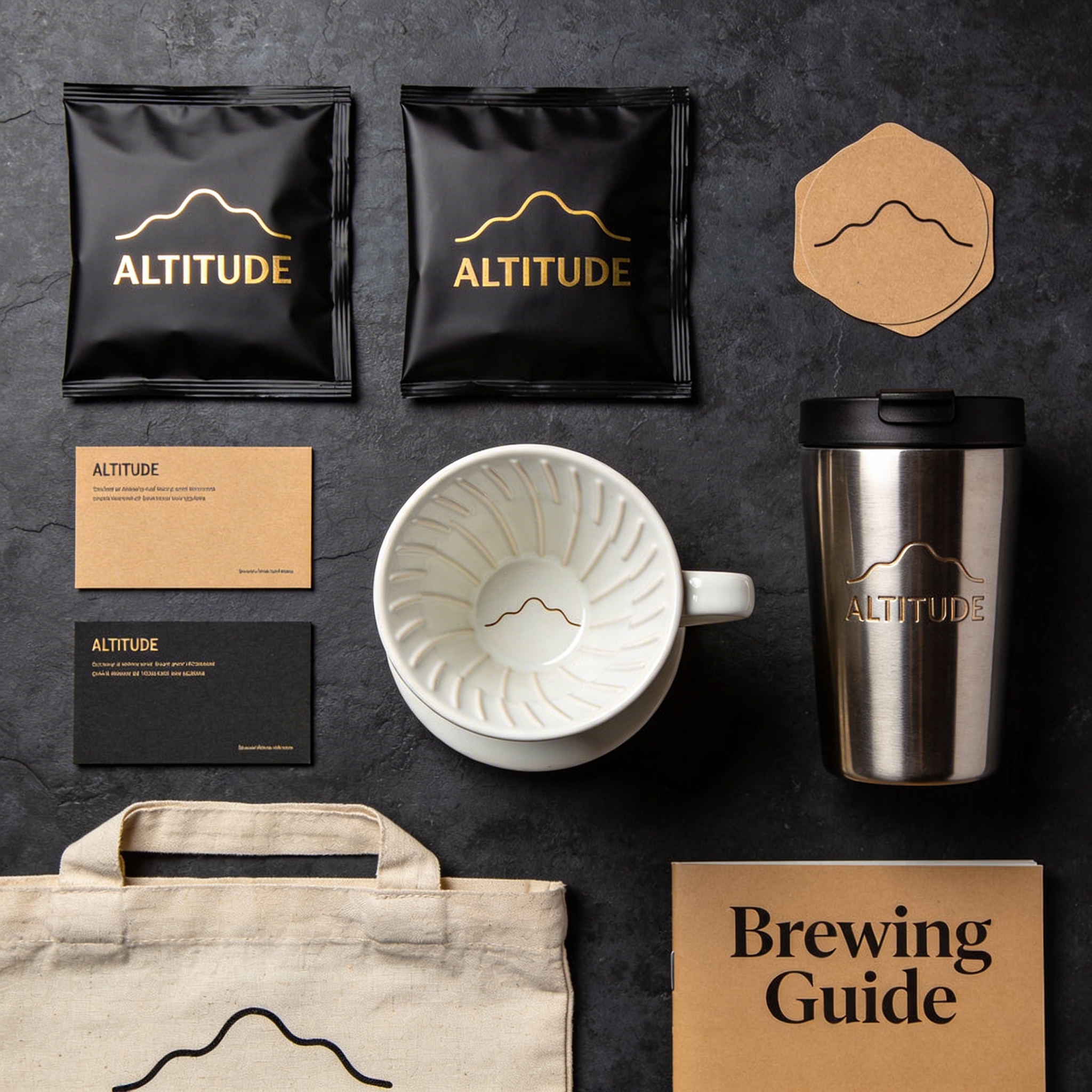
This is great for storyboarding, brand identity packages, emoji sets, and any scenario where you need a cohesive collection.
Getting started with the API
Here’s how to run Seedream 5.0 using JavaScript and the Replicate API:
import Replicate from "replicate";

const replicate = new Replicate({
  auth: process.env.REPLICATE_API_TOKEN,
});

const output = await replicate.run(
  "bytedance/seedream-5-lite",
  {
    input: {
      prompt: "Your prompt here",
      // size: "2K" or "4K"
      // aspect_ratio: "1:1", "16:9", "9:16", etc.
      // image_input: ["https://..."] for editing or reference
    }
  }
);

console.log(output);
And in Python:
import replicate

output = replicate.run(
    "bytedance/seedream-5-lite",
    input={
        "prompt": "Your prompt here",
        # "size": "2K" or "4K",
        # "aspect_ratio": "1:1", "16:9", "9:16", etc.
        # "image_input": ["https://..."] for editing or reference
    }
)

print(output)
Prompting tips
A few things we learned while testing:
-
Use natural language, not keyword lists. “A girl in a lavish dress walking under a parasol along a tree-lined path, in the style of a Monet oil painting” works better than “girl, umbrella, tree-lined street, oil painting texture.”
-
Use double quotes for text rendering. If you want specific text in your image, wrap it in double quotation marks:
Design a poster with the title "Seedream 5.0". -
Be specific about what to keep. When editing, tell the model what shouldn’t change: “Replace the hat with a crown, keeping the pose and expression unchanged.”
-
Use visual markers for complex edits. Draw arrows, boxes, or colored regions on your input image to indicate exactly where changes should happen.
-
Specify your use case. Telling the model “Design a logo for a gaming company” gives better results than just describing the visual elements.
-
For example-based editing, show don’t tell. When the transformation is hard to describe in words, provide a before/after example pair.
Start creating with Seedream 5.0