defaulta photo of an astronaut riding a unicorn
typetext
{
  "checkpoint": "ProteusV0.4.safetensors",
  "guidance_scale": 7.5,
  "height": 768,
  "negative_prompt": "",
  "num_outputs": 1,
  "output_format": "webp",
  "output_quality": 80,
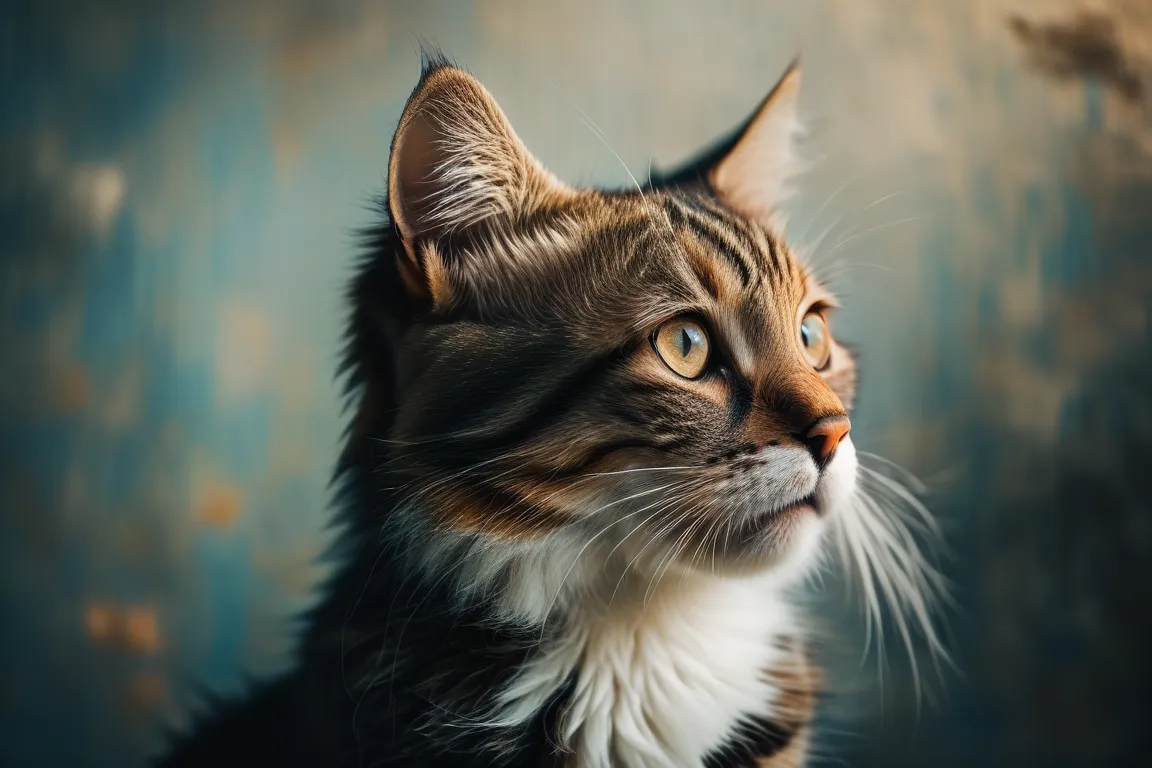
  "prompt": "a beautiful portrait photo of a cat",
  "sampler_name": "euler",
  "steps": 10,
  "width": 1156
}npm install replicate
REPLICATE_API_TOKEN environment variable:export REPLICATE_API_TOKEN=r8_CeY**********************************
This is your API token. Keep it to yourself.
import Replicate from "replicate";
import fs from "node:fs";

const replicate = new Replicate({
  auth: process.env.REPLICATE_API_TOKEN,
});
Run sdxl-based/ays-text-to-image using Replicate’s API. Check out the model's schema for an overview of inputs and outputs.
const output = await replicate.run(
  "sdxl-based/ays-text-to-image:a004c3ac8f62ac95a90b5a0c264beb47b66a6d1f8141b76fb27cd90e9a8bfe8e",
  {
    input: {
      checkpoint: "ProteusV0.4.safetensors",
      guidance_scale: 7.5,
      height: 768,
      negative_prompt: "",
      num_outputs: 1,
      output_format: "webp",
      output_quality: 80,
      prompt: "a beautiful portrait photo of a cat",
      sampler_name: "euler",
      steps: 10,
      width: 1156
    }
  }
);

// To access the file URL:
console.log(output[0].url()); //=> "http://example.com"

// To write the file to disk:
fs.writeFile("my-image.png", output[0]);
To learn more, take a look at the guide on getting started with Node.js.
pip install replicate
REPLICATE_API_TOKEN environment variable:export REPLICATE_API_TOKEN=r8_CeY**********************************
This is your API token. Keep it to yourself.
import replicate
Run sdxl-based/ays-text-to-image using Replicate’s API. Check out the model's schema for an overview of inputs and outputs.
output = replicate.run(
    "sdxl-based/ays-text-to-image:a004c3ac8f62ac95a90b5a0c264beb47b66a6d1f8141b76fb27cd90e9a8bfe8e",
    input={
        "checkpoint": "ProteusV0.4.safetensors",
        "guidance_scale": 7.5,
        "height": 768,
        "negative_prompt": "",
        "num_outputs": 1,
        "output_format": "webp",
        "output_quality": 80,
        "prompt": "a beautiful portrait photo of a cat",
        "sampler_name": "euler",
        "steps": 10,
        "width": 1156
    }
)

# To access the file URL:
print(output[0].url())
#=> "http://example.com"

# To write the file to disk:
with open("my-image.png", "wb") as file:
    file.write(output[0].read())
To learn more, take a look at the guide on getting started with Python.
REPLICATE_API_TOKEN environment variable:export REPLICATE_API_TOKEN=r8_CeY**********************************
This is your API token. Keep it to yourself.
Run sdxl-based/ays-text-to-image using Replicate’s API. Check out the model's schema for an overview of inputs and outputs.
curl -s -X POST \
  -H "Authorization: Bearer $REPLICATE_API_TOKEN" \
  -H "Content-Type: application/json" \
  -H "Prefer: wait" \
  -d $'{
    "version": "sdxl-based/ays-text-to-image:a004c3ac8f62ac95a90b5a0c264beb47b66a6d1f8141b76fb27cd90e9a8bfe8e",
    "input": {
      "checkpoint": "ProteusV0.4.safetensors",
      "guidance_scale": 7.5,
      "height": 768,
      "negative_prompt": "",
      "num_outputs": 1,
      "output_format": "webp",
      "output_quality": 80,
      "prompt": "a beautiful portrait photo of a cat",
      "sampler_name": "euler",
      "steps": 10,
      "width": 1156
    }
  }' \
  https://api.replicate.com/v1/predictions
To learn more, take a look at Replicate’s HTTP API reference docs.
{
  "id": "50t317j6tsrm80cke9sv9hen68",
  "model": "sdxl-based/ays-text-to-image",
  "version": "a004c3ac8f62ac95a90b5a0c264beb47b66a6d1f8141b76fb27cd90e9a8bfe8e",
  "input": {
    "checkpoint": "ProteusV0.4.safetensors",
    "guidance_scale": 7.5,
    "height": 768,
    "negative_prompt": "",
    "num_outputs": 1,
    "output_format": "webp",
    "output_quality": 80,
    "prompt": "a beautiful portrait photo of a cat",
    "sampler_name": "euler",
    "steps": 10,
    "width": 1156
  },
  "logs": "Random seed set to: 3470234499\nChecking inputs\n====================================\nChecking weights\n✅ ProteusV0.4.safetensors\n====================================\nRunning workflow\ngot prompt\nExecuting node 21, title: SamplerCustom, class type: SamplerCustom\n  0%|          | 0/10 [00:00<?, ?it/s]\n 20%|██        | 2/10 [00:00<00:00, 16.72it/s]\n 40%|████      | 4/10 [00:00<00:00, 13.17it/s]\n 60%|██████    | 6/10 [00:00<00:00, 12.32it/s]\n 80%|████████  | 8/10 [00:00<00:00, 11.94it/s]\n100%|██████████| 10/10 [00:00<00:00, 11.76it/s]\n100%|██████████| 10/10 [00:00<00:00, 12.21it/s]\nExecuting node 8, title: VAE Decode, class type: VAEDecode\nExecuting node 9, title: Save Image, class type: SaveImage\nPrompt executed in 1.14 seconds\noutputs:  {'9': {'images': [{'filename': 'ComfyUI_00001_.png', 'subfolder': '', 'type': 'output'}]}}\n====================================\nContents of /tmp/outputs:\nComfyUI_00001_.png",
  "output": [
    "https://replicate.delivery/xezq/7B9xH1LJjI59N9FtDkG40mHM3sSB3b5MRxwOV7nCbfPVBw6JA/ComfyUI_00001_.webp"
  ],
  "data_removed": false,
  "error": null,
  "source": "web",
  "status": "succeeded",
  "created_at": "2024-11-28T11:06:17.686Z",
  "started_at": "2024-11-28T11:06:17.694113Z",
  "completed_at": "2024-11-28T11:06:18.936209Z",
  "urls": {
    "cancel": "https://api.replicate.com/v1/predictions/50t317j6tsrm80cke9sv9hen68/cancel",
    "get": "https://api.replicate.com/v1/predictions/50t317j6tsrm80cke9sv9hen68",
    "stream": "https://stream.replicate.com/v1/files/bcwr-loykbbdz3uq6jpzs7p2mgf6joe6dssl2y3hesyhgle6hgchcubtq",
    "web": "https://replicate.com/p/50t317j6tsrm80cke9sv9hen68"
  },
  "metrics": {
    "predict_time": 1.242096476,
    "total_time": 1.250209
  }
}