typetext
ID
9gv8ma1xzxrj60cj0jdrjsgp9c
Status
Succeeded
Source
Web
Hardware
A100 (80GB)
Total duration
Created
Webhook
–
Input
- prompt
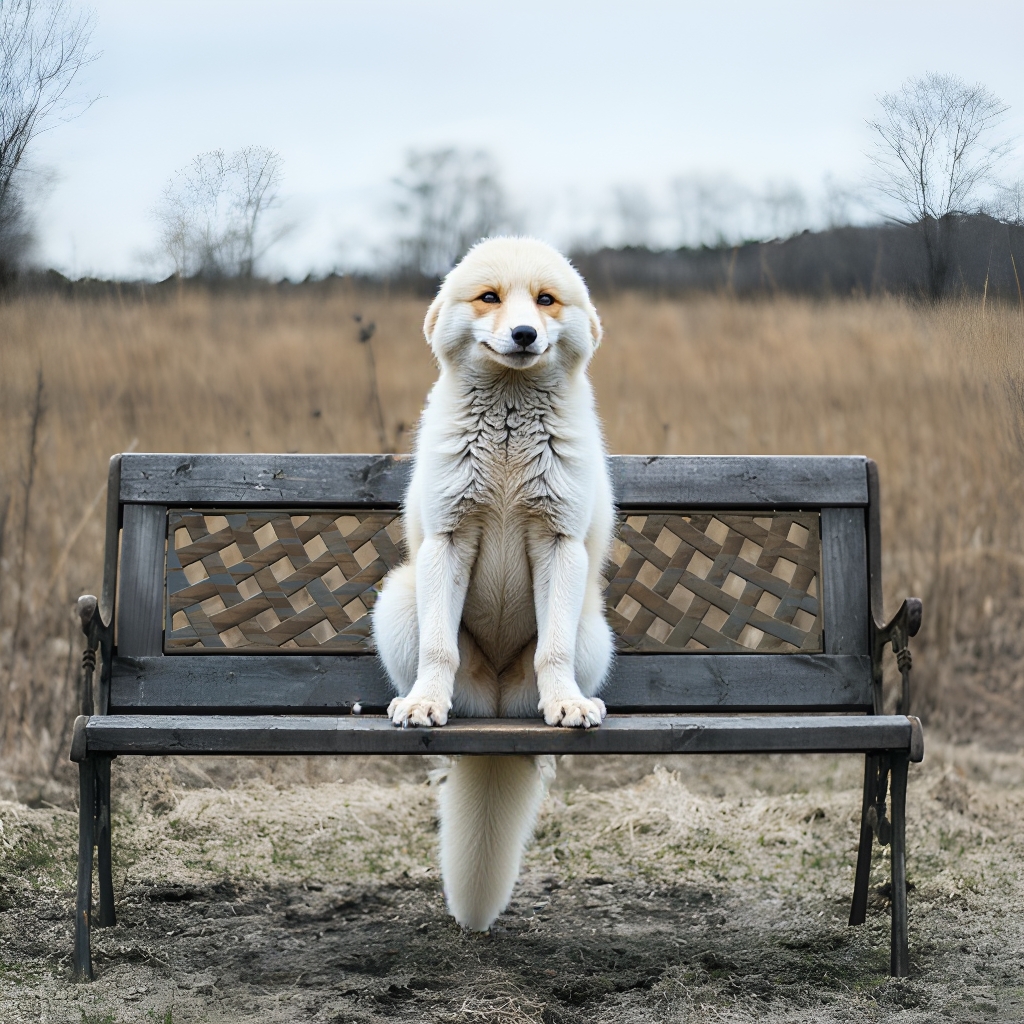
- Professional photography of a fox sitting on a bench
- conditioning_scale
- 0.5default0.5typenumeric-rangevalue typenumbermaximum1
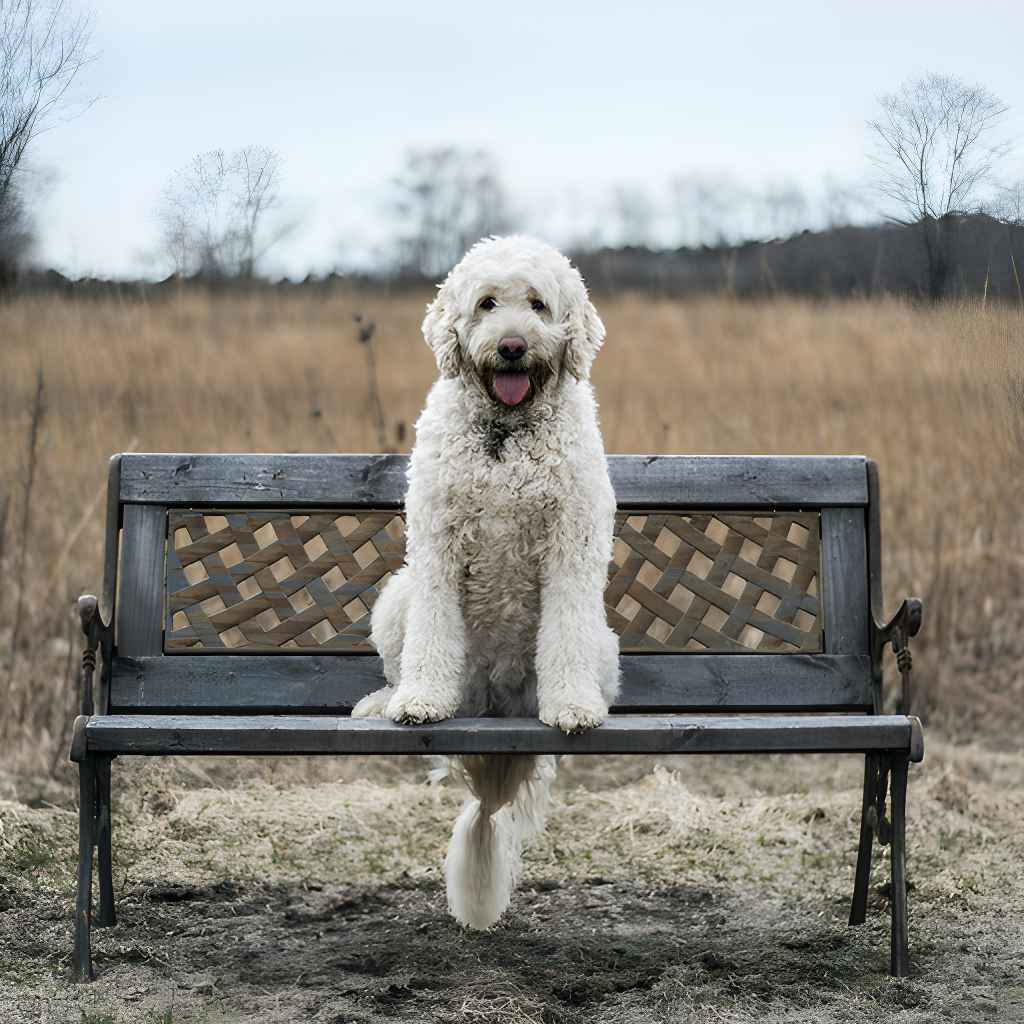
- image
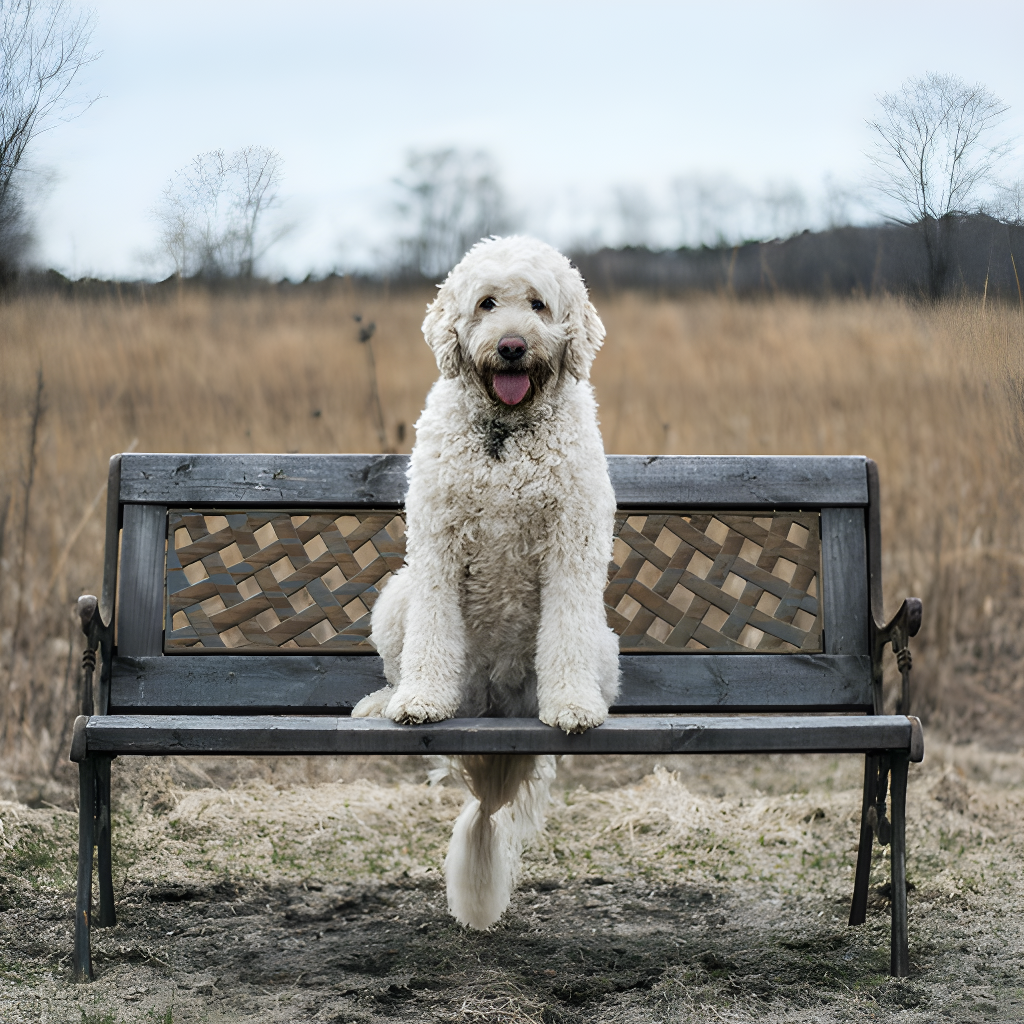
- control_image
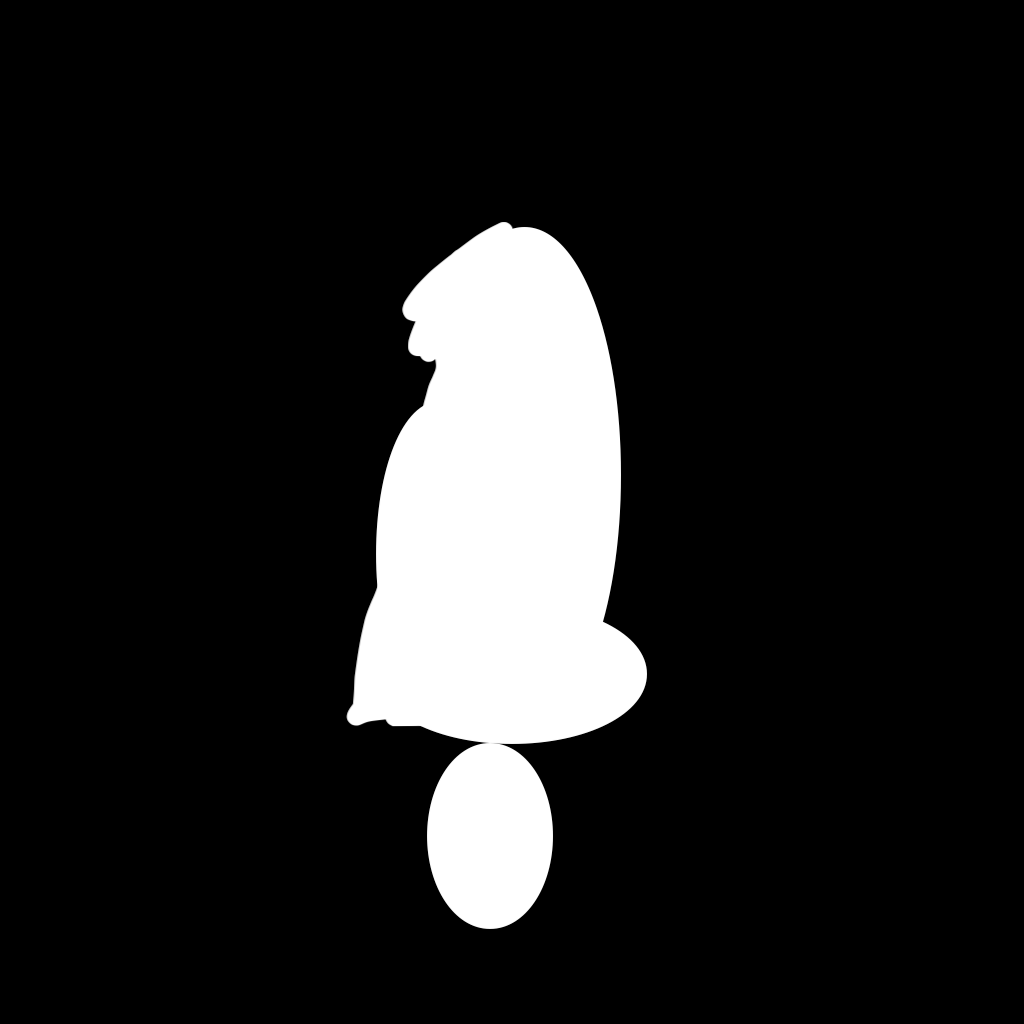
- mask
- strength
- 0.8default0.8typenumeric-rangevalue typenumbermaximum1
- guidance_scale
- 3.5default3.5typenumeric-rangevalue typenumbermaximum30
- enable_hyper_flux_8_step
- truedefaulttruetypeboolean
- num_inference_steps
- 8default8typenumeric-rangevalue typeintegerminimum1maximum28
- output_format
- jpgdefaultjpgtypeenumvalue typestringoptionswebp, jpg, png
- output_quality
- 100default100typenumeric-rangevalue typeintegermaximum100
- lora_scale
- 0.8default0.8typenumeric-rangevalue typenumbermaximum1
{
  "conditioning_scale": 0.5,
  "control_image": "https://replicate.delivery/pbxt/LdzOBqGI9FyIIPZOyOBYToYndRLXelYBSqOP1XJlE5Tq5up9/output%20%283%29.png",
  "enable_hyper_flux_8_step": true,
  "guidance_scale": 3.5,
  "image": "https://replicate.delivery/pbxt/LdzOC2USRj4omEK2igawxoYUPG6hJ2RfRZS2TZXiqSEkybYs/output%20%283%29.png",
  "lora_scale": 0.8,
  "mask": "https://replicate.delivery/pbxt/LdzOC0eYgmiQxsZntL8aUwyQlLjtXQuhmMrXrOUbpMESw11v/output%20%282%29.png",
  "num_inference_steps": 8,
  "output_format": "jpg",
  "output_quality": 100,
  "prompt": "Professional photography of a fox sitting on a bench",
  "strength": 0.8
}
Install Replicate’s Node.js client library:
npm install replicate
Set the
REPLICATE_API_TOKEN environment variable:export REPLICATE_API_TOKEN=r8_CxD**********************************
This is your API token. Keep it to yourself.
Import and set up the client:
import Replicate from "replicate";
import fs from "node:fs";

const replicate = new Replicate({
  auth: process.env.REPLICATE_API_TOKEN,
});
Run fermatresearch/flux-controlnet-inpaint using Replicate’s API. Check out the model's schema for an overview of inputs and outputs.
const output = await replicate.run(
  "fermatresearch/flux-controlnet-inpaint:46ae77d1d148dca1bd61c1215e99ee692c4cf01289a2bba681b14a58c04bda8f",
  {
    input: {
      conditioning_scale: 0.5,
      control_image: "https://replicate.delivery/pbxt/LdzOBqGI9FyIIPZOyOBYToYndRLXelYBSqOP1XJlE5Tq5up9/output%20%283%29.png",
      enable_hyper_flux_8_step: true,
      guidance_scale: 3.5,
      image: "https://replicate.delivery/pbxt/LdzOC2USRj4omEK2igawxoYUPG6hJ2RfRZS2TZXiqSEkybYs/output%20%283%29.png",
      lora_scale: 0.8,
      mask: "https://replicate.delivery/pbxt/LdzOC0eYgmiQxsZntL8aUwyQlLjtXQuhmMrXrOUbpMESw11v/output%20%282%29.png",
      num_inference_steps: 8,
      output_format: "jpg",
      output_quality: 100,
      prompt: "Professional photography of a fox sitting on a bench",
      strength: 0.8
    }
  }
);

// To access the file URL:
console.log(output[0].url()); //=> "http://example.com"

// To write the file to disk:
fs.writeFile("my-image.png", output[0]);
To learn more, take a look at the guide on getting started with Node.js.
Install Replicate’s Python client library:
pip install replicate
Set the
REPLICATE_API_TOKEN environment variable:export REPLICATE_API_TOKEN=r8_CxD**********************************
This is your API token. Keep it to yourself.
Import the client:
import replicate
Run fermatresearch/flux-controlnet-inpaint using Replicate’s API. Check out the model's schema for an overview of inputs and outputs.
output = replicate.run(
    "fermatresearch/flux-controlnet-inpaint:46ae77d1d148dca1bd61c1215e99ee692c4cf01289a2bba681b14a58c04bda8f",
    input={
        "conditioning_scale": 0.5,
        "control_image": "https://replicate.delivery/pbxt/LdzOBqGI9FyIIPZOyOBYToYndRLXelYBSqOP1XJlE5Tq5up9/output%20%283%29.png",
        "enable_hyper_flux_8_step": True,
        "guidance_scale": 3.5,
        "image": "https://replicate.delivery/pbxt/LdzOC2USRj4omEK2igawxoYUPG6hJ2RfRZS2TZXiqSEkybYs/output%20%283%29.png",
        "lora_scale": 0.8,
        "mask": "https://replicate.delivery/pbxt/LdzOC0eYgmiQxsZntL8aUwyQlLjtXQuhmMrXrOUbpMESw11v/output%20%282%29.png",
        "num_inference_steps": 8,
        "output_format": "jpg",
        "output_quality": 100,
        "prompt": "Professional photography of a fox sitting on a bench",
        "strength": 0.8
    }
)

# To access the file URL:
print(output[0].url())
#=> "http://example.com"

# To write the file to disk:
with open("my-image.png", "wb") as file:
    file.write(output[0].read())
To learn more, take a look at the guide on getting started with Python.
Set the
REPLICATE_API_TOKEN environment variable:export REPLICATE_API_TOKEN=r8_CxD**********************************
This is your API token. Keep it to yourself.
Run fermatresearch/flux-controlnet-inpaint using Replicate’s API. Check out the model's schema for an overview of inputs and outputs.
curl -s -X POST \
  -H "Authorization: Bearer $REPLICATE_API_TOKEN" \
  -H "Content-Type: application/json" \
  -H "Prefer: wait" \
  -d $'{
    "version": "fermatresearch/flux-controlnet-inpaint:46ae77d1d148dca1bd61c1215e99ee692c4cf01289a2bba681b14a58c04bda8f",
    "input": {
      "conditioning_scale": 0.5,
      "control_image": "https://replicate.delivery/pbxt/LdzOBqGI9FyIIPZOyOBYToYndRLXelYBSqOP1XJlE5Tq5up9/output%20%283%29.png",
      "enable_hyper_flux_8_step": true,
      "guidance_scale": 3.5,
      "image": "https://replicate.delivery/pbxt/LdzOC2USRj4omEK2igawxoYUPG6hJ2RfRZS2TZXiqSEkybYs/output%20%283%29.png",
      "lora_scale": 0.8,
      "mask": "https://replicate.delivery/pbxt/LdzOC0eYgmiQxsZntL8aUwyQlLjtXQuhmMrXrOUbpMESw11v/output%20%282%29.png",
      "num_inference_steps": 8,
      "output_format": "jpg",
      "output_quality": 100,
      "prompt": "Professional photography of a fox sitting on a bench",
      "strength": 0.8
    }
  }' \
  https://api.replicate.com/v1/predictions
To learn more, take a look at Replicate’s HTTP API reference docs.
Output
{
  "id": "9gv8ma1xzxrj60cj0jdrjsgp9c",
  "model": "fermatresearch/flux-controlnet-inpaint",
  "version": "46ae77d1d148dca1bd61c1215e99ee692c4cf01289a2bba681b14a58c04bda8f",
  "input": {
    "conditioning_scale": 0.5,
    "control_image": "https://replicate.delivery/pbxt/LdzOBqGI9FyIIPZOyOBYToYndRLXelYBSqOP1XJlE5Tq5up9/output%20%283%29.png",
    "enable_hyper_flux_8_step": true,
    "guidance_scale": 3.5,
    "image": "https://replicate.delivery/pbxt/LdzOC2USRj4omEK2igawxoYUPG6hJ2RfRZS2TZXiqSEkybYs/output%20%283%29.png",
    "lora_scale": 0.8,
    "mask": "https://replicate.delivery/pbxt/LdzOC0eYgmiQxsZntL8aUwyQlLjtXQuhmMrXrOUbpMESw11v/output%20%282%29.png",
    "num_inference_steps": 8,
    "output_format": "jpg",
    "output_quality": 100,
    "prompt": "Professional photography of a fox sitting on a bench",
    "strength": 0.8
  },
  "logs": "Using seed: 28712\n  0%|          | 0/7 [00:00<?, ?it/s]\n 14%|█▍        | 1/7 [00:00<00:04,  1.37it/s]\n 29%|██▊       | 2/7 [00:01<00:03,  1.53it/s]\n 43%|████▎     | 3/7 [00:01<00:02,  1.58it/s]\n 57%|█████▋    | 4/7 [00:02<00:01,  1.61it/s]\n 71%|███████▏  | 5/7 [00:03<00:01,  1.62it/s]\n 86%|████████▌ | 6/7 [00:03<00:00,  1.63it/s]\n100%|██████████| 7/7 [00:04<00:00,  1.75it/s]\n100%|██████████| 7/7 [00:04<00:00,  1.65it/s]",
  "output": [
    "https://replicate.delivery/yhqm/xhIBrigTM8LAGt3lqX0U6H4adPPU7JBSPN22ehX1bYsJyCvJA/out-0.jpg"
  ],
  "data_removed": false,
  "error": null,
  "source": "web",
  "status": "succeeded",
  "created_at": "2024-09-18T10:08:55.807Z",
  "started_at": "2024-09-18T10:10:16.704686Z",
  "completed_at": "2024-09-18T10:10:27.646617Z",
  "urls": {
    "cancel": "https://api.replicate.com/v1/predictions/9gv8ma1xzxrj60cj0jdrjsgp9c/cancel",
    "get": "https://api.replicate.com/v1/predictions/9gv8ma1xzxrj60cj0jdrjsgp9c",
    "web": "https://replicate.com/p/9gv8ma1xzxrj60cj0jdrjsgp9c"
  },
  "metrics": {
    "predict_time": 10.94193154,
    "total_time": 91.839617
  }
}
Generated in
Using seed: 28712
0%| | 0/7 [00:00<?, ?it/s]
14%|█▍ | 1/7 [00:00<00:04, 1.37it/s]
29%|██▊ | 2/7 [00:01<00:03, 1.53it/s]
43%|████▎ | 3/7 [00:01<00:02, 1.58it/s]
57%|█████▋ | 4/7 [00:02<00:01, 1.61it/s]
71%|███████▏ | 5/7 [00:03<00:01, 1.62it/s]
86%|████████▌ | 6/7 [00:03<00:00, 1.63it/s]
100%|██████████| 7/7 [00:04<00:00, 1.75it/s]
100%|██████████| 7/7 [00:04<00:00, 1.65it/s]