typefile
ID
wdegnhzbf4dvh5cizltkbuzyfa
Status
Succeeded
Source
Web
Hardware
CPU
Total duration
Created
Webhook
–
Input
- imgsz
- 640default640typenumeric-rangevalue typeintegermaximum2048
- iou
- 0.31default0.45typenumeric-rangevalue typenumbermaximum1
- threshold
- 0.53default0.6typenumeric-rangevalue typenumbermaximum1
- show_conf
- truedefaulttruetypeboolean
- show_text
- truedefaulttruetypeboolean
{
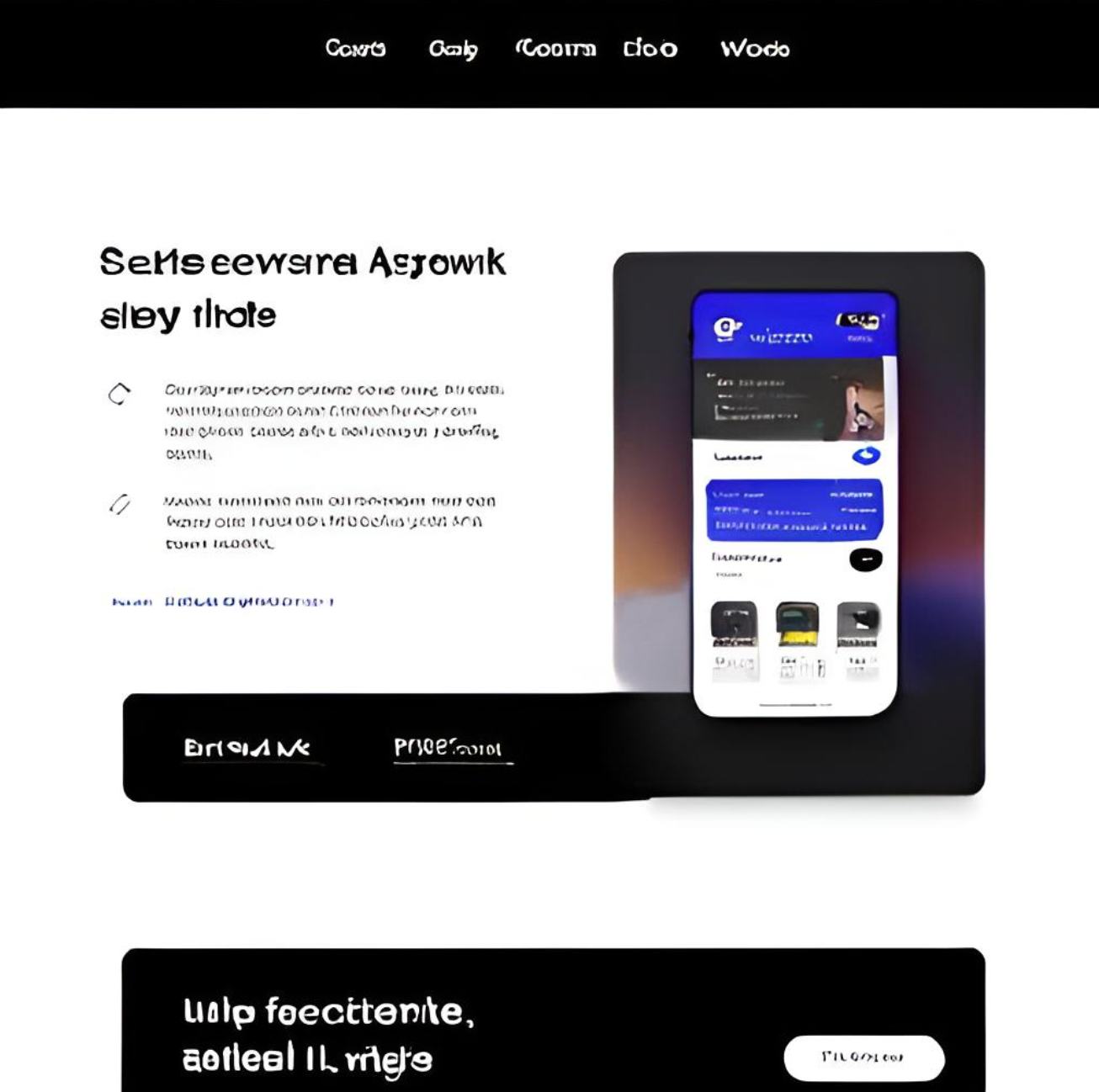
  "image": "https://replicate.delivery/pbxt/JWIP86XsvRtEVBXAmzKh3WjLm3lxLG8GqFqeSXUNtyLajiQH/screenshot-20230913-175026.png",
  "imgsz": 640,
  "iou": 0.31,
  "show_conf": true,
  "show_text": true,
  "threshold": 0.53
}
Install Replicate’s Node.js client library:
npm install replicate
Set the
REPLICATE_API_TOKEN environment variable:export REPLICATE_API_TOKEN=r8_NHA**********************************
This is your API token. Keep it to yourself.
Import and set up the client:
import Replicate from "replicate";
import fs from "node:fs";

const replicate = new Replicate({
  auth: process.env.REPLICATE_API_TOKEN,
});
Run hilongjw/screen-ui-detector using Replicate’s API. Check out the model's schema for an overview of inputs and outputs.
const output = await replicate.run(
  "hilongjw/screen-ui-detector:4391527954a30359df9e4d610beeb6f98cbaef2207737d3051de98dc366a9b6c",
  {
    input: {
      image: "https://replicate.delivery/pbxt/JWIP86XsvRtEVBXAmzKh3WjLm3lxLG8GqFqeSXUNtyLajiQH/screenshot-20230913-175026.png",
      imgsz: 640,
      iou: 0.31,
      show_conf: true,
      show_text: true,
      threshold: 0.53
    }
  }
);

// To access the file URL:
console.log(output.url()); //=> "http://example.com"

// To write the file to disk:
fs.writeFile("my-image.png", output);
To learn more, take a look at the guide on getting started with Node.js.
Install Replicate’s Python client library:
pip install replicate
Set the
REPLICATE_API_TOKEN environment variable:export REPLICATE_API_TOKEN=r8_NHA**********************************
This is your API token. Keep it to yourself.
Import the client:
import replicate
Run hilongjw/screen-ui-detector using Replicate’s API. Check out the model's schema for an overview of inputs and outputs.
output = replicate.run(
    "hilongjw/screen-ui-detector:4391527954a30359df9e4d610beeb6f98cbaef2207737d3051de98dc366a9b6c",
    input={
        "image": "https://replicate.delivery/pbxt/JWIP86XsvRtEVBXAmzKh3WjLm3lxLG8GqFqeSXUNtyLajiQH/screenshot-20230913-175026.png",
        "imgsz": 640,
        "iou": 0.31,
        "show_conf": True,
        "show_text": True,
        "threshold": 0.53
    }
)

# To access the file URL:
print(output.url())
#=> "http://example.com"

# To write the file to disk:
with open("my-image.png", "wb") as file:
    file.write(output.read())
To learn more, take a look at the guide on getting started with Python.
Set the
REPLICATE_API_TOKEN environment variable:export REPLICATE_API_TOKEN=r8_NHA**********************************
This is your API token. Keep it to yourself.
Run hilongjw/screen-ui-detector using Replicate’s API. Check out the model's schema for an overview of inputs and outputs.
curl -s -X POST \
  -H "Authorization: Bearer $REPLICATE_API_TOKEN" \
  -H "Content-Type: application/json" \
  -H "Prefer: wait" \
  -d $'{
    "version": "hilongjw/screen-ui-detector:4391527954a30359df9e4d610beeb6f98cbaef2207737d3051de98dc366a9b6c",
    "input": {
      "image": "https://replicate.delivery/pbxt/JWIP86XsvRtEVBXAmzKh3WjLm3lxLG8GqFqeSXUNtyLajiQH/screenshot-20230913-175026.png",
      "imgsz": 640,
      "iou": 0.31,
      "show_conf": true,
      "show_text": true,
      "threshold": 0.53
    }
  }' \
  https://api.replicate.com/v1/predictions
To learn more, take a look at Replicate’s HTTP API reference docs.
Output
{
  "id": "wdegnhzbf4dvh5cizltkbuzyfa",
  "model": "hilongjw/screen-ui-detector",
  "version": "4391527954a30359df9e4d610beeb6f98cbaef2207737d3051de98dc366a9b6c",
  "input": {
    "image": "https://replicate.delivery/pbxt/JWIP86XsvRtEVBXAmzKh3WjLm3lxLG8GqFqeSXUNtyLajiQH/screenshot-20230913-175026.png",
    "imgsz": 640,
    "iou": 0.31,
    "show_conf": true,
    "show_text": true,
    "threshold": 0.53
  },
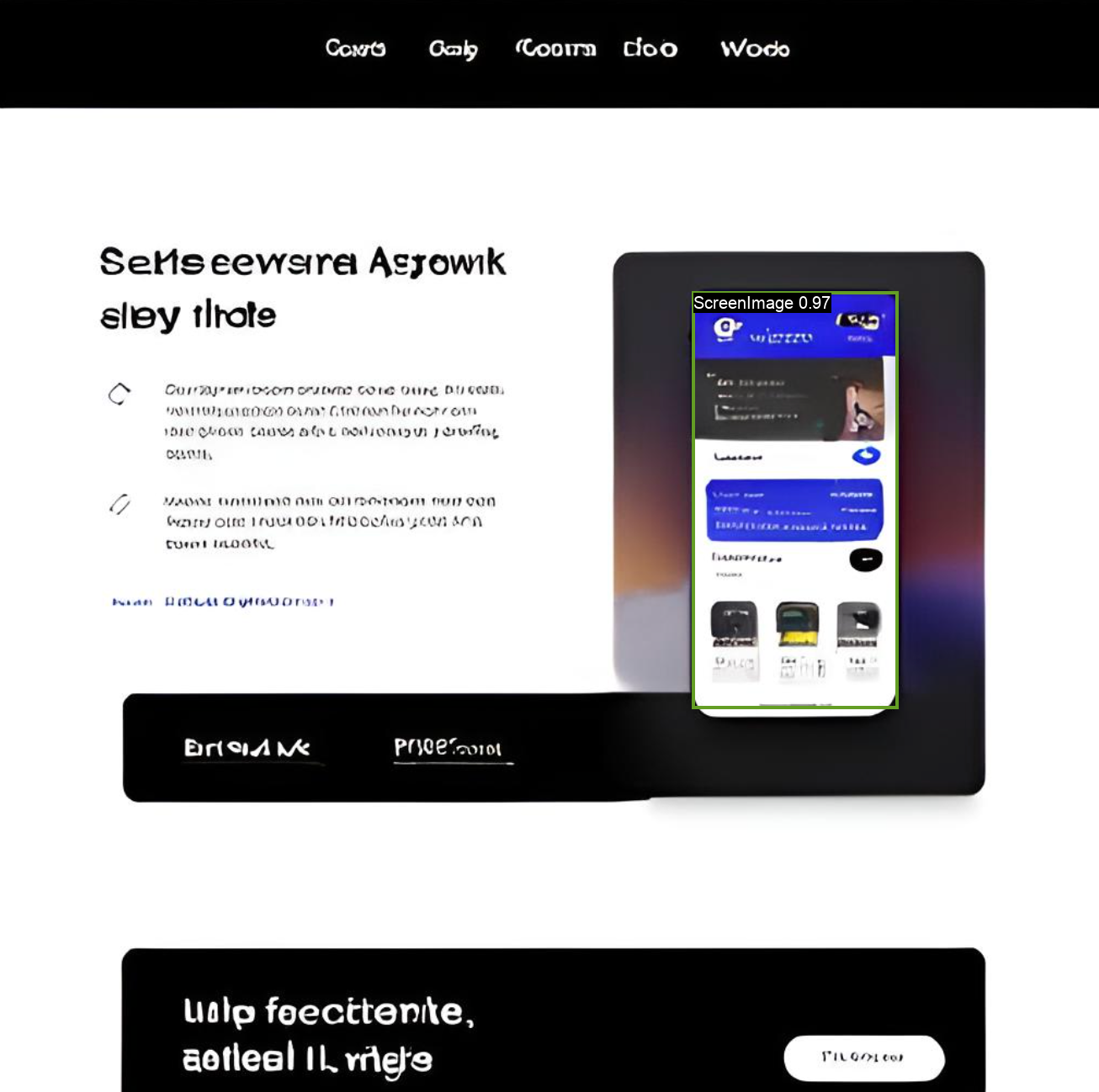
  "logs": "image /tmp/tmpj3llvi7bscreenshot-20230913-175026.png\nimg_path /tmp/tmpj3llvi7bscreenshot-20230913-175026.png\n0: 640x640 1 ScreenImage, 84.8ms\nSpeed: 3.5ms preprocess, 84.8ms inference, 2.8ms postprocess per image at shape (1, 3, 640, 640)\nresult: ultralytics.engine.results.Results object with attributes:\nboxes: ultralytics.engine.results.Boxes object\nkeypoints: None\nkeys: ['boxes']\nmasks: None\nnames: {0: 'ScreenImage', 1: 'Text'}\norig_img: array([[[  4,   4,   4],\n[  4,   4,   4],\n[  2,   2,   3],\n...,\n[  1,   1,   1],\n[  1,   1,   1],\n[  1,   1,   1]],\n[[  2,   2,   2],\n[  2,   2,   2],\n[  1,   1,   1],\n...,\n[  1,   1,   1],\n[  1,   1,   1],\n[  1,   1,   1]],\n[[  3,   3,   3],\n[  3,   3,   3],\n[  2,   2,   2],\n...,\n[  3,   3,   3],\n[  2,   2,   2],\n[  2,   2,   2]],\n...,\n[[255, 255, 255],\n[255, 255, 255],\n[255, 255, 255],\n...,\n[255, 255, 255],\n[255, 255, 255],\n[255, 255, 255]],\n[[255, 255, 255],\n[255, 255, 255],\n[255, 255, 255],\n...,\n[255, 255, 255],\n[255, 255, 255],\n[255, 255, 255]],\n[[255, 255, 255],\n[255, 255, 255],\n[255, 255, 255],\n...,\n[255, 255, 255],\n[255, 255, 255],\n[255, 255, 255]]], dtype=uint8)\norig_shape: (1298, 1306)\npath: '/tmp/tmpj3llvi7bscreenshot-20230913-175026.png'\nprobs: None\nsave_dir: None\nspeed: {'preprocess': 3.5409927368164062, 'inference': 84.7933292388916, 'postprocess': 2.7608871459960938}",
  "output": "https://replicate.delivery/pbxt/lNeNKgpmtKRqUicNpV97se2JEpwewVTkbSrenWx4PSlDfbeYE/output_tmpj3llvi7bscreenshot-20230913-175026.png",
  "data_removed": false,
  "error": null,
  "source": "web",
  "status": "succeeded",
  "created_at": "2023-09-13T09:50:39.362699Z",
  "started_at": "2023-09-13T09:50:39.334112Z",
  "completed_at": "2023-09-13T09:50:40.729478Z",
  "urls": {
    "cancel": "https://api.replicate.com/v1/predictions/wdegnhzbf4dvh5cizltkbuzyfa/cancel",
    "get": "https://api.replicate.com/v1/predictions/wdegnhzbf4dvh5cizltkbuzyfa"
  },
  "metrics": {
    "predict_time": 1.395366,
    "total_time": 1.366779
  }
}
Generated in
image /tmp/tmpj3llvi7bscreenshot-20230913-175026.png
img_path /tmp/tmpj3llvi7bscreenshot-20230913-175026.png
0: 640x640 1 ScreenImage, 84.8ms
Speed: 3.5ms preprocess, 84.8ms inference, 2.8ms postprocess per image at shape (1, 3, 640, 640)
result: ultralytics.engine.results.Results object with attributes:
boxes: ultralytics.engine.results.Boxes object
keypoints: None
keys: ['boxes']
masks: None
names: {0: 'ScreenImage', 1: 'Text'}
orig_img: array([[[ 4, 4, 4],
[ 4, 4, 4],
[ 2, 2, 3],
...,
[ 1, 1, 1],
[ 1, 1, 1],
[ 1, 1, 1]],
[[ 2, 2, 2],
[ 2, 2, 2],
[ 1, 1, 1],
...,
[ 1, 1, 1],
[ 1, 1, 1],
[ 1, 1, 1]],
[[ 3, 3, 3],
[ 3, 3, 3],
[ 2, 2, 2],
...,
[ 3, 3, 3],
[ 2, 2, 2],
[ 2, 2, 2]],
...,
[[255, 255, 255],
[255, 255, 255],
[255, 255, 255],
...,
[255, 255, 255],
[255, 255, 255],
[255, 255, 255]],
[[255, 255, 255],
[255, 255, 255],
[255, 255, 255],
...,
[255, 255, 255],
[255, 255, 255],
[255, 255, 255]],
[[255, 255, 255],
[255, 255, 255],
[255, 255, 255],
...,
[255, 255, 255],
[255, 255, 255],
[255, 255, 255]]], dtype=uint8)
orig_shape: (1298, 1306)
path: '/tmp/tmpj3llvi7bscreenshot-20230913-175026.png'
probs: None
save_dir: None
speed: {'preprocess': 3.5409927368164062, 'inference': 84.7933292388916, 'postprocess': 2.7608871459960938}