typetext
ID
y2hq87vapxrm80cq1nnvkbey9w
Status
Succeeded
Source
Web
Hardware
H100
Total duration
Created
Webhook
–
Input
- prompt
- VKNG
- aspect_ratio
- 16:9default1:1typeenumvalue typestringoptions1:1, 16:9, 21:9, 3:2, 2:3, 4:5, 5:4, 3:4, 4:3, 9:16, 9:21, custom
- prompt_strength
- 0.8default0.8typenumeric-rangevalue typenumbermaximum1
- model
- devdefaultdevtypeenumvalue typestringoptionsdev, schnell
- num_outputs
- 2default1typenumeric-rangevalue typeintegerminimum1maximum4
- num_inference_steps
- 28default28typenumeric-rangevalue typeintegerminimum1maximum50
- guidance_scale
- 3default3typenumeric-rangevalue typenumbermaximum10
- output_format
- pngdefaultwebptypeenumvalue typestringoptionswebp, jpg, png
- output_quality
- 80default80typenumeric-rangevalue typeintegermaximum100
- go_fast
- falsetypeboolean
- megapixels
- 1default1typeenumvalue typestringoptions1, 0.25
- lora_scale
- 1default1typenumeric-rangevalue typenumberminimum-1maximum3
- extra_lora_scale
- 1default1typenumeric-rangevalue typenumberminimum-1maximum3
{
  "aspect_ratio": "16:9",
  "extra_lora_scale": 1,
  "go_fast": false,
  "guidance_scale": 3,
  "lora_scale": 1,
  "megapixels": "1",
  "model": "dev",
  "num_inference_steps": 28,
  "num_outputs": 2,
  "output_format": "png",
  "output_quality": 80,
  "prompt": "VKNG  ",
  "prompt_strength": 0.8
}
Install Replicate’s Node.js client library:
npm install replicate
Set the
REPLICATE_API_TOKEN environment variable:export REPLICATE_API_TOKEN=r8_LVg**********************************
This is your API token. Keep it to yourself.
Import and set up the client:
import Replicate from "replicate";
import fs from "node:fs";

const replicate = new Replicate({
  auth: process.env.REPLICATE_API_TOKEN,
});
Run gauntlet-ai/vkng-lora-test using Replicate’s API. Check out the model's schema for an overview of inputs and outputs.
const output = await replicate.run(
  "gauntlet-ai/vkng-lora-test:20ffd71ff7afa0c517f312b24b95a17e4d7de0373eccf23d0b1942ed598ad7c0",
  {
    input: {
      aspect_ratio: "16:9",
      extra_lora_scale: 1,
      go_fast: false,
      guidance_scale: 3,
      lora_scale: 1,
      megapixels: "1",
      model: "dev",
      num_inference_steps: 28,
      num_outputs: 2,
      output_format: "png",
      output_quality: 80,
      prompt: "VKNG  ",
      prompt_strength: 0.8
    }
  }
);

// To access the file URL:
console.log(output[0].url()); //=> "http://example.com"

// To write the file to disk:
fs.writeFile("my-image.png", output[0]);
To learn more, take a look at the guide on getting started with Node.js.
Install Replicate’s Python client library:
pip install replicate
Set the
REPLICATE_API_TOKEN environment variable:export REPLICATE_API_TOKEN=r8_LVg**********************************
This is your API token. Keep it to yourself.
Import the client:
import replicate
Run gauntlet-ai/vkng-lora-test using Replicate’s API. Check out the model's schema for an overview of inputs and outputs.
output = replicate.run(
    "gauntlet-ai/vkng-lora-test:20ffd71ff7afa0c517f312b24b95a17e4d7de0373eccf23d0b1942ed598ad7c0",
    input={
        "aspect_ratio": "16:9",
        "extra_lora_scale": 1,
        "go_fast": False,
        "guidance_scale": 3,
        "lora_scale": 1,
        "megapixels": "1",
        "model": "dev",
        "num_inference_steps": 28,
        "num_outputs": 2,
        "output_format": "png",
        "output_quality": 80,
        "prompt": "VKNG  ",
        "prompt_strength": 0.8
    }
)

# To access the file URL:
print(output[0].url())
#=> "http://example.com"

# To write the file to disk:
with open("my-image.png", "wb") as file:
    file.write(output[0].read())
To learn more, take a look at the guide on getting started with Python.
Set the
REPLICATE_API_TOKEN environment variable:export REPLICATE_API_TOKEN=r8_LVg**********************************
This is your API token. Keep it to yourself.
Run gauntlet-ai/vkng-lora-test using Replicate’s API. Check out the model's schema for an overview of inputs and outputs.
curl -s -X POST \
  -H "Authorization: Bearer $REPLICATE_API_TOKEN" \
  -H "Content-Type: application/json" \
  -H "Prefer: wait" \
  -d $'{
    "version": "gauntlet-ai/vkng-lora-test:20ffd71ff7afa0c517f312b24b95a17e4d7de0373eccf23d0b1942ed598ad7c0",
    "input": {
      "aspect_ratio": "16:9",
      "extra_lora_scale": 1,
      "go_fast": false,
      "guidance_scale": 3,
      "lora_scale": 1,
      "megapixels": "1",
      "model": "dev",
      "num_inference_steps": 28,
      "num_outputs": 2,
      "output_format": "png",
      "output_quality": 80,
      "prompt": "VKNG  ",
      "prompt_strength": 0.8
    }
  }' \
  https://api.replicate.com/v1/predictions
To learn more, take a look at Replicate’s HTTP API reference docs.
Output
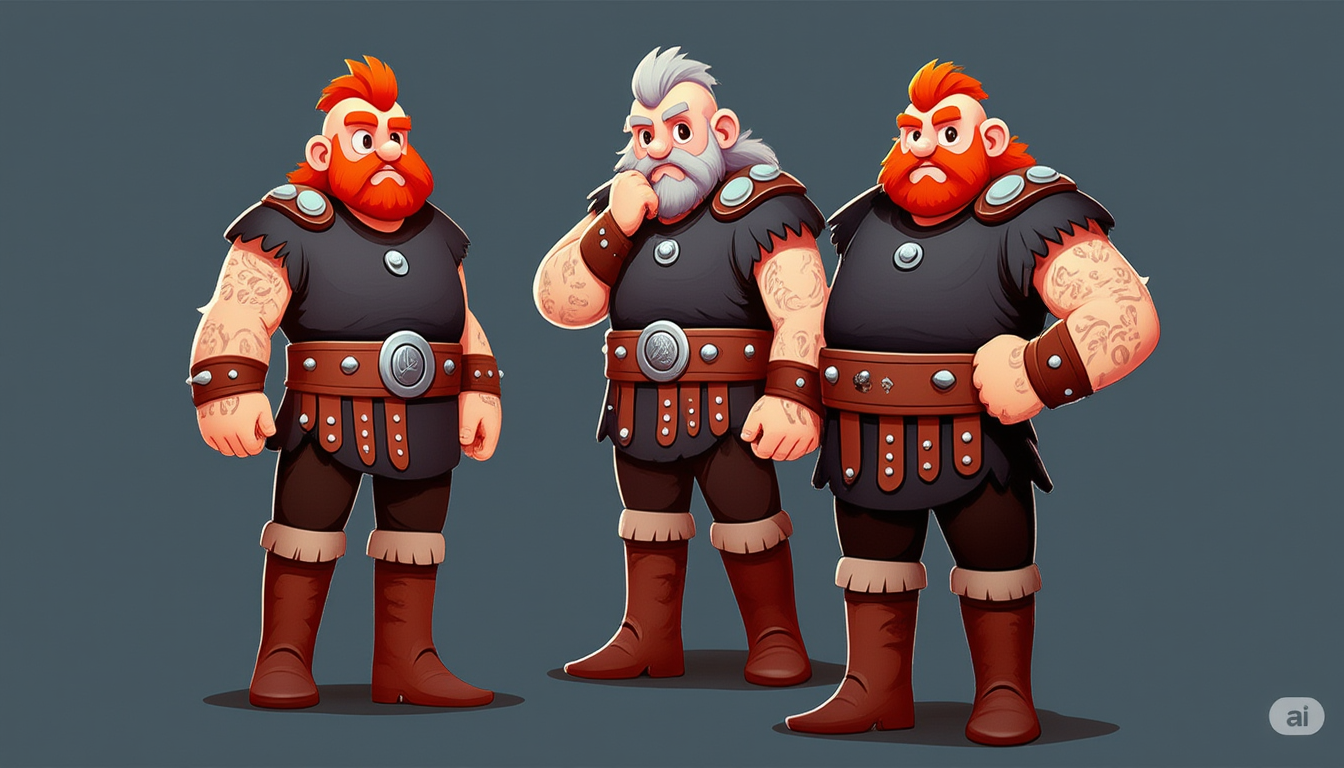
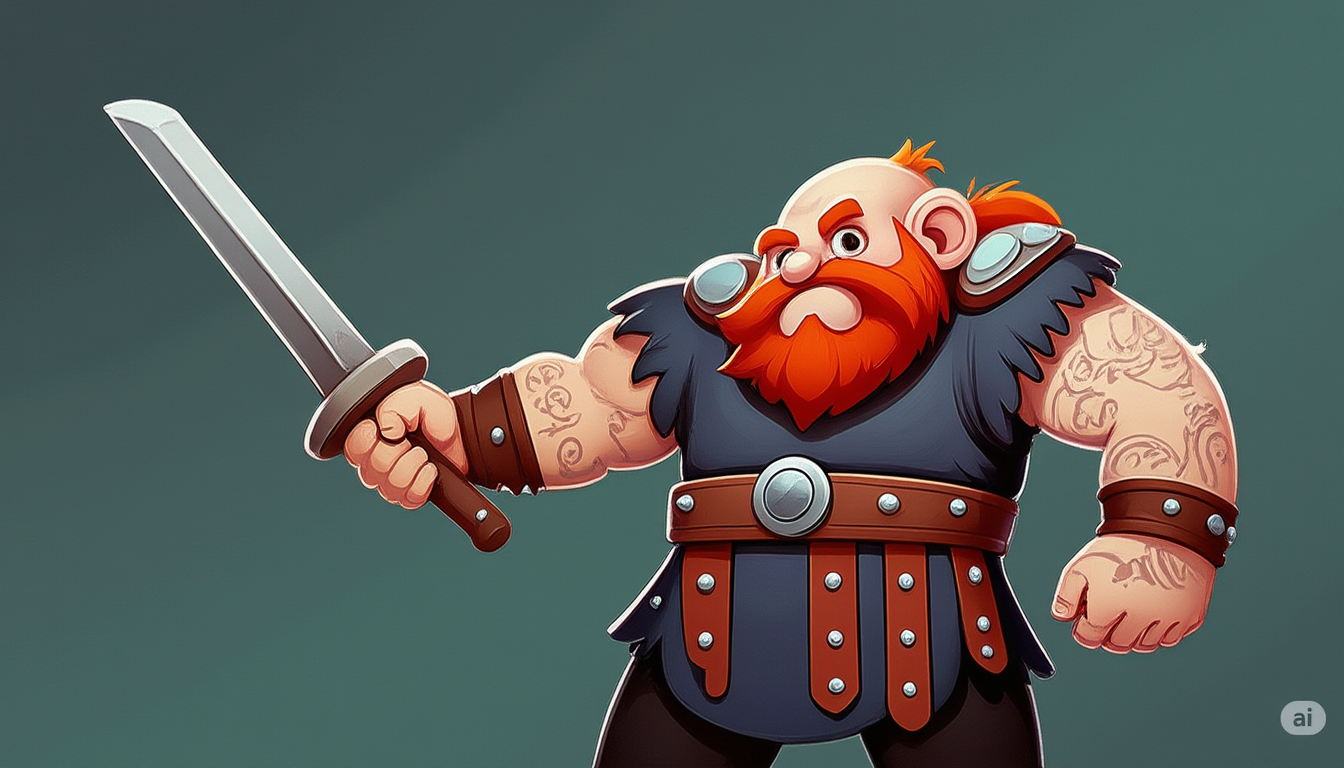
{
  "id": "y2hq87vapxrm80cq1nnvkbey9w",
  "model": "gauntlet-ai/vkng-lora-test",
  "version": "20ffd71ff7afa0c517f312b24b95a17e4d7de0373eccf23d0b1942ed598ad7c0",
  "input": {
    "aspect_ratio": "16:9",
    "extra_lora_scale": 1,
    "go_fast": false,
    "guidance_scale": 3,
    "lora_scale": 1,
    "megapixels": "1",
    "model": "dev",
    "num_inference_steps": 28,
    "num_outputs": 2,
    "output_format": "png",
    "output_quality": 80,
    "prompt": "VKNG  ",
    "prompt_strength": 0.8
  },
  "logs": "Weights already loaded\nLoaded LoRAs in 0.02s\nUsing seed: 17646\nPrompt: VKNG\n[!] txt2img mode\n  0%|          | 0/28 [00:00<?, ?it/s]\n  4%|▎         | 1/28 [00:00<00:13,  2.03it/s]\n  7%|▋         | 2/28 [00:00<00:11,  2.30it/s]\n 11%|█         | 3/28 [00:01<00:11,  2.16it/s]\n 14%|█▍        | 4/28 [00:01<00:11,  2.10it/s]\n 18%|█▊        | 5/28 [00:02<00:11,  2.07it/s]\n 21%|██▏       | 6/28 [00:02<00:10,  2.05it/s]\n 25%|██▌       | 7/28 [00:03<00:10,  2.04it/s]\n 29%|██▊       | 8/28 [00:03<00:09,  2.03it/s]\n 32%|███▏      | 9/28 [00:04<00:09,  2.03it/s]\n 36%|███▌      | 10/28 [00:04<00:08,  2.02it/s]\n 39%|███▉      | 11/28 [00:05<00:08,  2.02it/s]\n 43%|████▎     | 12/28 [00:05<00:07,  2.02it/s]\n 46%|████▋     | 13/28 [00:06<00:07,  2.02it/s]\n 50%|█████     | 14/28 [00:06<00:06,  2.02it/s]\n 54%|█████▎    | 15/28 [00:07<00:06,  2.02it/s]\n 57%|█████▋    | 16/28 [00:07<00:05,  2.02it/s]\n 61%|██████    | 17/28 [00:08<00:05,  2.01it/s]\n 64%|██████▍   | 18/28 [00:08<00:04,  2.01it/s]\n 68%|██████▊   | 19/28 [00:09<00:04,  2.01it/s]\n 71%|███████▏  | 20/28 [00:09<00:03,  2.01it/s]\n 75%|███████▌  | 21/28 [00:10<00:03,  2.01it/s]\n 79%|███████▊  | 22/28 [00:10<00:02,  2.01it/s]\n 82%|████████▏ | 23/28 [00:11<00:02,  2.01it/s]\n 86%|████████▌ | 24/28 [00:11<00:01,  2.01it/s]\n 89%|████████▉ | 25/28 [00:12<00:01,  2.01it/s]\n 93%|█████████▎| 26/28 [00:12<00:00,  2.01it/s]\n 96%|█████████▋| 27/28 [00:13<00:00,  2.01it/s]\n100%|██████████| 28/28 [00:13<00:00,  2.01it/s]\n100%|██████████| 28/28 [00:13<00:00,  2.03it/s]\nTotal safe images: 2 out of 2",
  "output": [
    "https://replicate.delivery/xezq/bwElXvV5QEp2LBkxoJFYllpqetCeJM3kCmJHyO5QPklvhkwUA/out-0.png",
    "https://replicate.delivery/xezq/9DSkDtvfUF3OaSVBZzDIsyFGt4i9u7oBqr0C9WB7gMw3QSYKA/out-1.png"
  ],
  "data_removed": false,
  "error": null,
  "source": "web",
  "status": "succeeded",
  "created_at": "2025-05-26T16:27:12.951Z",
  "started_at": "2025-05-26T16:27:12.966664Z",
  "completed_at": "2025-05-26T16:27:27.718152Z",
  "urls": {
    "cancel": "https://api.replicate.com/v1/predictions/y2hq87vapxrm80cq1nnvkbey9w/cancel",
    "get": "https://api.replicate.com/v1/predictions/y2hq87vapxrm80cq1nnvkbey9w",
    "stream": "https://stream.replicate.com/v1/files/bcwr-vqfagnn345m6gyc62vwz2x5hsqbptiz5v2ammbtj7tszgt6hlvhq",
    "web": "https://replicate.com/p/y2hq87vapxrm80cq1nnvkbey9w"
  },
  "metrics": {
    "predict_time": 14.751487458,
    "total_time": 14.767152
  }
}
Generated in
Weights already loaded
Loaded LoRAs in 0.02s
Using seed: 17646
Prompt: VKNG
[!] txt2img mode
0%| | 0/28 [00:00<?, ?it/s]
4%|▎ | 1/28 [00:00<00:13, 2.03it/s]
7%|▋ | 2/28 [00:00<00:11, 2.30it/s]
11%|█ | 3/28 [00:01<00:11, 2.16it/s]
14%|█▍ | 4/28 [00:01<00:11, 2.10it/s]
18%|█▊ | 5/28 [00:02<00:11, 2.07it/s]
21%|██▏ | 6/28 [00:02<00:10, 2.05it/s]
25%|██▌ | 7/28 [00:03<00:10, 2.04it/s]
29%|██▊ | 8/28 [00:03<00:09, 2.03it/s]
32%|███▏ | 9/28 [00:04<00:09, 2.03it/s]
36%|███▌ | 10/28 [00:04<00:08, 2.02it/s]
39%|███▉ | 11/28 [00:05<00:08, 2.02it/s]
43%|████▎ | 12/28 [00:05<00:07, 2.02it/s]
46%|████▋ | 13/28 [00:06<00:07, 2.02it/s]
50%|█████ | 14/28 [00:06<00:06, 2.02it/s]
54%|█████▎ | 15/28 [00:07<00:06, 2.02it/s]
57%|█████▋ | 16/28 [00:07<00:05, 2.02it/s]
61%|██████ | 17/28 [00:08<00:05, 2.01it/s]
64%|██████▍ | 18/28 [00:08<00:04, 2.01it/s]
68%|██████▊ | 19/28 [00:09<00:04, 2.01it/s]
71%|███████▏ | 20/28 [00:09<00:03, 2.01it/s]
75%|███████▌ | 21/28 [00:10<00:03, 2.01it/s]
79%|███████▊ | 22/28 [00:10<00:02, 2.01it/s]
82%|████████▏ | 23/28 [00:11<00:02, 2.01it/s]
86%|████████▌ | 24/28 [00:11<00:01, 2.01it/s]
89%|████████▉ | 25/28 [00:12<00:01, 2.01it/s]
93%|█████████▎| 26/28 [00:12<00:00, 2.01it/s]
96%|█████████▋| 27/28 [00:13<00:00, 2.01it/s]
100%|██████████| 28/28 [00:13<00:00, 2.01it/s]
100%|██████████| 28/28 [00:13<00:00, 2.03it/s]
Total safe images: 2 out of 2