typefile
ID
0p73xazfanrmc0cnndx8xk16nm
Status
Succeeded
Source
Web
Hardware
L40S
Total duration
Created
by lucataco
Webhook
–
Input
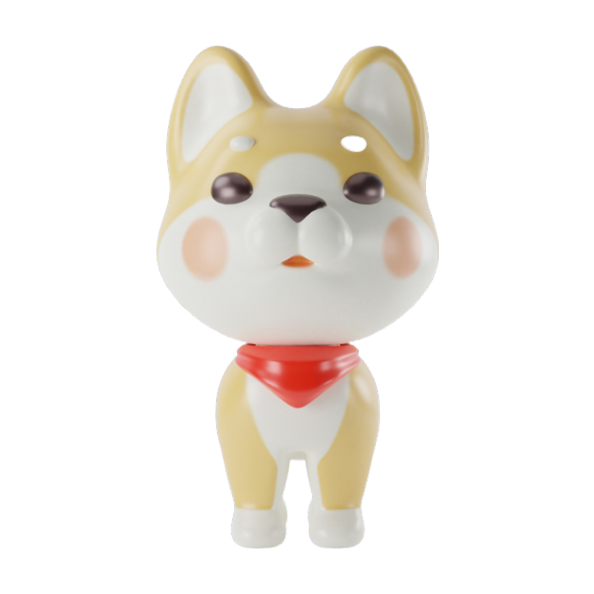
- front_image
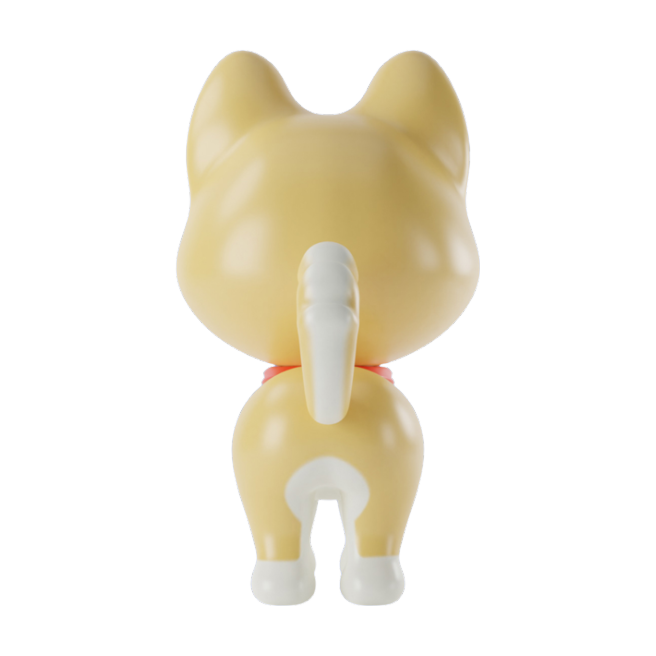
- back_image
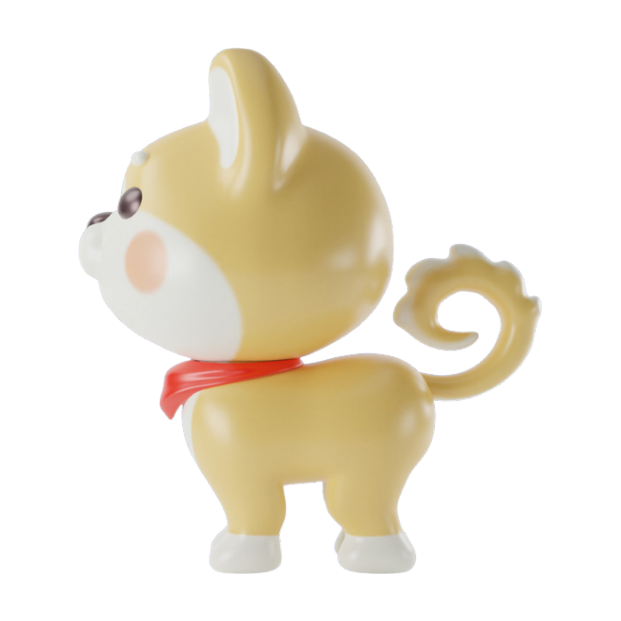
- left_image
- steps
- 30default30typenumeric-rangevalue typeintegerminimum1maximum100
- guidance_scale
- 5default5typenumericvalue typenumber
- seed
- 1234default1234typenumericvalue typeinteger
- octree_resolution
- 256default256typenumeric-rangevalue typeintegerminimum16maximum512
- remove_background
- truedefaulttruetypeboolean
- num_chunks
- 200000default200000typenumeric-rangevalue typeintegerminimum1000maximum5000000
- randomize_seed
- truedefaulttruetypeboolean
- target_face_num
- 10000default10000typenumeric-rangevalue typeintegerminimum100maximum1000000
- file_type
- glbdefaultglbtypeenumvalue typestringoptionsglb, obj, ply, stl
{
  "back_image": "https://replicate.delivery/pbxt/MgQTJZJpLfwXQc6N8rcxSAVGGf2GSGWAFYSqyKQyUVadSfiv/dog2-back.png",
  "file_type": "glb",
  "front_image": "https://replicate.delivery/pbxt/MgQTJRO3p8S9ToUYyoMkWLm5edO6y7DZKqP9OZWhYG3zUFtM/dog2-front.png",
  "guidance_scale": 5,
  "left_image": "https://replicate.delivery/pbxt/MgQTKA8In6bsulSoqMd1pp6lhRFmacbXOJuK9swVdknRJSbR/dog2-side.png",
  "num_chunks": 200000,
  "octree_resolution": 256,
  "randomize_seed": true,
  "remove_background": true,
  "seed": 1234,
  "steps": 30,
  "target_face_num": 10000
}
Install Replicate’s Node.js client library:
npm install replicate
Set the
REPLICATE_API_TOKEN environment variable:export REPLICATE_API_TOKEN=r8_6ew**********************************
This is your API token. Keep it to yourself.
Import and set up the client:
import Replicate from "replicate";
import fs from "node:fs";

const replicate = new Replicate({
  auth: process.env.REPLICATE_API_TOKEN,
});
Run tencent/hunyuan3d-2mv using Replicate’s API. Check out the model's schema for an overview of inputs and outputs.
const output = await replicate.run(
  "tencent/hunyuan3d-2mv:71798fbc3c9f7b7097e3bb85496e5a797d8b8f616b550692e7c3e176a8e9e5db",
  {
    input: {
      back_image: "https://replicate.delivery/pbxt/MgQTJZJpLfwXQc6N8rcxSAVGGf2GSGWAFYSqyKQyUVadSfiv/dog2-back.png",
      file_type: "glb",
      front_image: "https://replicate.delivery/pbxt/MgQTJRO3p8S9ToUYyoMkWLm5edO6y7DZKqP9OZWhYG3zUFtM/dog2-front.png",
      guidance_scale: 5,
      left_image: "https://replicate.delivery/pbxt/MgQTKA8In6bsulSoqMd1pp6lhRFmacbXOJuK9swVdknRJSbR/dog2-side.png",
      num_chunks: 200000,
      octree_resolution: 256,
      randomize_seed: true,
      remove_background: true,
      seed: 1234,
      steps: 30,
      target_face_num: 10000
    }
  }
);

// To access the file URL:
console.log(output.url()); //=> "http://example.com"

// To write the file to disk:
fs.writeFile("my-image.png", output);
To learn more, take a look at the guide on getting started with Node.js.
Install Replicate’s Python client library:
pip install replicate
Set the
REPLICATE_API_TOKEN environment variable:export REPLICATE_API_TOKEN=r8_6ew**********************************
This is your API token. Keep it to yourself.
Import the client:
import replicate
Run tencent/hunyuan3d-2mv using Replicate’s API. Check out the model's schema for an overview of inputs and outputs.
output = replicate.run(
    "tencent/hunyuan3d-2mv:71798fbc3c9f7b7097e3bb85496e5a797d8b8f616b550692e7c3e176a8e9e5db",
    input={
        "back_image": "https://replicate.delivery/pbxt/MgQTJZJpLfwXQc6N8rcxSAVGGf2GSGWAFYSqyKQyUVadSfiv/dog2-back.png",
        "file_type": "glb",
        "front_image": "https://replicate.delivery/pbxt/MgQTJRO3p8S9ToUYyoMkWLm5edO6y7DZKqP9OZWhYG3zUFtM/dog2-front.png",
        "guidance_scale": 5,
        "left_image": "https://replicate.delivery/pbxt/MgQTKA8In6bsulSoqMd1pp6lhRFmacbXOJuK9swVdknRJSbR/dog2-side.png",
        "num_chunks": 200000,
        "octree_resolution": 256,
        "randomize_seed": True,
        "remove_background": True,
        "seed": 1234,
        "steps": 30,
        "target_face_num": 10000
    }
)

# To access the file URL:
print(output.url())
#=> "http://example.com"

# To write the file to disk:
with open("my-image.png", "wb") as file:
    file.write(output.read())
To learn more, take a look at the guide on getting started with Python.
Set the
REPLICATE_API_TOKEN environment variable:export REPLICATE_API_TOKEN=r8_6ew**********************************
This is your API token. Keep it to yourself.
Run tencent/hunyuan3d-2mv using Replicate’s API. Check out the model's schema for an overview of inputs and outputs.
curl -s -X POST \
  -H "Authorization: Bearer $REPLICATE_API_TOKEN" \
  -H "Content-Type: application/json" \
  -H "Prefer: wait" \
  -d $'{
    "version": "tencent/hunyuan3d-2mv:71798fbc3c9f7b7097e3bb85496e5a797d8b8f616b550692e7c3e176a8e9e5db",
    "input": {
      "back_image": "https://replicate.delivery/pbxt/MgQTJZJpLfwXQc6N8rcxSAVGGf2GSGWAFYSqyKQyUVadSfiv/dog2-back.png",
      "file_type": "glb",
      "front_image": "https://replicate.delivery/pbxt/MgQTJRO3p8S9ToUYyoMkWLm5edO6y7DZKqP9OZWhYG3zUFtM/dog2-front.png",
      "guidance_scale": 5,
      "left_image": "https://replicate.delivery/pbxt/MgQTKA8In6bsulSoqMd1pp6lhRFmacbXOJuK9swVdknRJSbR/dog2-side.png",
      "num_chunks": 200000,
      "octree_resolution": 256,
      "randomize_seed": true,
      "remove_background": true,
      "seed": 1234,
      "steps": 30,
      "target_face_num": 10000
    }
  }' \
  https://api.replicate.com/v1/predictions
To learn more, take a look at Replicate’s HTTP API reference docs.
Output
Use your mouse to zoom and rotate the model
{
  "id": "0p73xazfanrmc0cnndx8xk16nm",
  "model": "tencent/hunyuan3d-2mv",
  "version": "71798fbc3c9f7b7097e3bb85496e5a797d8b8f616b550692e7c3e176a8e9e5db",
  "input": {
    "back_image": "https://replicate.delivery/pbxt/MgQTJZJpLfwXQc6N8rcxSAVGGf2GSGWAFYSqyKQyUVadSfiv/dog2-back.png",
    "file_type": "glb",
    "front_image": "https://replicate.delivery/pbxt/MgQTJRO3p8S9ToUYyoMkWLm5edO6y7DZKqP9OZWhYG3zUFtM/dog2-front.png",
    "guidance_scale": 5,
    "left_image": "https://replicate.delivery/pbxt/MgQTKA8In6bsulSoqMd1pp6lhRFmacbXOJuK9swVdknRJSbR/dog2-side.png",
    "num_chunks": 200000,
    "octree_resolution": 256,
    "randomize_seed": true,
    "remove_background": true,
    "seed": 1234,
    "steps": 30,
    "target_face_num": 10000
  },
  "logs": "Diffusion Sampling::   0%|          | 0/30 [00:00<?, ?it/s]\nDiffusion Sampling::   3%|▎         | 1/30 [00:00<00:04,  6.97it/s]\nDiffusion Sampling::  10%|█         | 3/30 [00:00<00:02,  9.33it/s]\nDiffusion Sampling::  13%|█▎        | 4/30 [00:00<00:03,  8.36it/s]\nDiffusion Sampling::  17%|█▋        | 5/30 [00:00<00:03,  7.85it/s]\nDiffusion Sampling::  20%|██        | 6/30 [00:00<00:03,  7.55it/s]\nDiffusion Sampling::  23%|██▎       | 7/30 [00:00<00:03,  7.35it/s]\nDiffusion Sampling::  27%|██▋       | 8/30 [00:01<00:03,  7.23it/s]\nDiffusion Sampling::  30%|███       | 9/30 [00:01<00:02,  7.15it/s]\nDiffusion Sampling::  33%|███▎      | 10/30 [00:01<00:02,  7.09it/s]\nDiffusion Sampling::  37%|███▋      | 11/30 [00:01<00:02,  7.04it/s]\nDiffusion Sampling::  40%|████      | 12/30 [00:01<00:02,  7.01it/s]\nDiffusion Sampling::  43%|████▎     | 13/30 [00:01<00:02,  6.99it/s]\nDiffusion Sampling::  47%|████▋     | 14/30 [00:01<00:02,  6.98it/s]\nDiffusion Sampling::  50%|█████     | 15/30 [00:02<00:02,  6.97it/s]\nDiffusion Sampling::  53%|█████▎    | 16/30 [00:02<00:02,  6.96it/s]\nDiffusion Sampling::  57%|█████▋    | 17/30 [00:02<00:01,  6.95it/s]\nDiffusion Sampling::  60%|██████    | 18/30 [00:02<00:01,  6.94it/s]\nDiffusion Sampling::  63%|██████▎   | 19/30 [00:02<00:01,  6.94it/s]\nDiffusion Sampling::  67%|██████▋   | 20/30 [00:02<00:01,  6.94it/s]\nDiffusion Sampling::  70%|███████   | 21/30 [00:02<00:01,  6.93it/s]\nDiffusion Sampling::  73%|███████▎  | 22/30 [00:03<00:01,  6.94it/s]\nDiffusion Sampling::  77%|███████▋  | 23/30 [00:03<00:01,  6.94it/s]\nDiffusion Sampling::  80%|████████  | 24/30 [00:03<00:00,  6.94it/s]\nDiffusion Sampling::  83%|████████▎ | 25/30 [00:03<00:00,  6.93it/s]\nDiffusion Sampling::  87%|████████▋ | 26/30 [00:03<00:00,  6.93it/s]\nDiffusion Sampling::  90%|█████████ | 27/30 [00:03<00:00,  6.93it/s]\nDiffusion Sampling::  93%|█████████▎| 28/30 [00:03<00:00,  6.92it/s]\nDiffusion Sampling::  97%|█████████▋| 29/30 [00:04<00:00,  6.92it/s]\nDiffusion Sampling:: 100%|██████████| 30/30 [00:04<00:00,  6.92it/s]\nDiffusion Sampling:: 100%|██████████| 30/30 [00:04<00:00,  7.11it/s]\nVolume Decoding:   0%|          | 0/85 [00:00<?, ?it/s]\nVolume Decoding:  55%|█████▌    | 47/85 [00:00<00:00, 375.96it/s]\nVolume Decoding: 100%|██████████| 85/85 [00:02<00:00, 33.51it/s]\nVolume Decoding: 100%|██████████| 85/85 [00:02<00:00, 39.47it/s]\nShape generation took 9.23 seconds\nCreated new folder: outputs/58ebb0d3-ed6c-4d07-8a2a-f91b81f2b258",
  "output": "https://replicate.delivery/xezq/yUpfv4vLevlUF0wBqVNig7jTeQR9Y4EJSDtw18UPWCrTl1zoA/gray_mesh.glb",
  "data_removed": false,
  "error": null,
  "source": "web",
  "status": "succeeded",
  "created_at": "2025-03-18T22:58:35.477Z",
  "started_at": "2025-03-18T22:58:35.492577Z",
  "completed_at": "2025-03-18T22:58:49.577033Z",
  "urls": {
    "cancel": "https://api.replicate.com/v1/predictions/0p73xazfanrmc0cnndx8xk16nm/cancel",
    "get": "https://api.replicate.com/v1/predictions/0p73xazfanrmc0cnndx8xk16nm",
    "stream": "https://stream.replicate.com/v1/files/bcwr-bexsttkek76wq7t72wdsekhx5mrajhhgo2nigf2xqyk5skulw36q",
    "web": "https://replicate.com/p/0p73xazfanrmc0cnndx8xk16nm"
  },
  "metrics": {
    "predict_time": 14.084455464,
    "total_time": 14.100033
  }
}
Generated in
Diffusion Sampling:: 0%| | 0/30 [00:00<?, ?it/s]
Diffusion Sampling:: 3%|▎ | 1/30 [00:00<00:04, 6.97it/s]
Diffusion Sampling:: 10%|█ | 3/30 [00:00<00:02, 9.33it/s]
Diffusion Sampling:: 13%|█▎ | 4/30 [00:00<00:03, 8.36it/s]
Diffusion Sampling:: 17%|█▋ | 5/30 [00:00<00:03, 7.85it/s]
Diffusion Sampling:: 20%|██ | 6/30 [00:00<00:03, 7.55it/s]
Diffusion Sampling:: 23%|██▎ | 7/30 [00:00<00:03, 7.35it/s]
Diffusion Sampling:: 27%|██▋ | 8/30 [00:01<00:03, 7.23it/s]
Diffusion Sampling:: 30%|███ | 9/30 [00:01<00:02, 7.15it/s]
Diffusion Sampling:: 33%|███▎ | 10/30 [00:01<00:02, 7.09it/s]
Diffusion Sampling:: 37%|███▋ | 11/30 [00:01<00:02, 7.04it/s]
Diffusion Sampling:: 40%|████ | 12/30 [00:01<00:02, 7.01it/s]
Diffusion Sampling:: 43%|████▎ | 13/30 [00:01<00:02, 6.99it/s]
Diffusion Sampling:: 47%|████▋ | 14/30 [00:01<00:02, 6.98it/s]
Diffusion Sampling:: 50%|█████ | 15/30 [00:02<00:02, 6.97it/s]
Diffusion Sampling:: 53%|█████▎ | 16/30 [00:02<00:02, 6.96it/s]
Diffusion Sampling:: 57%|█████▋ | 17/30 [00:02<00:01, 6.95it/s]
Diffusion Sampling:: 60%|██████ | 18/30 [00:02<00:01, 6.94it/s]
Diffusion Sampling:: 63%|██████▎ | 19/30 [00:02<00:01, 6.94it/s]
Diffusion Sampling:: 67%|██████▋ | 20/30 [00:02<00:01, 6.94it/s]
Diffusion Sampling:: 70%|███████ | 21/30 [00:02<00:01, 6.93it/s]
Diffusion Sampling:: 73%|███████▎ | 22/30 [00:03<00:01, 6.94it/s]
Diffusion Sampling:: 77%|███████▋ | 23/30 [00:03<00:01, 6.94it/s]
Diffusion Sampling:: 80%|████████ | 24/30 [00:03<00:00, 6.94it/s]
Diffusion Sampling:: 83%|████████▎ | 25/30 [00:03<00:00, 6.93it/s]
Diffusion Sampling:: 87%|████████▋ | 26/30 [00:03<00:00, 6.93it/s]
Diffusion Sampling:: 90%|█████████ | 27/30 [00:03<00:00, 6.93it/s]
Diffusion Sampling:: 93%|█████████▎| 28/30 [00:03<00:00, 6.92it/s]
Diffusion Sampling:: 97%|█████████▋| 29/30 [00:04<00:00, 6.92it/s]
Diffusion Sampling:: 100%|██████████| 30/30 [00:04<00:00, 6.92it/s]
Diffusion Sampling:: 100%|██████████| 30/30 [00:04<00:00, 7.11it/s]
Volume Decoding: 0%| | 0/85 [00:00<?, ?it/s]
Volume Decoding: 55%|█████▌ | 47/85 [00:00<00:00, 375.96it/s]
Volume Decoding: 100%|██████████| 85/85 [00:02<00:00, 33.51it/s]
Volume Decoding: 100%|██████████| 85/85 [00:02<00:00, 39.47it/s]
Shape generation took 9.23 seconds
Created new folder: outputs/58ebb0d3-ed6c-4d07-8a2a-f91b81f2b258